
If someone sent you a link that starts with fb.watch, it is a short link created by Facebook for a video. It behaves exactly like a normal Facebook video link.
What is fb.watch?
It is Facebook's own link shortener for videos and reels. When you tap Share and then Copy link in the Facebook app, you often get an fb.watch address instead of a long facebook.com one.
Is it safe to open?
A genuine fb.watch link leads to facebook.com. As with any link, check that it came from someone you trust and that the address really is fb.watch, not a look-alike.
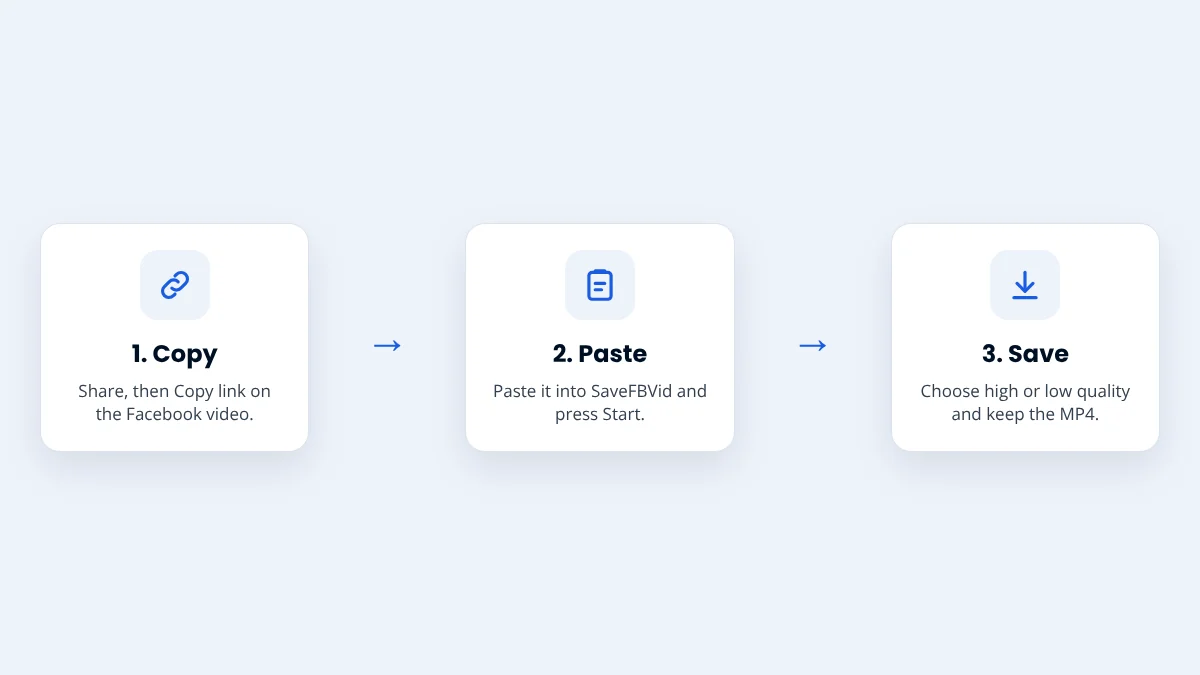
How to download a video from an fb.watch link
- Copy the fb.watch link.
- Open SaveFBVid and paste it.
- Press Start.
- Choose high or low quality.
You do not need to open the link or expand it first. The downloader follows it for you.
Other Facebook link formats that work
- facebook.com/watch links
- facebook.com/reel links
- Links to a video post on a page or profile
- Links to a video in a public group
- Share links created by the Share button
Formats that do not work
- Links to a profile or page rather than a video
- Links to photos or text posts
- Links to stories
- Links to videos that are not public
The link does not work. Why?
- It was shortened by another service. Open it in a browser first and copy the facebook.com address you land on.
- The video was removed. Short links stop working when the video is deleted.
- Part of the link is missing. Copy it again with the Share button.
More fixes: Facebook video downloader not working.
How to get the link in the first place
Releated Posts
 Is It Safe to Use Online Facebook Video Downloaders?
 Is It Legal to Download Facebook Videos? A Plain-Language Guide
 Facebook Video Downloader Not Working? 9 Fixes to Try
Comments
No comments yet.
Leave a Comment
Your email address will not be published.