
An online Facebook downloader only needs one thing from you: a link. When a site asks for more than that, be careful. Here is how to tell a safe tool from a risky one.
What a safe downloader needs
- A public video link
- Nothing else
It should not need your Facebook login, your email address, a browser extension or an installed program.
Seven warning signs
1. It asks for your Facebook password
No downloader for public videos needs it. Entering your password on another site can cost you your account.
2. It asks you to paste the page source
This trick is used to "download private videos". The page source can contain data tied to your session.
3. It wants to send notifications
Notification permission is often used to push ads later. Choose Block.
4. The download is not a video
A video file ends in .mp4. If you are offered .exe, .apk, .dmg or .zip, do not open it.
5. It requires an extension
Extensions can read the sites you visit. Avoid extensions from unknown publishers.
6. It redirects several times
One click should lead to the video, not to a chain of other sites.
7. It claims to do the impossible
Promises to download private videos or stories from other people are not realistic. See can you download private Facebook videos.
A short safety checklist
- Use the tool in a normal browser tab.
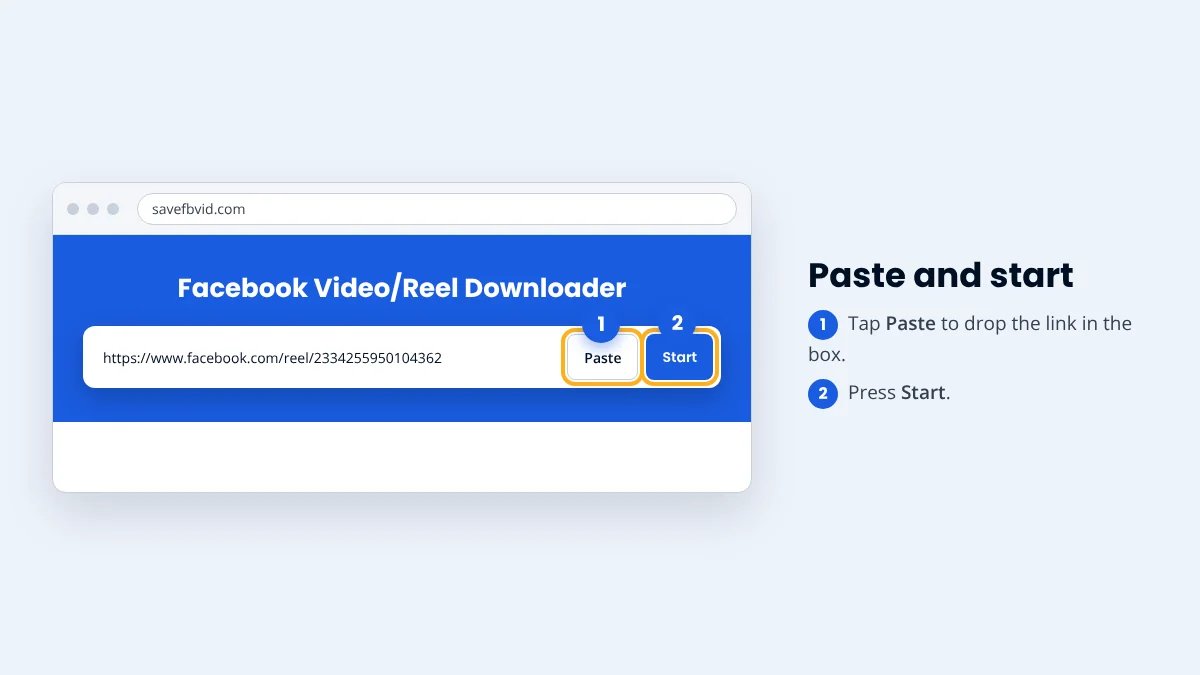
- Paste only the video link.
- Check that the saved file is an MP4.
- Keep your browser up to date.
- Close any tab that asks for a login.
How SaveFBVid handles this
SaveFBVid asks for a link and nothing else. There is no sign-up, no extension and no software to install, and the video file comes directly from Facebook's servers. Our Privacy Policy explains what is and is not collected.
What about ads?
Free tools are usually paid for by advertising. Ads are normal; ads that imitate download buttons are not. The real buttons on SaveFBVid appear directly under the link box after you press Start.
Releated Posts
 Is It Legal to Download Facebook Videos? A Plain-Language Guide
 Facebook Video Downloader Not Working? 9 Fixes to Try
 How to Save Facebook Videos to Your Camera Roll or Gallery
Comments
No comments yet.
Leave a Comment
Your email address will not be published.