
Why So Many People Search for This
Every day people look for a way to download a Facebook private video online. The reasons are usually ordinary ones: a birthday video a cousin posted for friends only, a clip from a private family group, a recording from a closed class or club.
We would love to tell you there is a button for that. There is not, and we think you deserve a straight answer instead of a page that wastes your time. So here it is: no online downloader can download a private Facebook video, and you should be careful with any site that says it can.
The good news is that there are honest ways to get the video you want. This guide explains both halves.
First, What Does "Private" Mean?
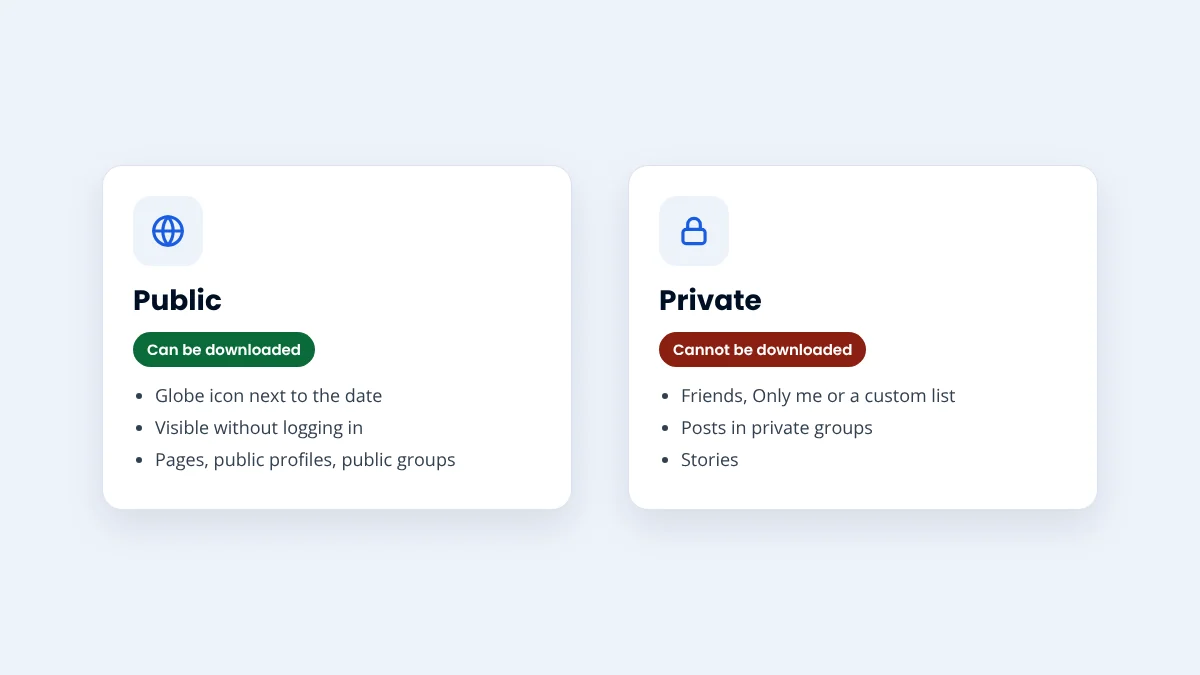
A Facebook video is private when the person who posted it limited its audience. That includes posts set to Friends, Only me or a custom list, anything posted in a private group, and all stories.
A public video has a small globe icon next to its date. Anything else is private in the sense that matters here.
Why Can't an Online Tool Reach Them?
Here is what happens behind the scenes when you paste a link into a tool such as SaveFBVid.
Step 1:
The tool visits the link, the same way a visitor who is not logged in would.
Step 2:
If the video is public, Facebook answers with the video page, and the tool can find the video file.
Step 3:
If the video is private, Facebook answers with a login page. There is no video in it, so there is nothing to download.
That is the entire story. The tool is not being cautious and it is not missing a feature. Facebook's privacy settings are doing their job, and they are the same settings that protect your own posts.
Be Careful With "Private Video Downloaders"
Some websites, apps and browser extensions promise to download private videos anyway. They usually ask for one of three things.
Your Facebook password
Never type your Facebook password anywhere except facebook.com. A stranger who has it can read your messages, post as you and lock you out.
The "page source" of the video
You are told to open the video, copy a long block of code and paste it into their site. That code can contain information tied to your logged-in session.
An extension that can "read all websites"
An extension with that permission can see everything you do in your browser, not only Facebook.
Our advice is simple: if a tool needs more than a link, close the tab. We wrote more about this in is it safe to use online Facebook downloaders.
What Actually Works
It is your own video
This is the easy case. Facebook lets you download anything you uploaded, whatever its privacy setting.
1. Open the video on your profile.
2. Open the three-dot menu on the post.
3. Choose Download video.
For everything at once, use Facebook's Download your information tool. The full walkthrough is in how to download your own Facebook videos.
It belongs to a friend or relative
Ask them. It takes one message, and they can send you the original file, which will be better quality than any download. If they prefer, they can switch the post to Public for a few minutes, let you download it, and switch it back.
It is in a private group
Ask the person who posted it. Many groups have a rule against sharing content outside the group, so it is worth checking with an admin too.
You only want to watch it later
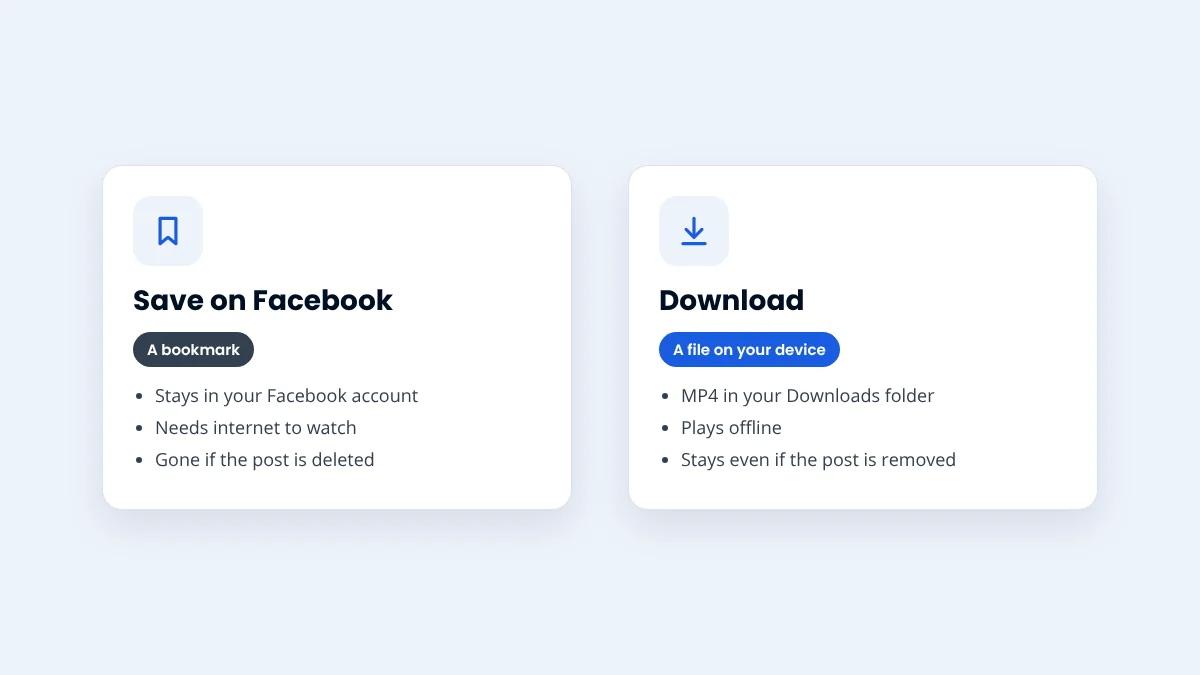
Use Facebook's own Save video option. It keeps a bookmark in your account and works for any video you are allowed to see.
What If the Video Is Actually Public?
Then it takes a minute. Many videos people assume are private are not.
Step 1:
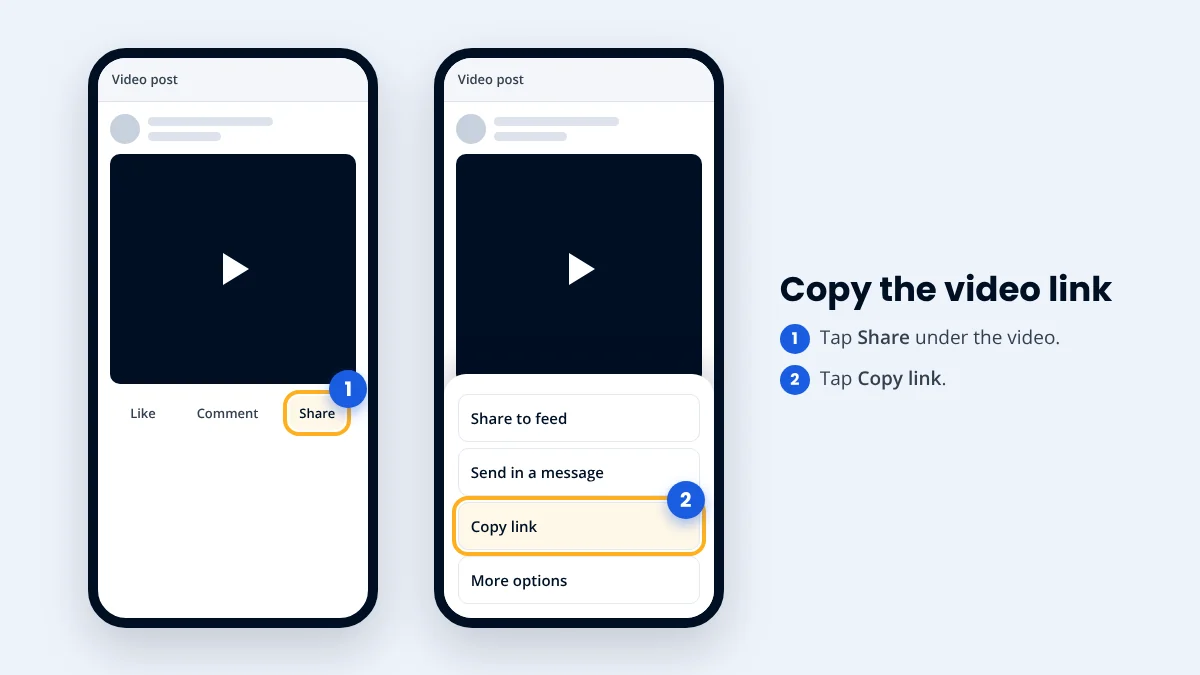
Tap Share under the video and choose Copy link.
Step 2:
Open SaveFBVid.com, paste the link and press Start.
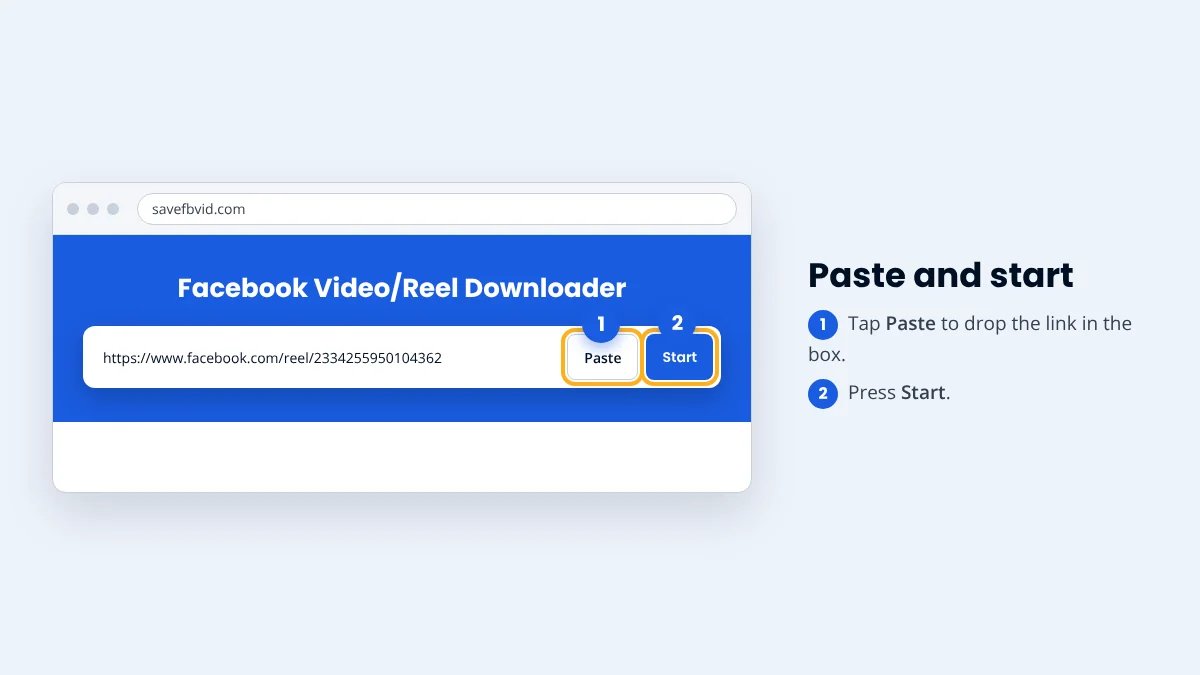
Step 3:
Choose high or low quality and save the file.
If the tool answers that the response was not valid, the video is not public and the options above apply.
Questions We Hear a Lot
I can see the video when I am logged in. Why can't the tool?
Because you are on the owner's audience list and the tool is not. It sees what a logged-out visitor sees.
Is there a paid version that can do it?
No. Paying would not change what Facebook is willing to show.
What about screen recording?
Your phone can record its own screen, but think before you do. A video shared with a small audience was shared with that audience. Asking the owner is quicker and kinder.
Will this ever change?
We do not expect it to, and we think that is right. The same rule keeps your private videos away from strangers.
How to Ask for a Video Without It Being Awkward
Most people are happy to share a video when they are asked. If you are not sure what to write, something like this works:
"Hi! I loved the video you posted from Saturday. Could you send me the file? I would like to keep a copy."
A few things make it easier for them.
Say which video you mean
Mention the date or what happens in it. People post a lot and may not know which one you want.
Suggest how to send it
On a phone, the simplest way is to open the gallery, pick the video and share it through a messaging app. For long videos, a cloud link from Google Drive, iCloud or Dropbox avoids size limits.
Ask for the original
The file on their phone is better quality than anything Facebook shows, because Facebook compresses uploads.
Respect a no
Sometimes a video includes other people, or the owner simply prefers to keep it to a small audience. That is their call.
If You Are the One Posting
The same rules protect you. If you want friends and family to be able to keep your videos, you have a few options.
Send the file directly
This is the most private way, and the quality is best.
Share an album or cloud folder
Useful for events, where several people want the same videos.
Make the post public
Only do this for videos you are comfortable showing to anyone. Once a post is public, anyone with the link can view and download it.
The Short Version
Private videos stay private. For your own videos, use Facebook's download options. For someone else's, ask them. And for everything public, you can use SaveFBVid.com to download your copied video!
Releated Posts
 How to Save a Facebook Video Online on Any Device
 How to Download Facebook Reels Online (Step by Step)
 How to copy video/Reel post links on Facebook
Comments
No comments yet.
Leave a Comment
Your email address will not be published.