
Why Save a Facebook Video Online Instead of Using an App?
There are plenty of apps that promise to download Facebook videos. Most of them ask for permissions they do not need, show more ads than videos, and stop working the next time Facebook changes something.
When you save a Facebook video online, none of that applies. A web tool runs in the browser you already have. It cannot read your contacts or your photos, it does not need updating, and it works the same way on every device. That last point matters more than it sounds: learn the steps once and you can use them on your phone, your laptop and your friend's tablet.
We at SaveFBVid keep it to one box and one button. Here is how it works.
Now let's save our first video!
Step 1:
Open Facebook and find the video you want to keep.
Step 2:
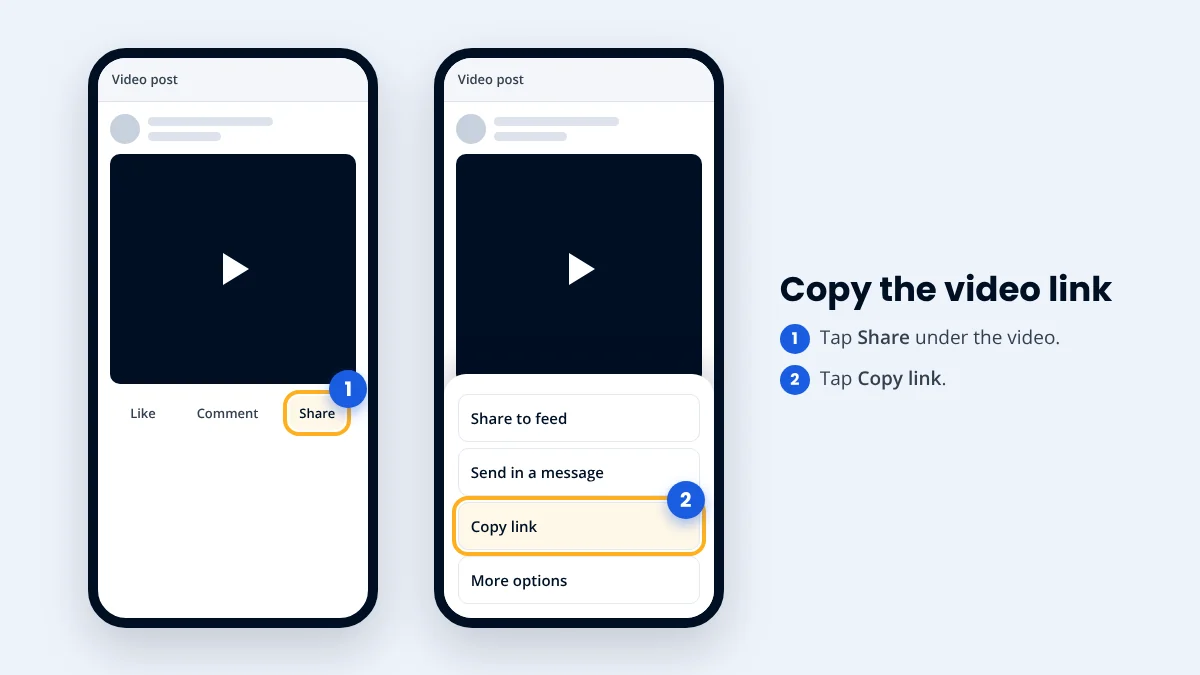
Press the Share button under the video. It looks a little different in the app and on the website, but it is always in the row under the post.
Step 3:
Choose Copy link.
Step 4:
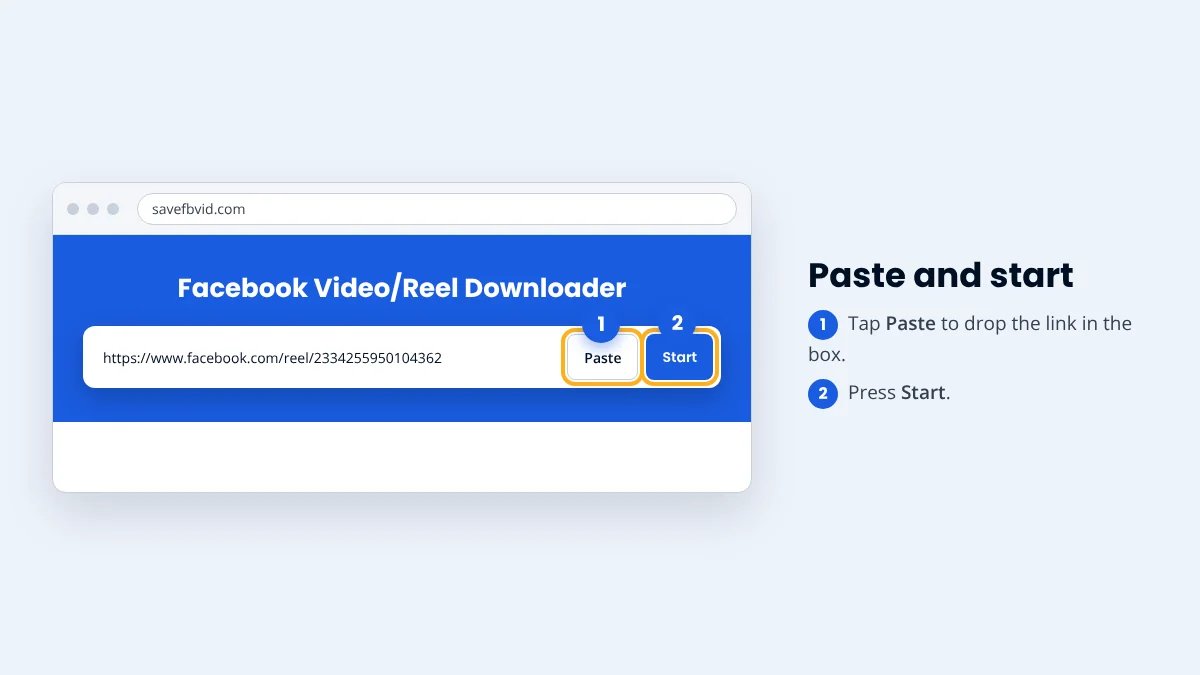
Open SaveFBVid.com in your browser.
Step 5:
Paste the link into the box and press Start.
Step 6:
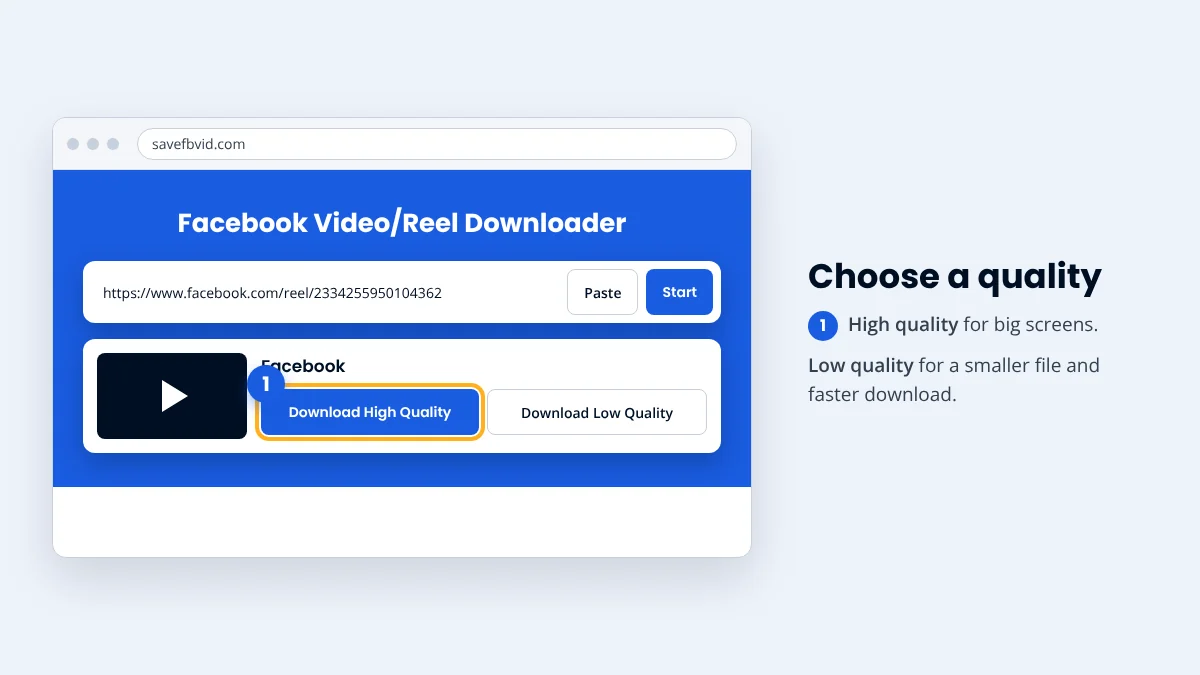
Choose Download High Quality or Download Low Quality and save the file.
Those six steps are the whole method. What changes from device to device is only where the file ends up.
Follow the Steps for Your Device
iOS device:
1. Use Safari. When you tap a download button, Safari asks whether you want to download the file. Tap Download.
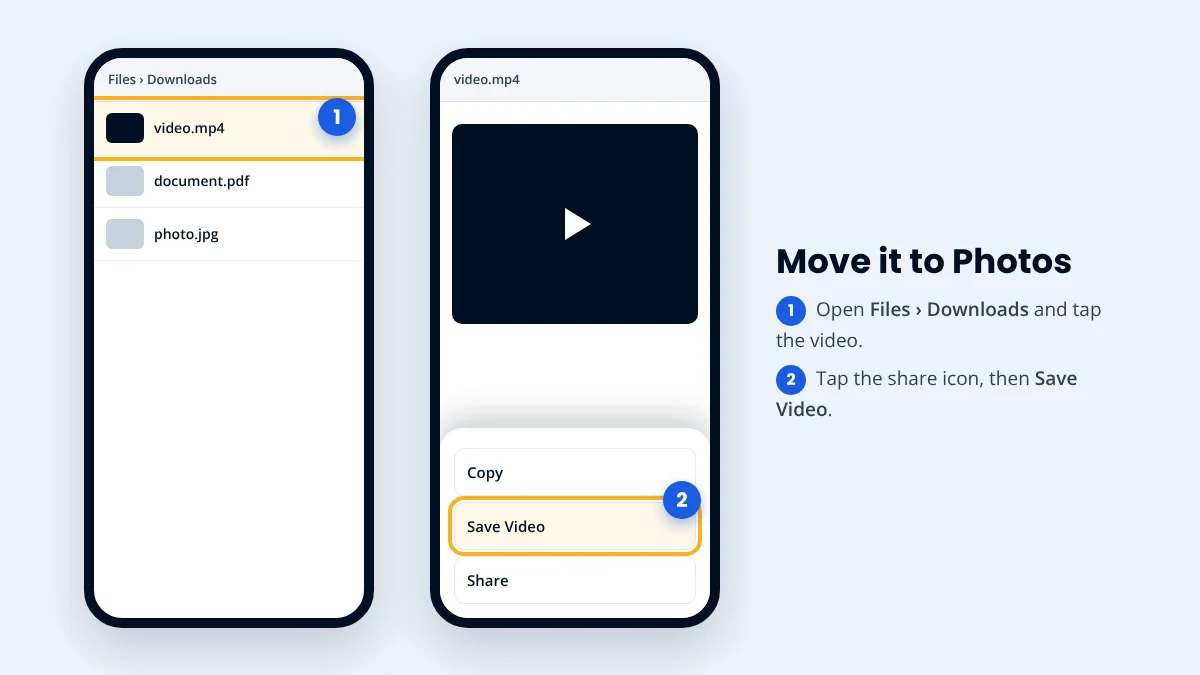
2. Open the Files app and tap Downloads.
3. To put the video in your camera roll, open it, tap the share icon and choose Save Video.
Android device:
1. Use Chrome, Samsung Internet, Firefox or Edge. The video opens in a new tab.
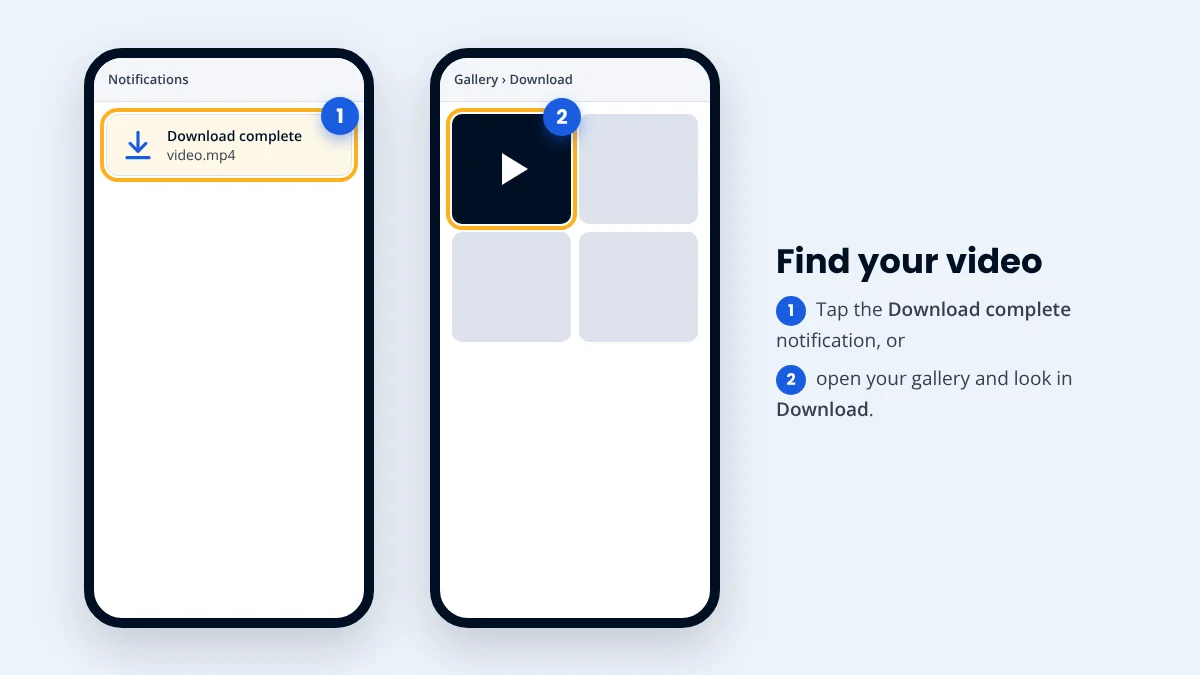
2. Tap the three dots on the video player and choose Download.
3. The video appears in your gallery, in the Download album.
Windows, Mac and Chromebook:
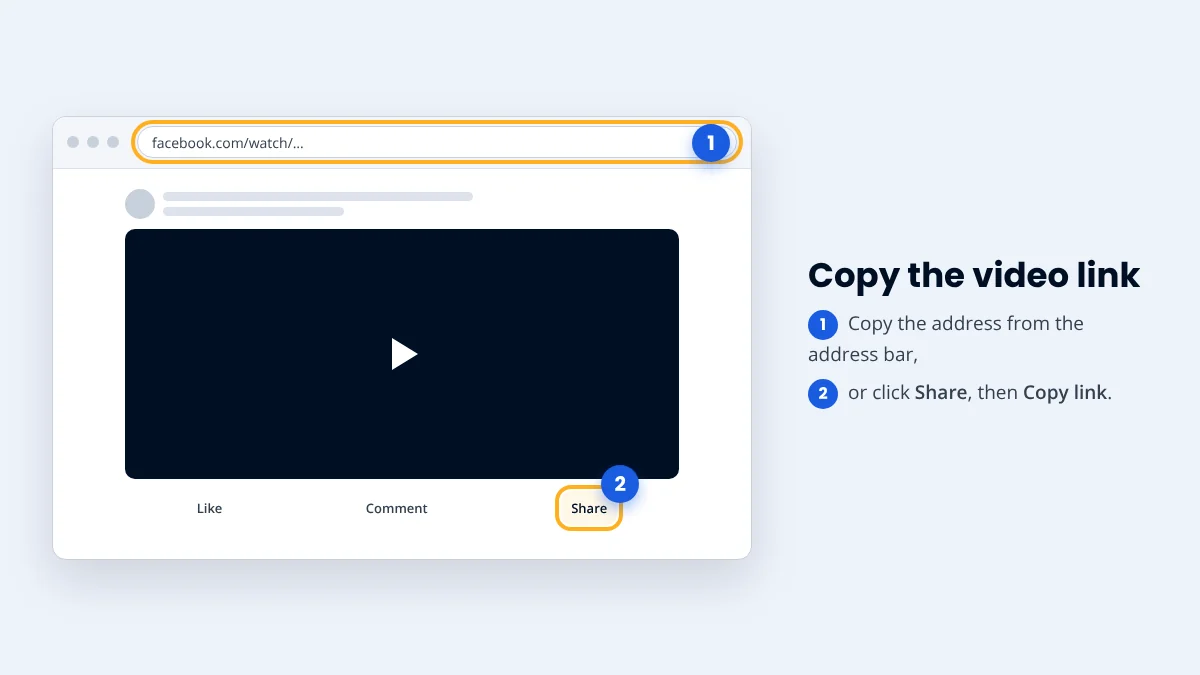
1. Copy the address of the video from the address bar, or use Share and Copy link.
2. Paste it into SaveFBVid and press Enter.
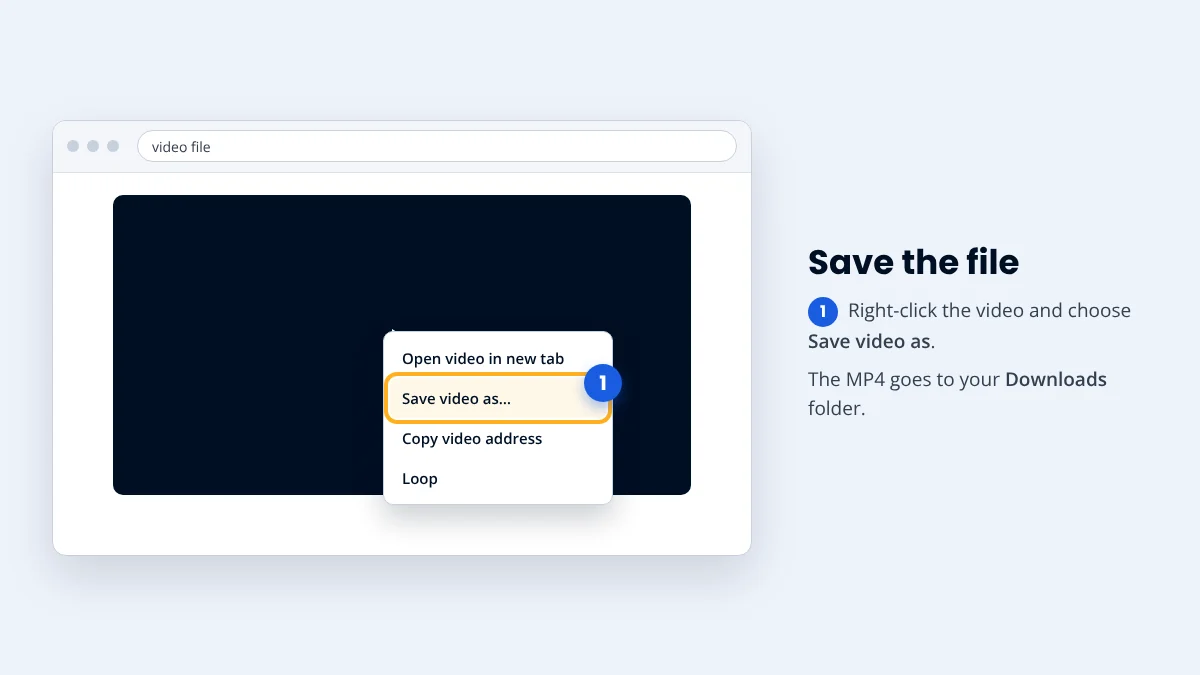
3. When the video opens, right-click it and choose Save video as. The file goes to your Downloads folder.
What You Can and Cannot Save
You can save Facebook video online when the video is public: videos from pages and public profiles, public reels, videos in public groups, live replays that were left public, and short fb.watch links.
You cannot save videos that are limited to friends, videos in private groups, or stories. Facebook only shows those to signed-in people chosen by the owner, so an online tool has nothing to fetch.
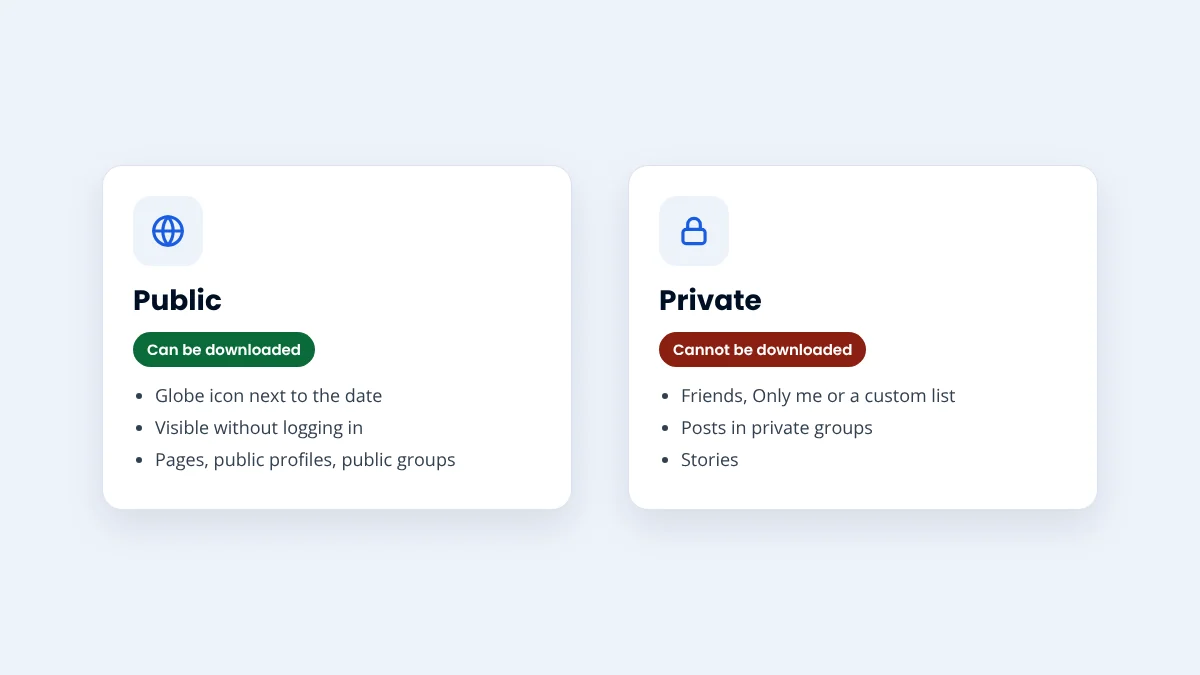
Not sure which kind you are looking at? A public post has a small globe icon next to its date.
Saving Is Not the Same as Facebook's Save Button
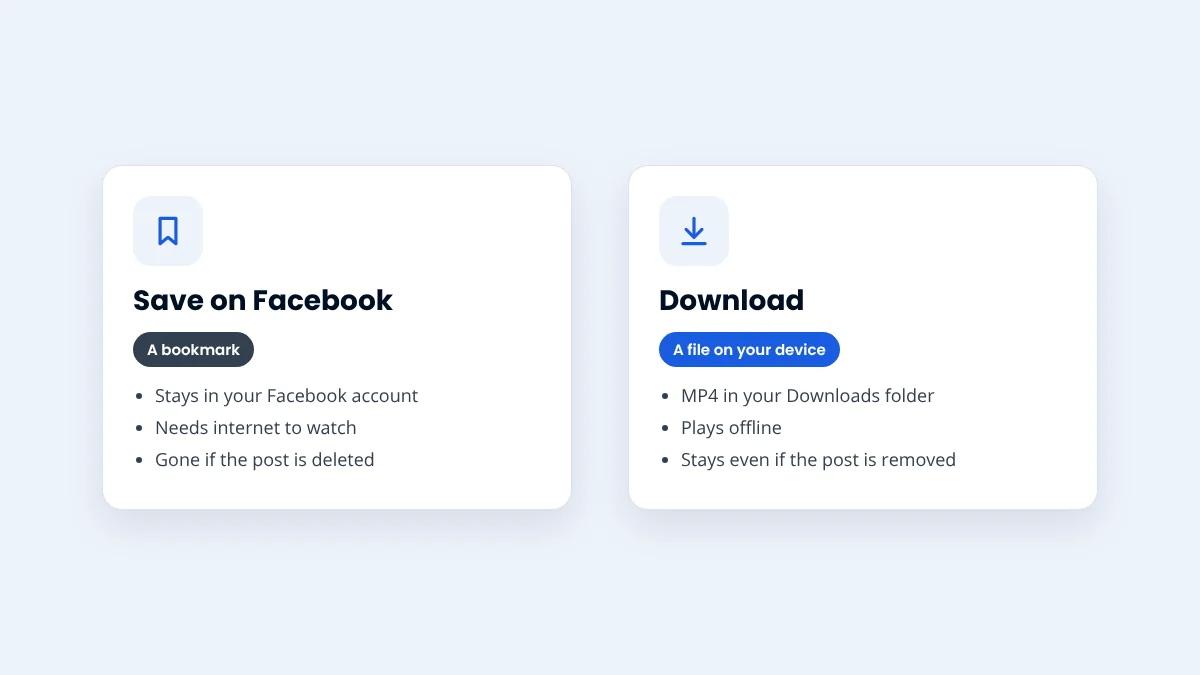
This confuses a lot of people. Facebook's Save video option adds the video to a list inside your account. It is a bookmark. You still need a connection to watch it, and it disappears if the owner removes the post.
Downloading gives you a file. It plays offline and it stays with you.
Tips for a Smooth Download
Use Wi-Fi for long videos
High quality files can be large. A weak mobile connection is the most common reason a download stops halfway.
Check your storage
A download that fails near the end usually means the device is full.
Be patient for five seconds
Looking up a video takes a moment. Pressing Start again and again does not make it faster.
Keep the original link
If something goes wrong, you can paste it again without going back to Facebook.
Questions People Ask
Is it free?
Yes. SaveFBVid is free and does not ask you to register.
What format do I get?
An MP4 file, which plays on practically every phone, computer and TV.
Will the quality be reduced?
No. You receive the file Facebook already serves. Nothing is re-encoded.
Can I save a video someone sent me in Messenger?
Only if the video itself is a public post. Open it, copy its link and try.
What Makes a Video Easy or Hard to Save
After helping with a lot of downloads, we see the same patterns again and again.
Short public clips
These are the easiest. They are found in a few seconds and download almost instantly, even on mobile data.
Long recordings and live replays
They work the same way, but the files are big. Use Wi-Fi, keep the tab open until the download finishes, and consider the low quality version if the picture is not important. More tips are in how to download long Facebook videos.
Videos embedded on other websites
If you are watching a Facebook video on a news site or a blog, click the video's title or the Facebook logo in the player first. That opens the original post, and that is the link you need.
Videos in groups
Public groups are fine. For private groups, only members can see the post, so the link will not work in any online tool.
After You Save the Video
Rename the file
Downloaded files often have long, meaningless names. Rename the video straight away so you can find it later.
Put it somewhere sensible
Move it out of Downloads into a folder or album. Downloads folders fill up fast and are the first place people clean out.
Back it up if it matters
If the video is important to you, copy it to cloud storage or an external drive. One copy on one phone is not a backup.
Share it thoughtfully
A video being public does not make it yours. Credit the person who made it, and ask before you repost it anywhere.
Ready?
And now you can use SaveFBVid.com to save your copied video online, on whatever device is in your hand!
Releated Posts
 How to Download Facebook Reels Online (Step by Step)
 How to copy video/Reel post links on Facebook
 How to Download Facebook Videos? Step by Step Guide
Comments
No comments yet.
Leave a Comment
Your email address will not be published.