
Why You Might Want to Download a Facebook Reel
Reels move fast. You watch a great recipe, a workout or a clip that made you laugh, you swipe up, and it is gone. Facebook's own Save button helps a little, but it only keeps a bookmark inside your account. If the creator deletes the reel, or you are somewhere without signal, that bookmark is no use.
A Facebook reel download online solves this. You get the reel as an ordinary MP4 file that plays anywhere: on a plane, on your TV, in a presentation, or in a chat with a friend who does not use Facebook.
We at SaveFBVid built our Facebook Reels downloader online for exactly this job. There is nothing to install and no account to create. All you need is the link to a public reel.
Now let's download our first reel!
The whole thing takes about a minute. Here is every step, with pictures.
Step 1:
Open Facebook in your app or in your browser and play the reel you want to keep.
Step 2:
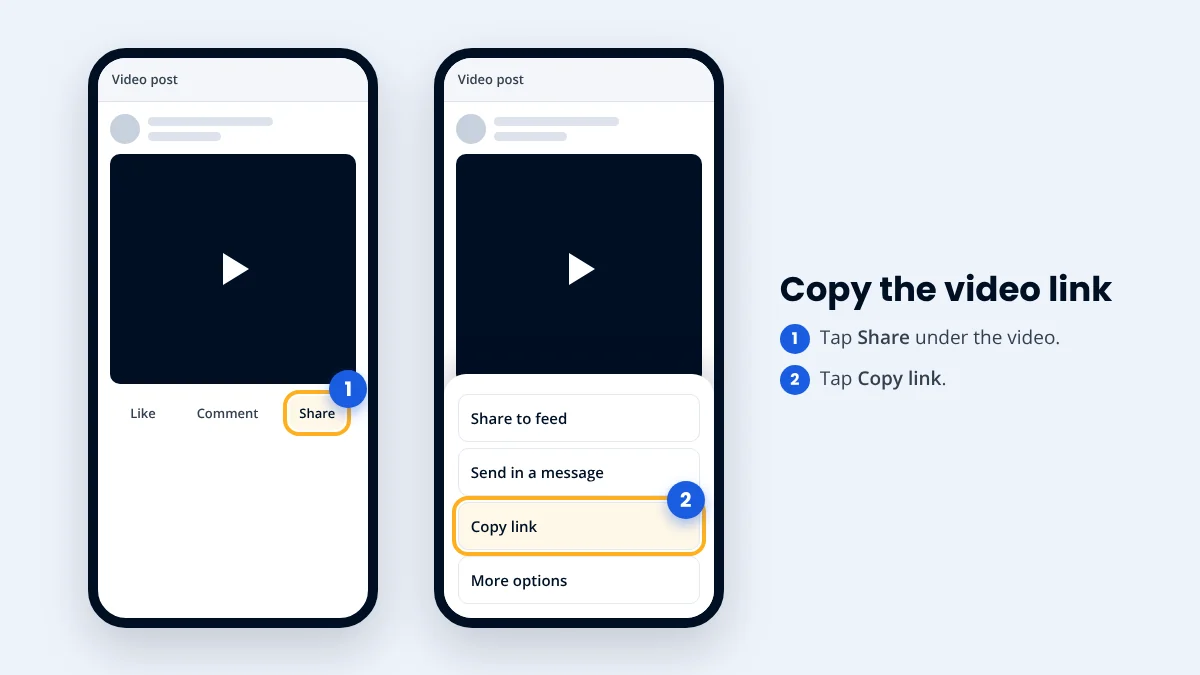
Find the Share arrow. In the Reels player it sits on the right side of the screen, under the like and comment buttons. On a normal post it is in the row under the video.
Step 3:
Tap Share, then tap Copy link. The link is now on your clipboard.
Step 4:
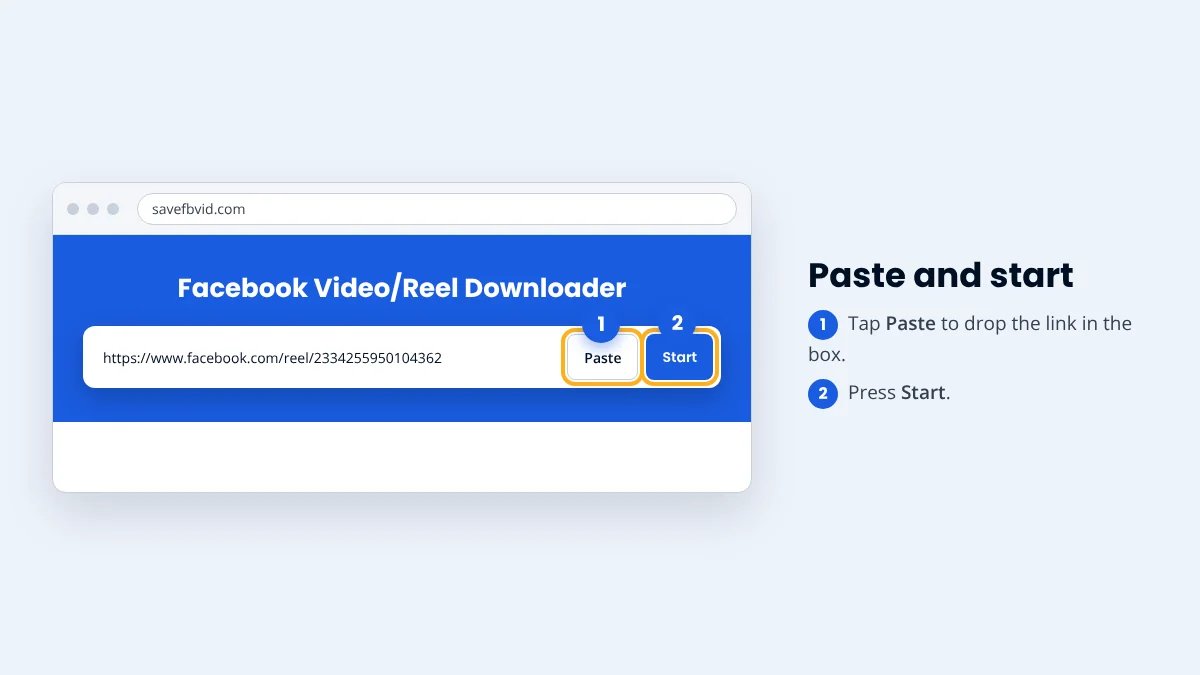
Open a new browser tab and go to SaveFBVid.com. You will see one box in the middle of the page.
Step 5:
Tap Paste to drop the link into the box, then press Start.
Step 6:
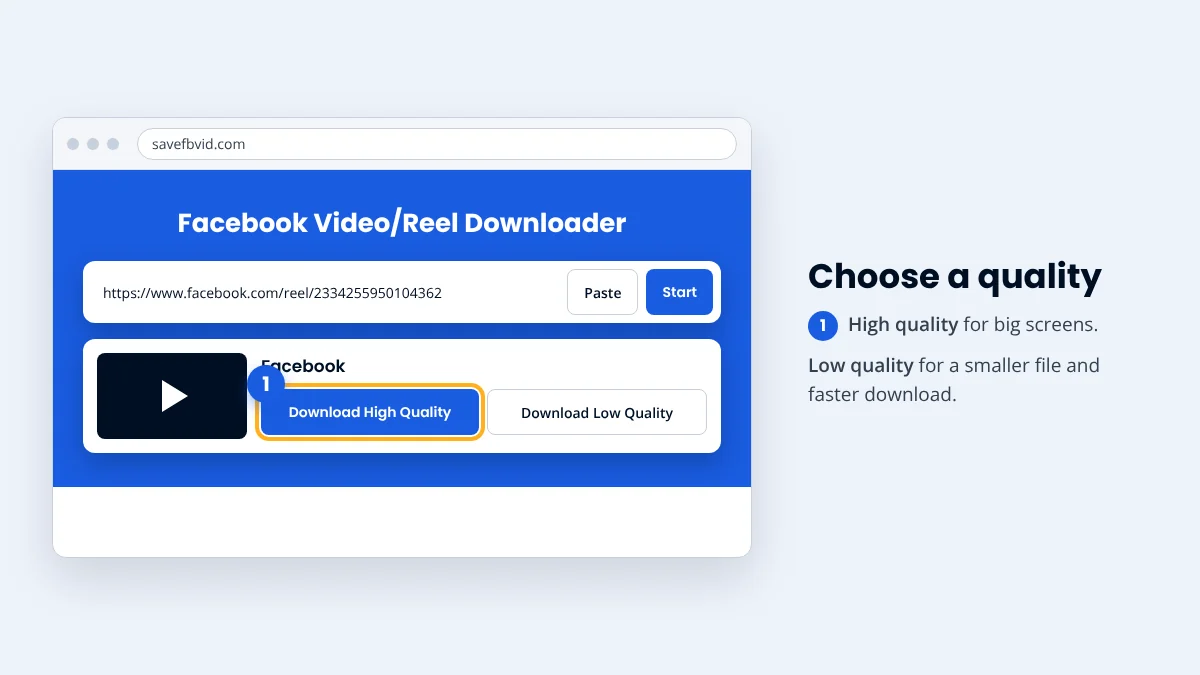
Wait about five seconds. When the reel is found, two buttons appear: Download High Quality and Download Low Quality. Tap the one you want.
That is it. The reel is on its way to your device.
If You Are Using a Phone
iOS device:
1. Safari may ask "Do you want to download?". Tap Download.
2. If the reel starts playing in a new tab instead, tap the share icon and choose Save to Files.
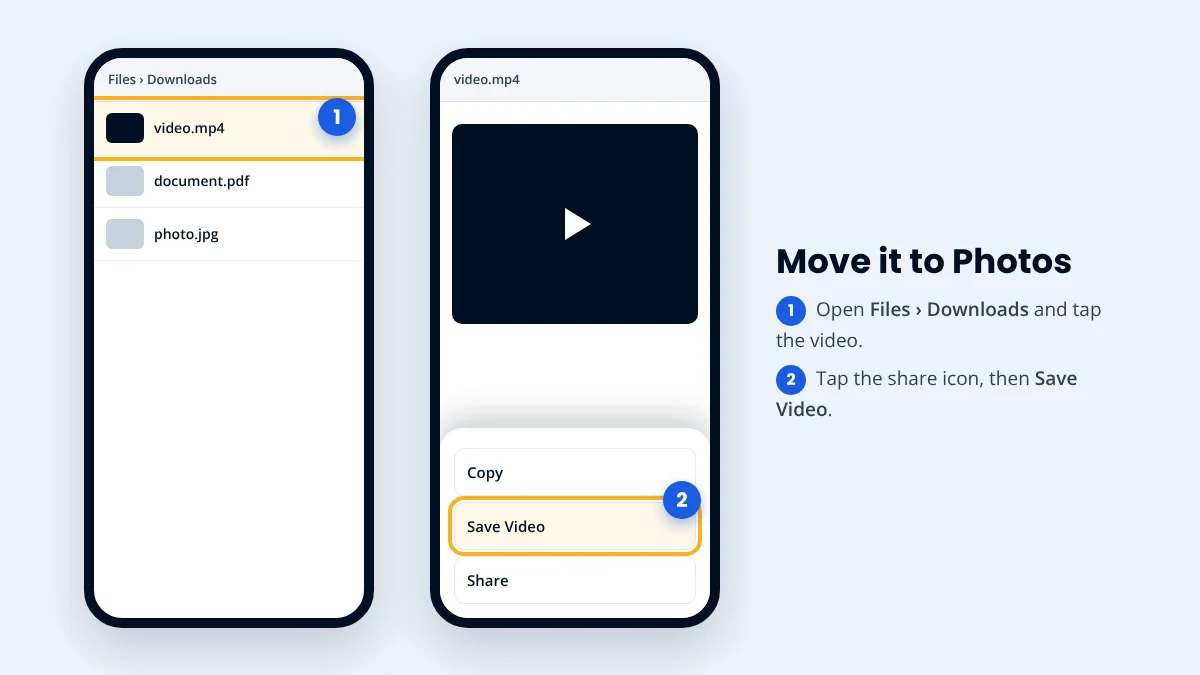
3. Open the Files app, go to Downloads, tap the reel, tap the share icon and choose Save Video to move it into Photos.
Android device:
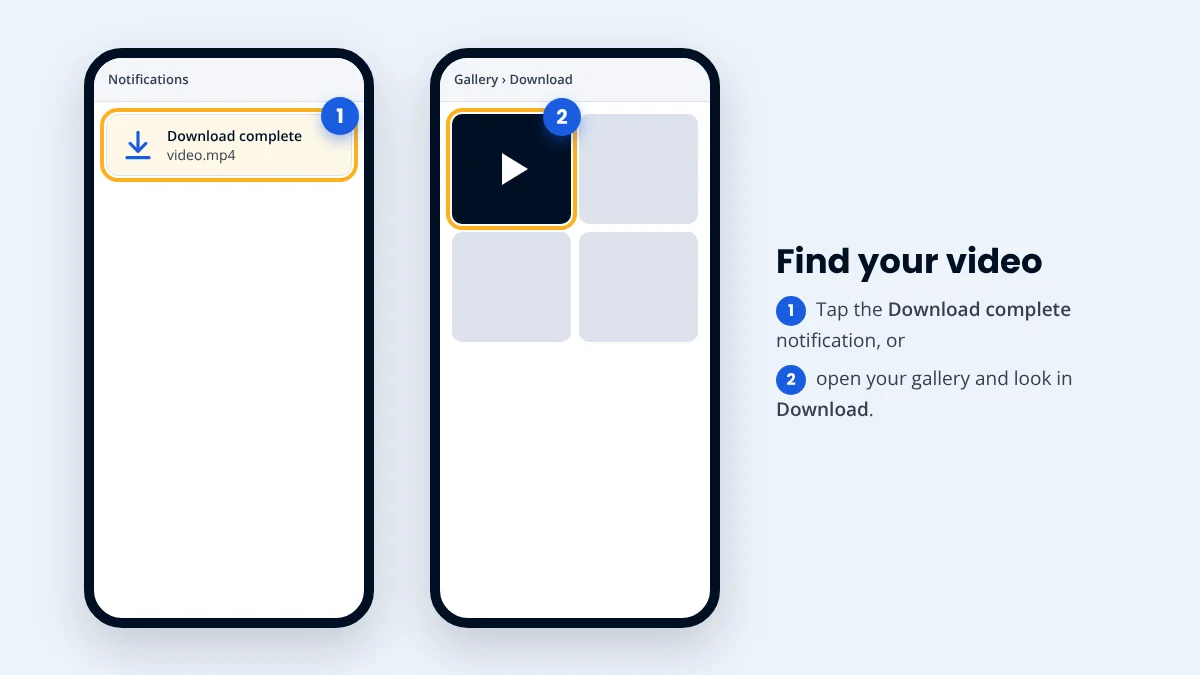
1. The reel opens in a new tab. Tap the three dots on the player and choose Download.
2. Chrome shows a "Download complete" notification.
3. Open your gallery and look in the Download album.
If You Are Using a Computer
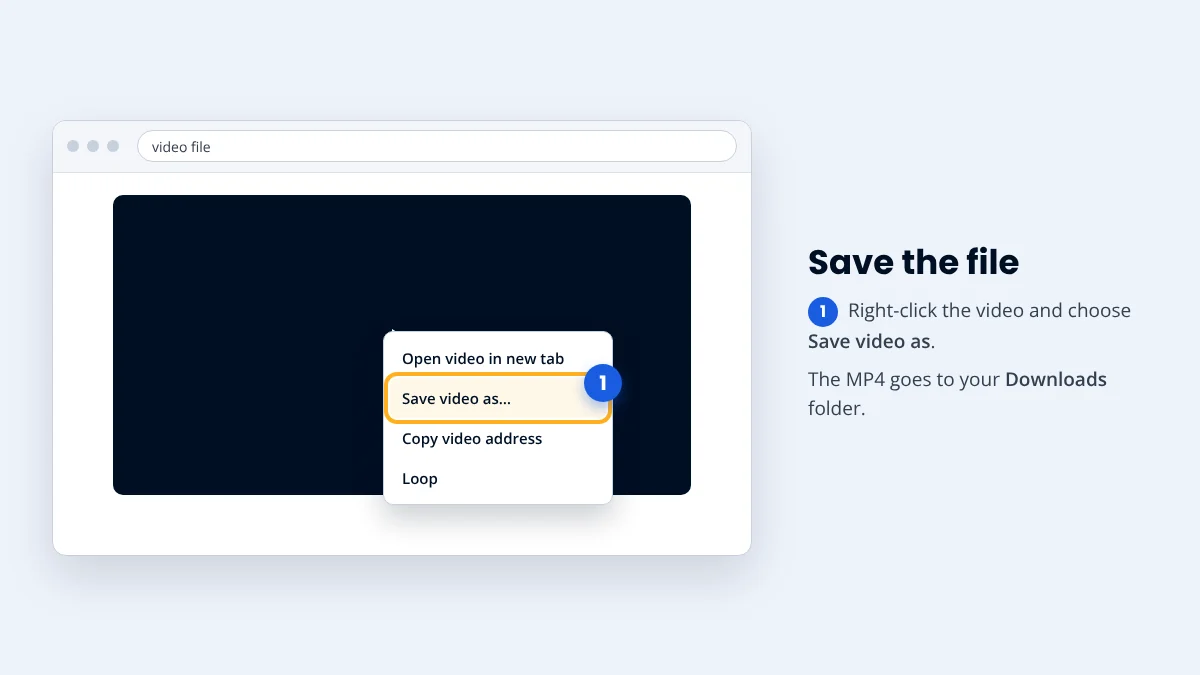
Click the reel so it opens on its own page and copy the address from the address bar, or use Share and Copy link. Paste it into SaveFBVid with Ctrl + V, press Enter, and choose a quality. When the video opens, right-click it and choose Save video as.
High Quality or Low Quality?
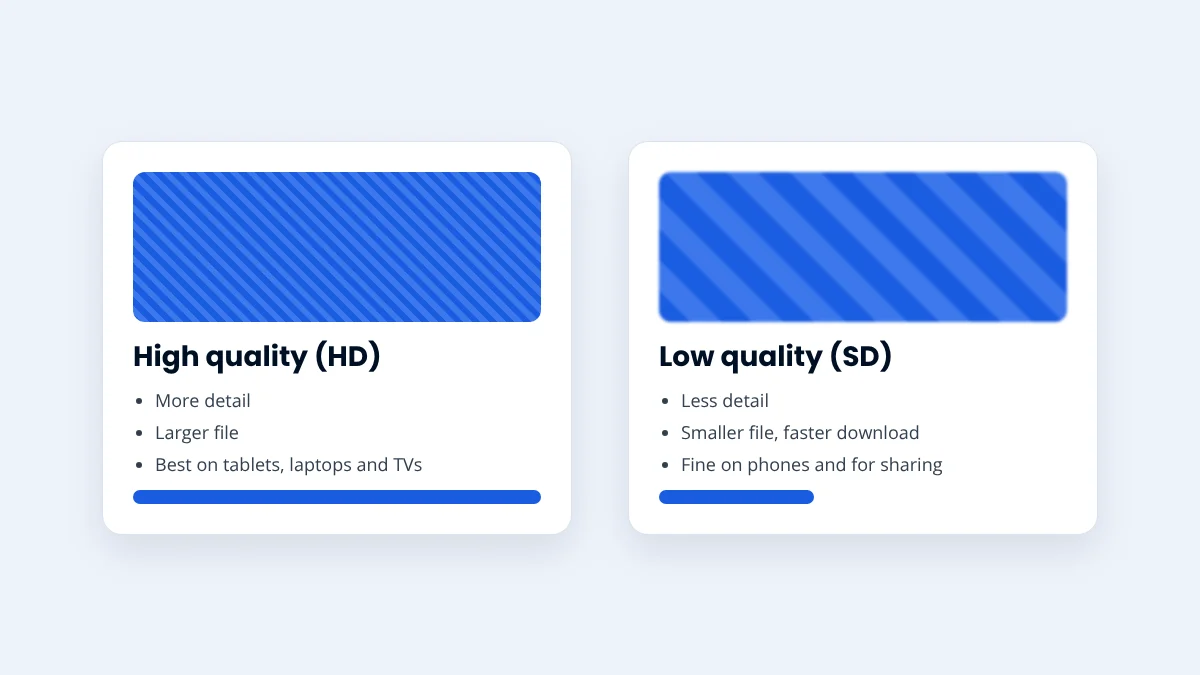
Pick high quality if you will watch on a tablet, laptop or TV, or if you want to keep the reel for a long time. Pick low quality if you are on mobile data, short on storage, or about to send the reel in a messaging app that will compress it anyway.
Which Reels Can Be Downloaded?
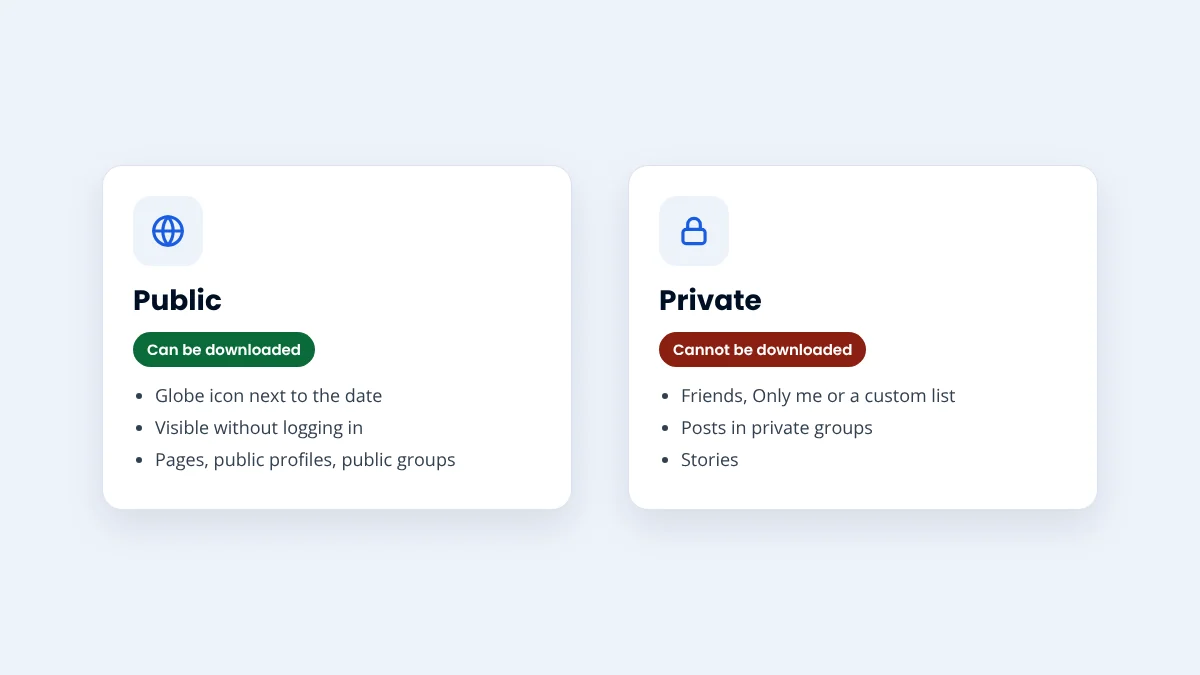
Our Facebook Reels downloader online works with reels that are public. Most reels are, because creators want them to be discovered.
It cannot reach reels shared with friends only, reels posted inside private groups, or reels that have been deleted. That is not a limit of our tool; Facebook simply does not show those reels to anyone who is not allowed to see them.
A Few Questions We Hear a Lot
Does the downloaded reel keep its sound?
Yes. Music, voice and effects are part of the video file.
Is there a watermark?
SaveFBVid does not add one. You get the file as Facebook serves it.
Does the creator get a notification?
No. Facebook does not notify anyone when a public reel is downloaded.
Can I download several reels?
Yes. Repeat the steps for each link. There is no sign-up and no daily counter to worry about.
It says the response was not valid. What now?
Copy the link again with the Share button and check that the reel is public. Our list of nine fixes covers the rest.
What to Do With a Reel After You Download It
A downloaded reel is a normal vertical video, so you can treat it like one you filmed yourself.
Watch it offline
Open it from your gallery or the Files app. No connection is needed, which makes downloaded reels handy for flights, the gym or a long commute.
Send it to someone who is not on Facebook
Attach the file in WhatsApp, Telegram, iMessage or email. The other person does not need an account to watch it. Our guide on sharing downloaded videos on WhatsApp has the details.
Keep a recipe, a workout or a tutorial
Reels are full of things you want to do later with your hands busy. Create an album called "Recipes" or "Workouts" and move the reels there, so you can find them without scrolling.
Play it on a bigger screen
Copy the file to a USB stick or cast it from your phone. Choose the high quality version if you plan to do this.
Troubleshooting Reel Downloads
The reel opens Facebook instead of downloading
You probably tapped the link instead of copying it. Go back, use Share and Copy link, and paste the link into the box.
The Paste button does nothing
Some browsers do not allow a website to read the clipboard. Press and hold inside the box and choose Paste from the menu.
Only one quality is offered
Very new reels may still be processing. Try again in a few minutes, or use the quality that is available.
The download stops halfway
Switch to Wi-Fi and check that your device has free storage, then start again.
One Last Thing
A reel belongs to the person who made it. Save reels for your own viewing, and ask the creator before you repost their work somewhere else. Most creators are happy to say yes when they are credited by name. We explain how in how to repost Facebook videos with permission.
And now you can use SaveFBVid.com to download your copied reel!
Releated Posts
 How to copy video/Reel post links on Facebook
 How to Download Facebook Videos? Step by Step Guide
 SaveFromFB and FB Save Net Style Tools: How to Save Facebook Videos Today
Comments
No comments yet.
Leave a Comment
Your email address will not be published.