
Why You Are Probably Here
Names such as SaveFromFB and FB Save Net get searched every day. Often the person typing them is not attached to a particular website. They remember that "save from FB" was something you could do in a browser, and they want to do it again.
If that is you, you are in the right place. We cannot tell you what other websites offer today, and SaveFBVid is not connected to them. What we can do is show you, with pictures, how to save from FB right now in about a minute.
What "Save From FB" Means
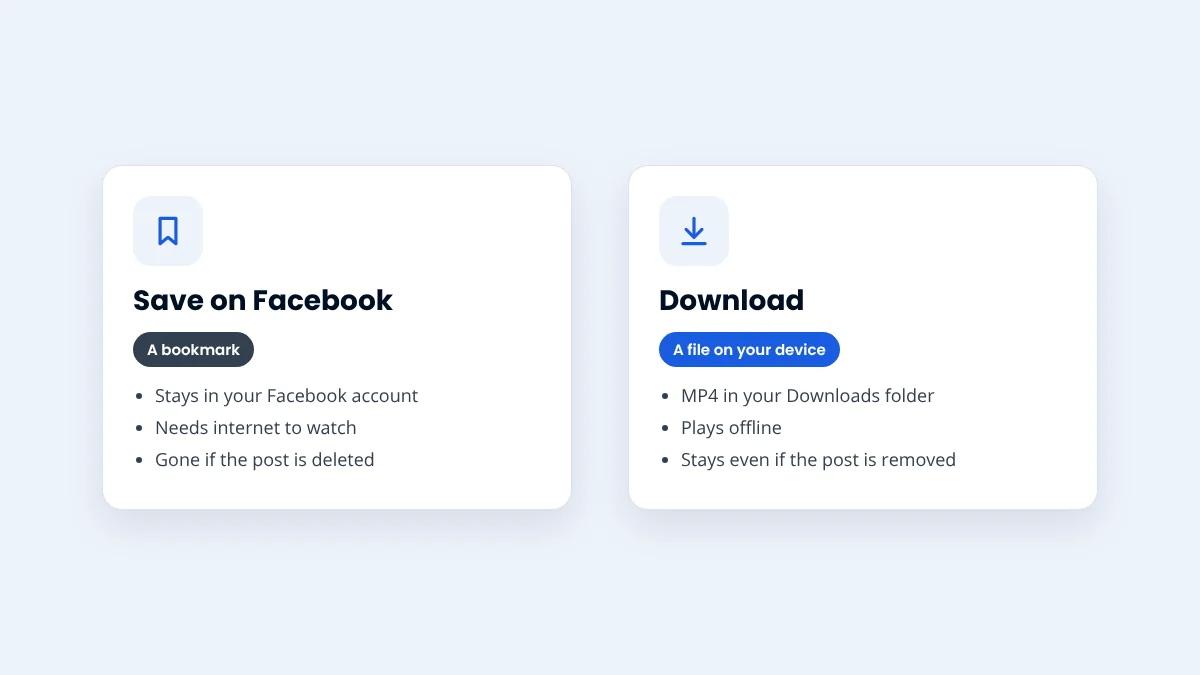
It means turning a Facebook video into a file on your device. Not a bookmark inside Facebook, but an MP4 you can watch offline, keep, and open in any app.
You need only two things: the link of a public video, and a browser.
Now let's save our first video from FB!
Step 1:
Open Facebook in your browser or in the app.
Step 2:
Find the video or reel you want to save.
Step 3:
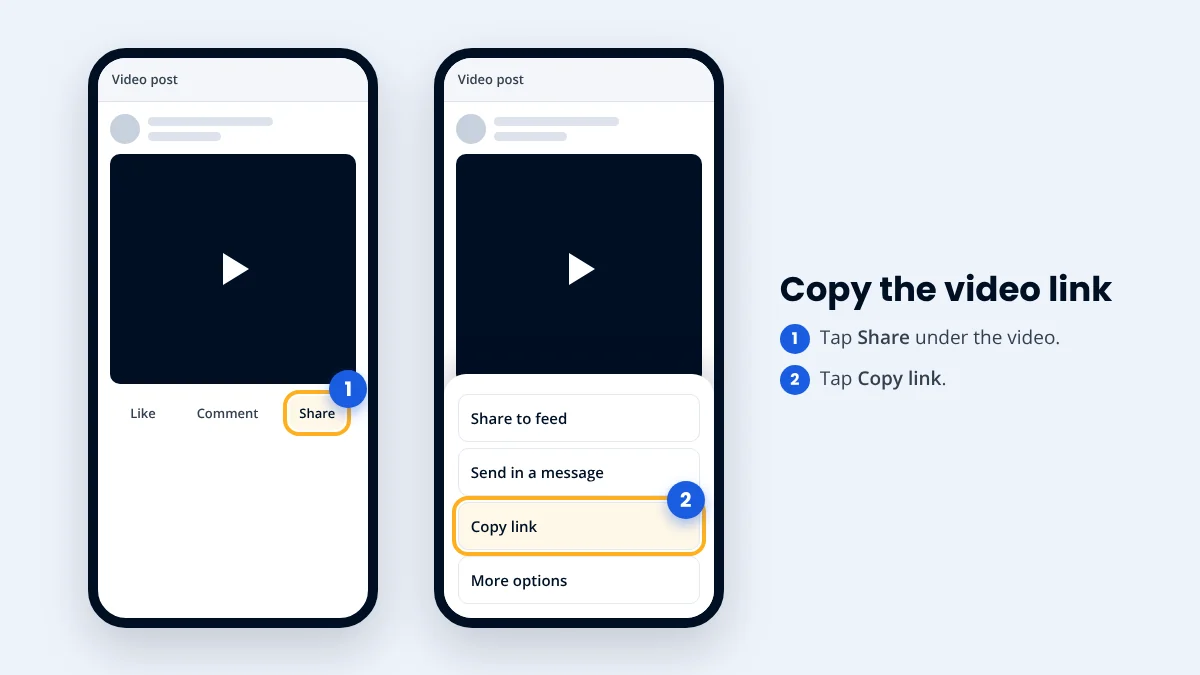
Find the Share button under the video and press it. It is always there, but it looks a bit different on the website and in the app.
Step 4:
Tap Copy link.
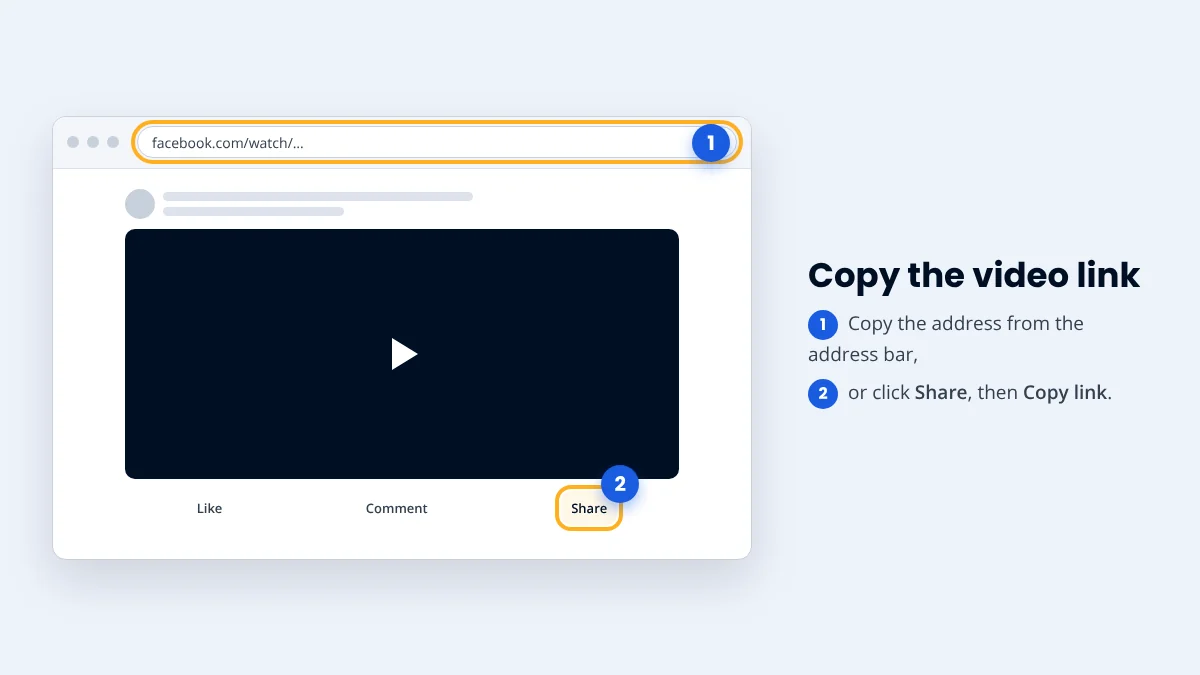
On a computer you can also copy the address straight from the address bar.
Step 5:
Open SaveFBVid.com in a new tab.
Step 6:
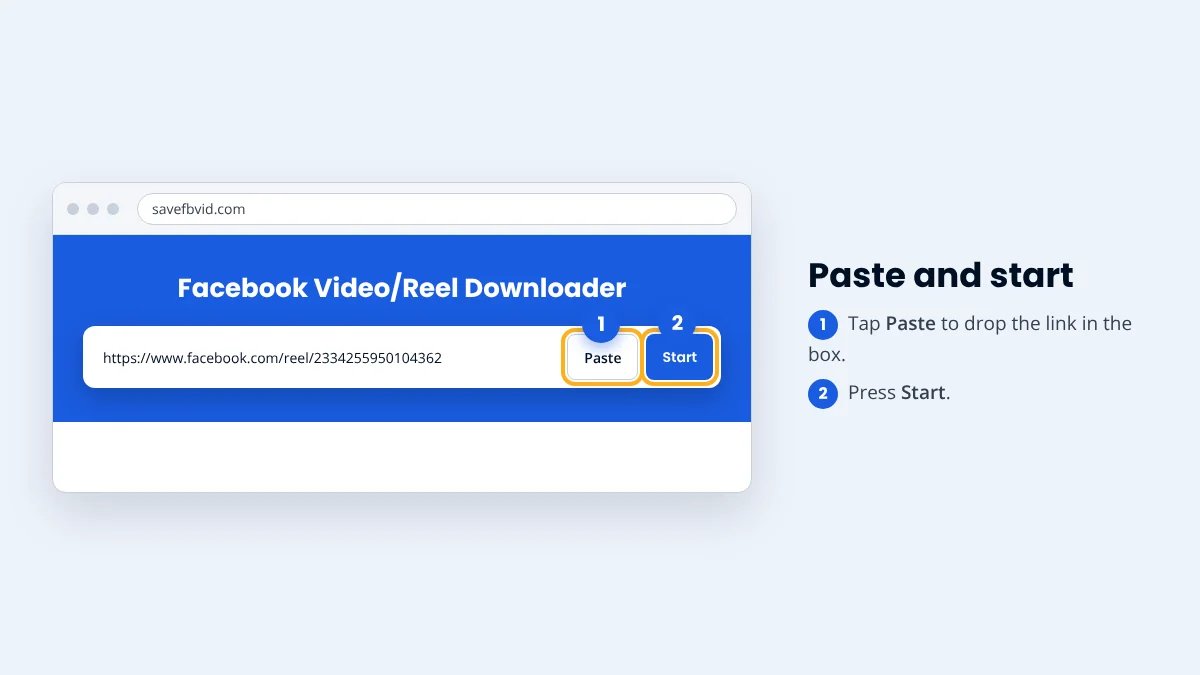
Tap Paste so the link appears in the box, then press Start.
Step 7:
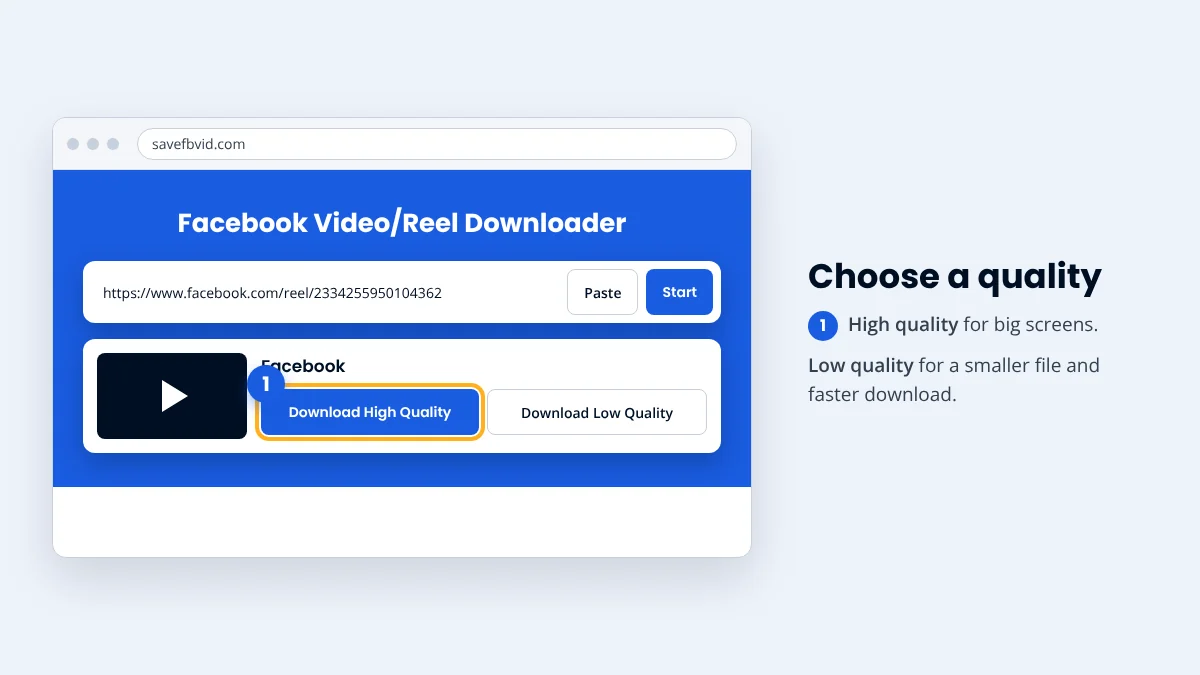
After a few seconds two buttons appear. Tap Download High Quality or Download Low Quality.
Your video is saved from FB.
If You Are Using a Mobile Device, Follow the Steps Below
iOS device:
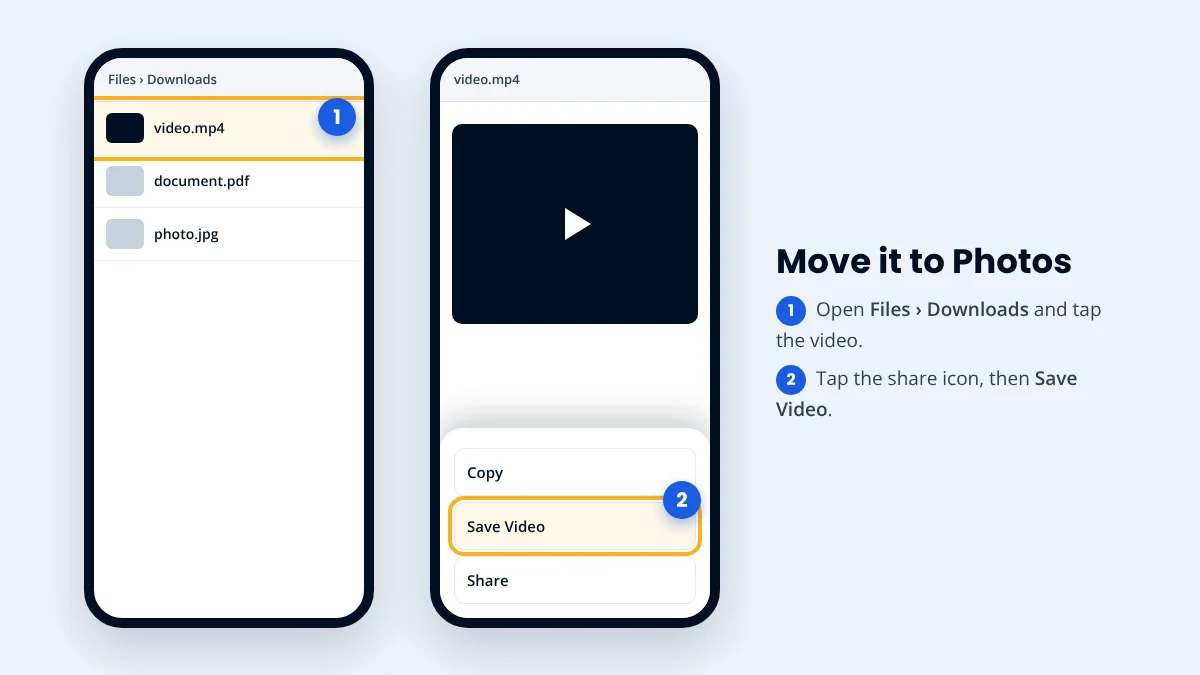
1. In Safari, tap Download when asked.
2. Open the Files app and go to Downloads.
3. Tap the video, tap the share icon, then tap Save Video.
Android device:
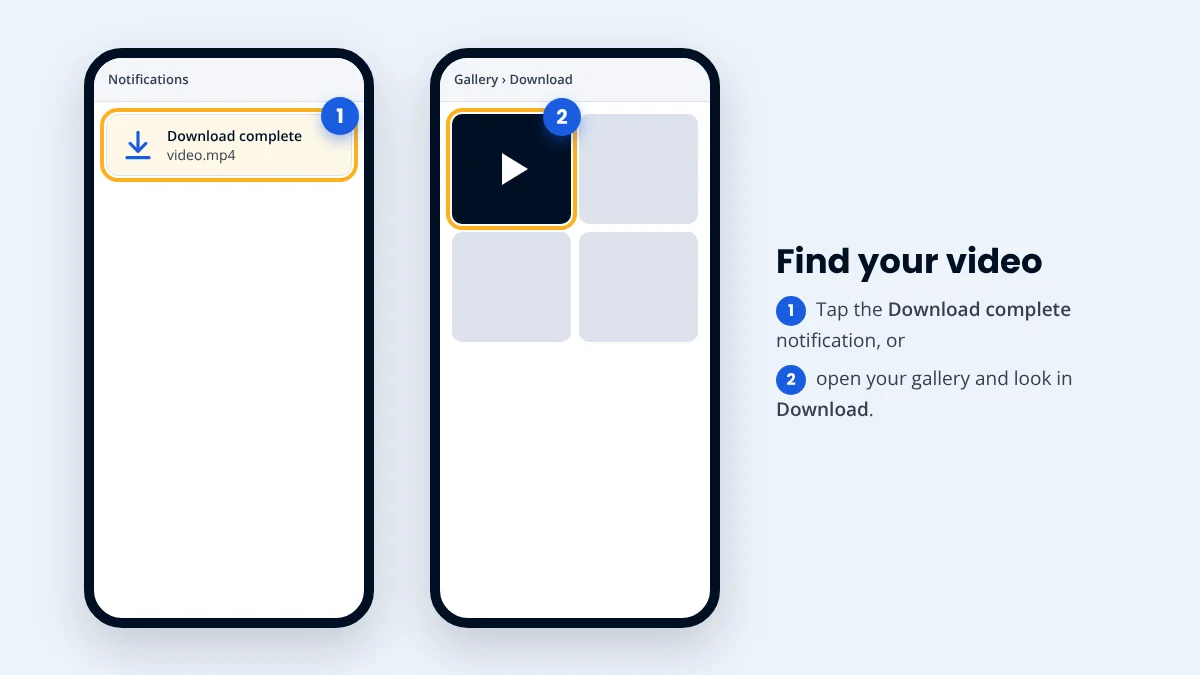
1. Tap the three dots on the video player.
2. Tap Download.
3. Open your gallery and look in the Download album.
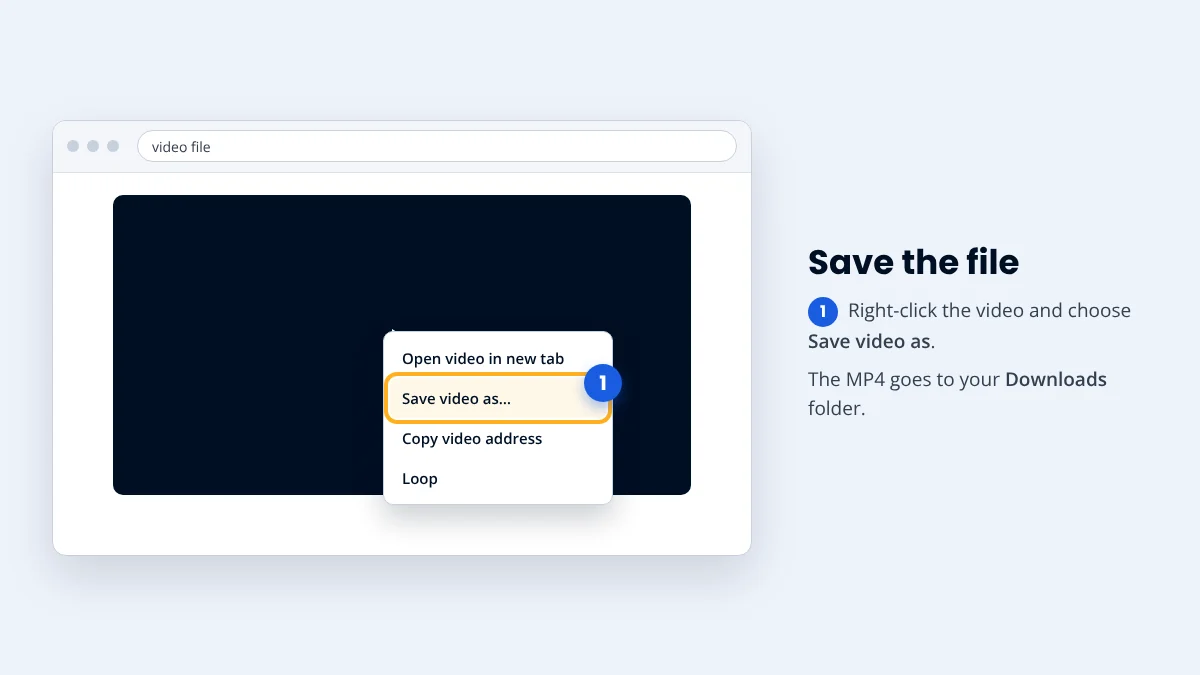
If You Are Using a Computer
1. When the video opens in a new tab, right-click it.
2. Choose Save video as.
3. Pick a folder, or leave it on Downloads.
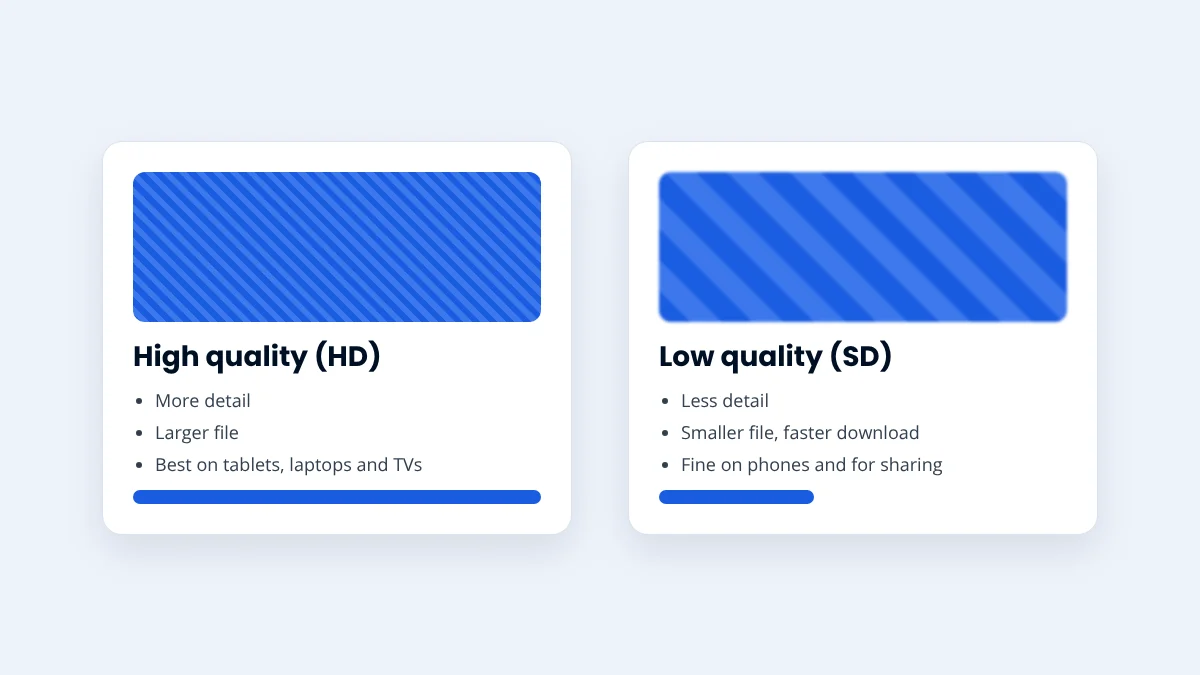
Which Quality Should You Pick?
High quality has more detail and a bigger file. Low quality is lighter and quicker. If you are saving a talk or a recipe to watch on your phone, low quality is usually plenty. For anything you want to keep or show on a big screen, go high.
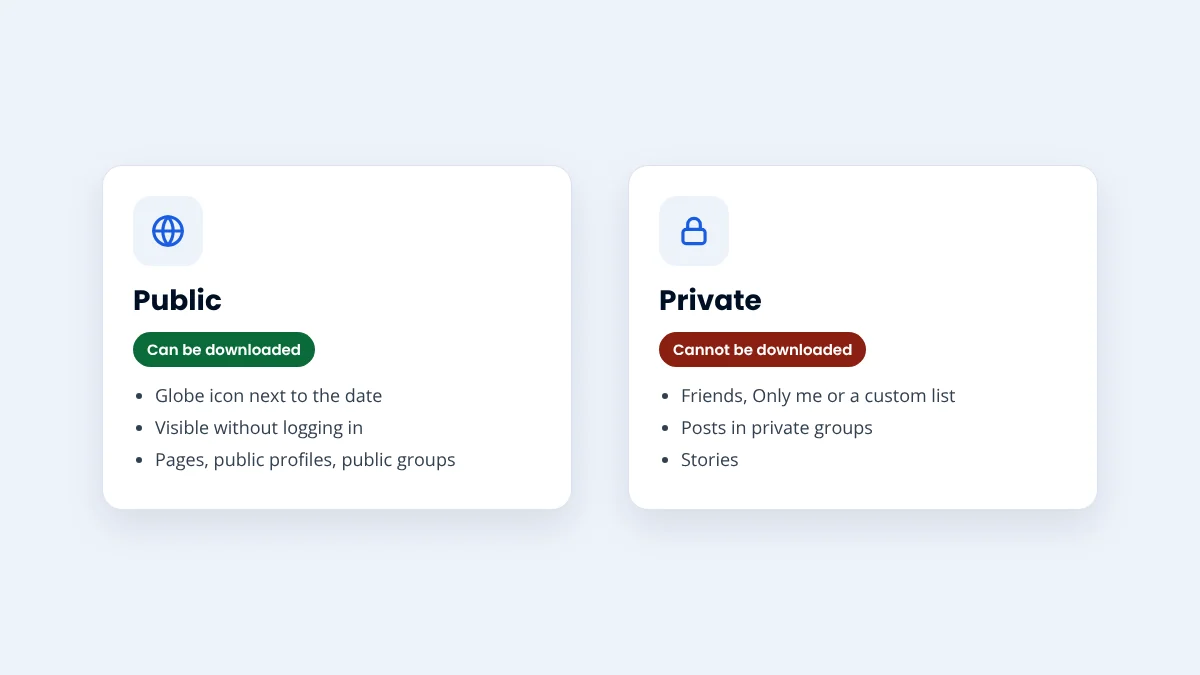
What Can and Cannot Be Saved
This is true for every tool of this kind, whatever it is called.
You can save public videos from pages and profiles, public reels, videos in public groups, live replays that are public, and fb.watch links.
You cannot save videos shared with friends only, videos in private groups, or stories. Facebook shows those only to signed-in people the owner chose.
If a website claims it can save private videos and asks for your password or for the "page source", please do not use it. Our article on private Facebook videos explains why.
How to Tell a Good Save-From-FB Tool
A good one asks for a link and nothing else. It does not want your login, it does not make you install an extension, and the file you get is an ordinary .mp4. The buttons you need are right under the box, and error messages tell you what went wrong.
We built SaveFBVid around those points. For a fuller checklist, see what to look for in a Facebook video downloader.
Questions People Ask
Is SaveFBVid the same as SaveFromFB or FB Save Net?
No. SaveFBVid is an independent tool. We are not affiliated with those names or with Facebook.
Do I need to register?
No. There is no account and no email form.
Is it free?
Yes.
Does it work on my phone?
Yes. It runs in Safari, Chrome and other mobile browsers.
Is a watermark added?
No. The file is the one Facebook serves.
The tool says the response was not valid
The video is probably not public, or the link is incomplete. Copy it again with the Share button, or try our nine fixes.
Can I save a whole playlist?
Save videos one at a time: paste a link, download, paste the next.
Ideas for What to Save From FB
People use this for all kinds of everyday things.
Recipes and how-to videos
Save the video and prop your phone up in the kitchen or the garage. No scrolling with messy hands, and no adverts in the middle.
Local news and announcements
Community pages post videos that are useful for a week and then hard to find. Keep the ones you need.
Lessons and talks
Download a lecture or sermon on Wi-Fi and listen on the way to work. Low quality is fine when the sound is what matters.
Family and event videos from public pages
Schools, clubs and venues often post recordings of events. Save the one your child is in before it scrolls away.
Your own business content
If you run a page and lost the original file, downloading your own public video is a quick way to get it back. For a full export, see download your own Facebook videos.
A Simple Routine That Works
While you scroll
Use Facebook's Save button on anything interesting. It takes one tap.
Once a week, on Wi-Fi
Open your Saved list, copy the links of the videos worth keeping, and download them.
Afterwards
Move the files into albums and clear your Saved list. You end up with a tidy library instead of a pile of forgotten bookmarks.
One More Thing
Save videos you have the right to keep, and ask creators before you repost their work. It takes one message and most people say yes.
And now you can use SaveFBVid.com to save your copied video from FB!
Releated Posts
 Facebook Video Downloader FAQ: 20 Common Questions Answered
 How to Download Long Facebook Videos Without Problems
 How to Repost Facebook Videos the Right Way (With Permission)
Comments
No comments yet.
Leave a Comment
Your email address will not be published.