
Reposting a great video is a compliment to its creator, as long as it is done properly. Here is a simple process that keeps everyone happy.
Start with Facebook's Share button
If your goal is to show the video to your own friends or followers on Facebook, use Share. The video stays attached to the creator, views count for them, and no permission is needed.
Download and re-upload only when sharing is not enough, for example for another platform.
Step 1: Ask
Send a short message. For example:
"Hi! I really liked your video about [topic]. Would it be okay if I shared it on my [page / channel] with credit and a link to your profile?"
Most creators answer quickly. Keep their reply.
Step 2: Download the original quality
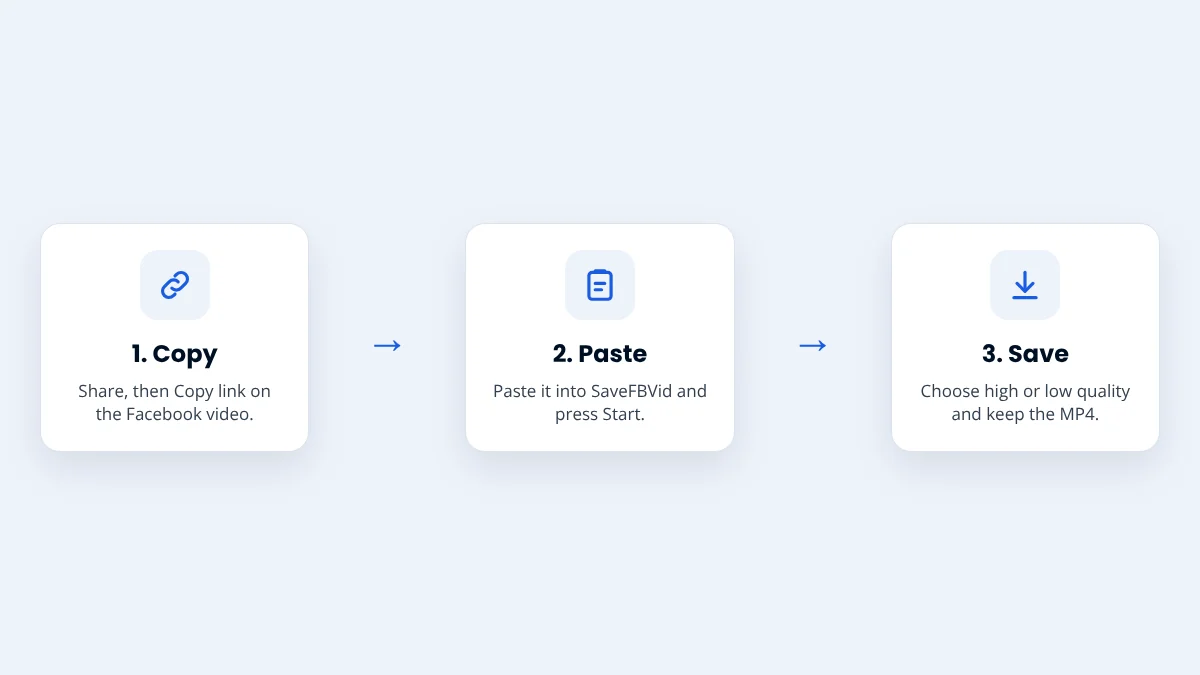
Once you have a yes, copy the link, paste it into SaveFBVid and choose high quality.
Step 3: Credit clearly
- Name the creator in the first line of your caption
- Tag their page or profile
- Link to the original post where the platform allows it
"Credit to the owner" is not credit. Use the name.
Step 4: Leave it intact
- Do not crop out a watermark or logo
- Do not cut the video in a way that changes its meaning
- Do not add your own branding on top
Step 5: Be ready to remove it
If the creator changes their mind, take the post down.
When you need more than a friendly yes
- Advertising or sponsored posts
- Videos you will earn money from
- Videos featuring children or private individuals
- Music-heavy clips, where the music has its own rights
In these cases get written permission and, where needed, advice from a professional. General background is in is it legal to download Facebook videos.
Releated Posts
 How to Share a Downloaded Facebook Video on WhatsApp and Other Apps
 Facebook Video Formats Explained: Why You Get an MP4
 How to Watch Facebook Videos Offline
Comments
No comments yet.
Leave a Comment
Your email address will not be published.