
Sending a Facebook link only works if the other person can open Facebook. Sending the video file works for everyone.
Step 1: Download the video
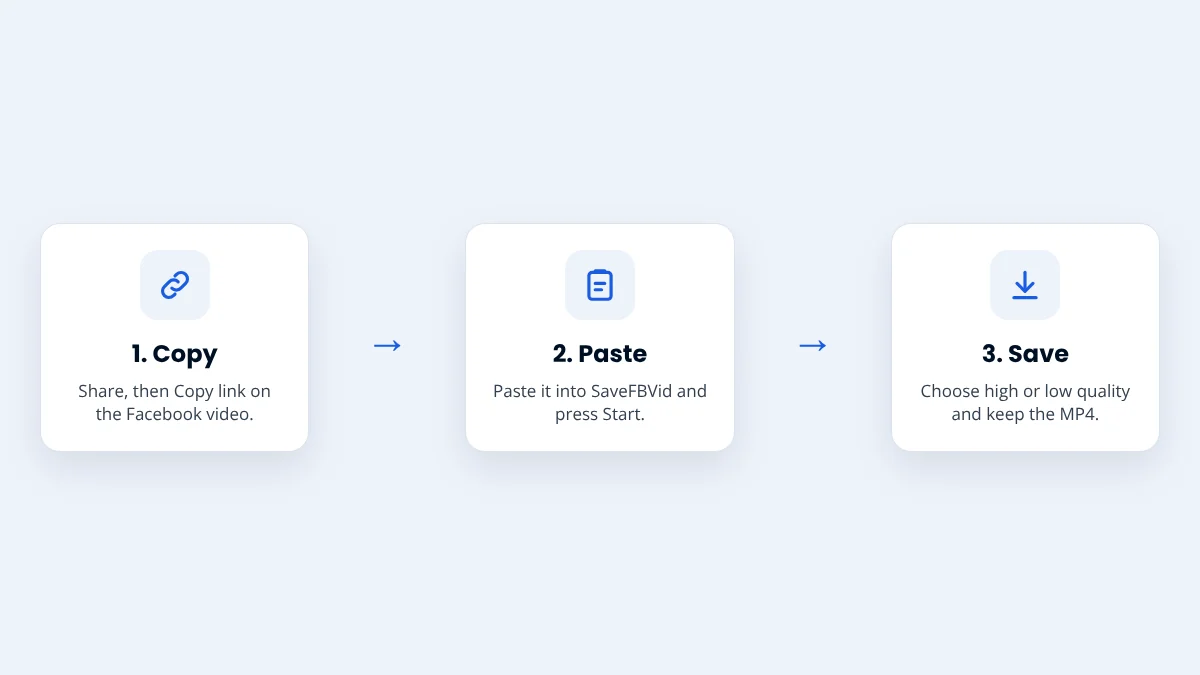
- Copy the video's link on Facebook.
- Paste it into SaveFBVid and press Start.
- Choose a quality and save the file.
For messaging, low quality is usually the better choice. Chat apps compress video anyway, and a smaller file sends faster.
Step 2: Share it
- Open the chat.
- Tap the attachment icon.
- Choose Gallery (Android) or Photo & Video Library (iPhone) and pick the video.
To avoid compression, send it as a Document instead.
Telegram, Signal and others
Use the attachment icon and choose the video from your gallery or files.
Attach the file. Most providers limit attachment size, so long videos may need a cloud link instead.
If the app says the file is too large
- Download the low quality version instead.
- Trim the video in your phone's gallery editor.
- Upload it to cloud storage and share the link.
The video is not in my gallery
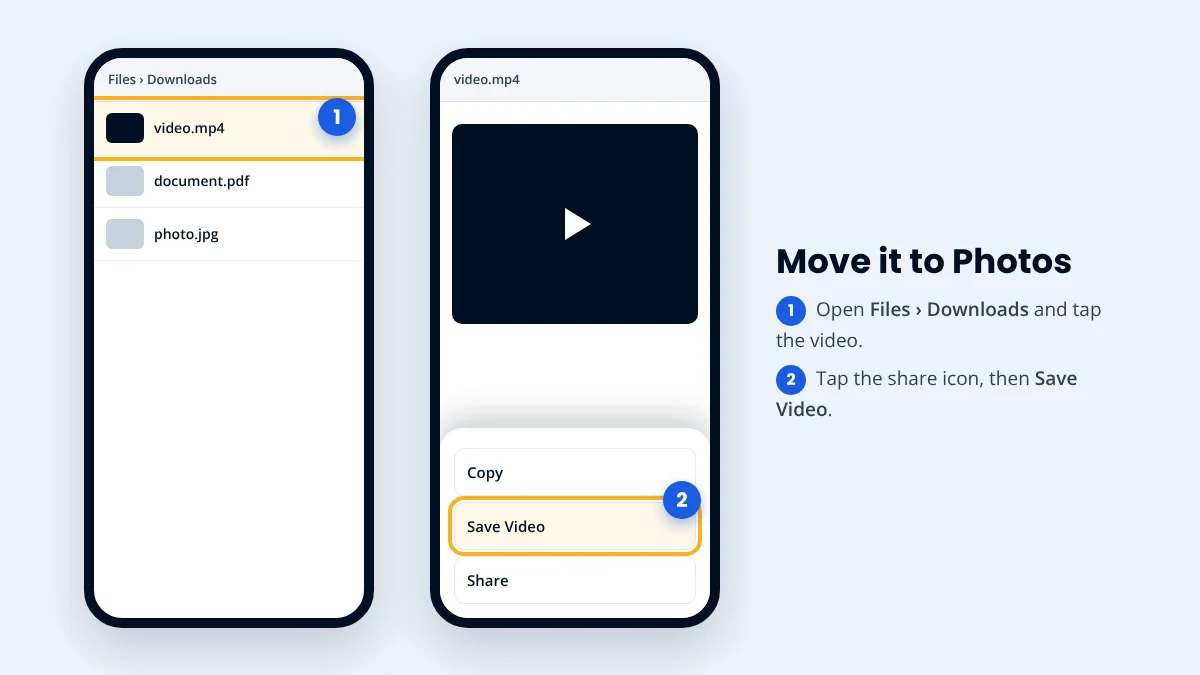
On iPhone the download lands in the Files app first. Move it to Photos; see how to save Facebook videos to your camera roll.
Before you share
- Share videos you have the right to share.
- Give credit: mention who made it.
- Think about the people in the video. Something posted to a small audience may not be meant for a group chat of fifty.
More on this in how to repost Facebook videos with permission.
Releated Posts
 Facebook Video Formats Explained: Why You Get an MP4
 How to Watch Facebook Videos Offline
 Facebook Reels vs Videos: What Is the Difference?
Comments
No comments yet.
Leave a Comment
Your email address will not be published.