

Facebook shows several kinds of video in the same feed. The two you will meet most often are reels and regular videos. They overlap, but they are built for different things.
Reels
- Vertical, full-screen video
- Usually short
- Shown in a dedicated Reels feed that you swipe through
- Often use music, effects and text overlays
- Recommended to people who do not follow the creator
Regular videos
- Any shape: horizontal, square or vertical
- Any length, from clips to long recordings
- Appear on the page or profile that posted them and in the Video tab
- Better suited to tutorials, interviews, events and live replays
Side by side
| Reels | Videos | |
|---|---|---|
| Shape | Vertical | Any |
| Typical length | Short | Any |
| Where you find them | Reels feed | Feed, pages, Video tab |
| Made for | Quick discovery | Depth and detail |
Is downloading different?
No. Both are downloaded the same way:
- Copy the link with Share, then Copy link.
- Paste it into SaveFBVid.
- Press Start and choose a quality.
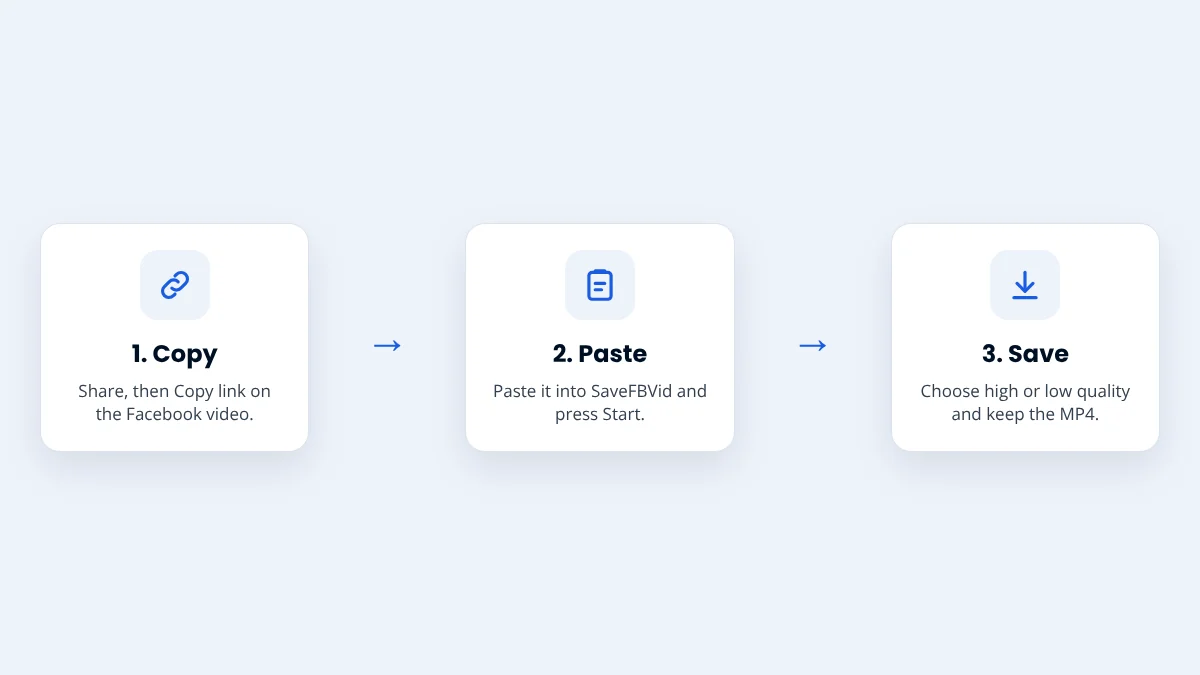
The only requirement is that the post is public. A step-by-step version for reels is in how to download Facebook Reels online.
Does a downloaded reel keep its music?
Yes. The sound is part of the video file. Remember that music in reels is licensed for use on Facebook; reusing it elsewhere may not be covered.
Which one should creators use?
- Use reels to reach new people with a short, single idea.
- Use videos when the content needs more time or a horizontal frame.
Many creators post a short reel that points to a longer video.
Releated Posts
 Download Facebook Videos Without an App or Extension
 Save vs Download on Facebook: What Is the Difference?
 Can You Download Facebook Stories? What Is and Is Not Possible
Comments
No comments yet.
Leave a Comment
Your email address will not be published.