
There are hundreds of apps and extensions that promise to download Facebook videos. You do not need any of them. A normal browser tab does the job, and it is the safer option.
The browser-only method
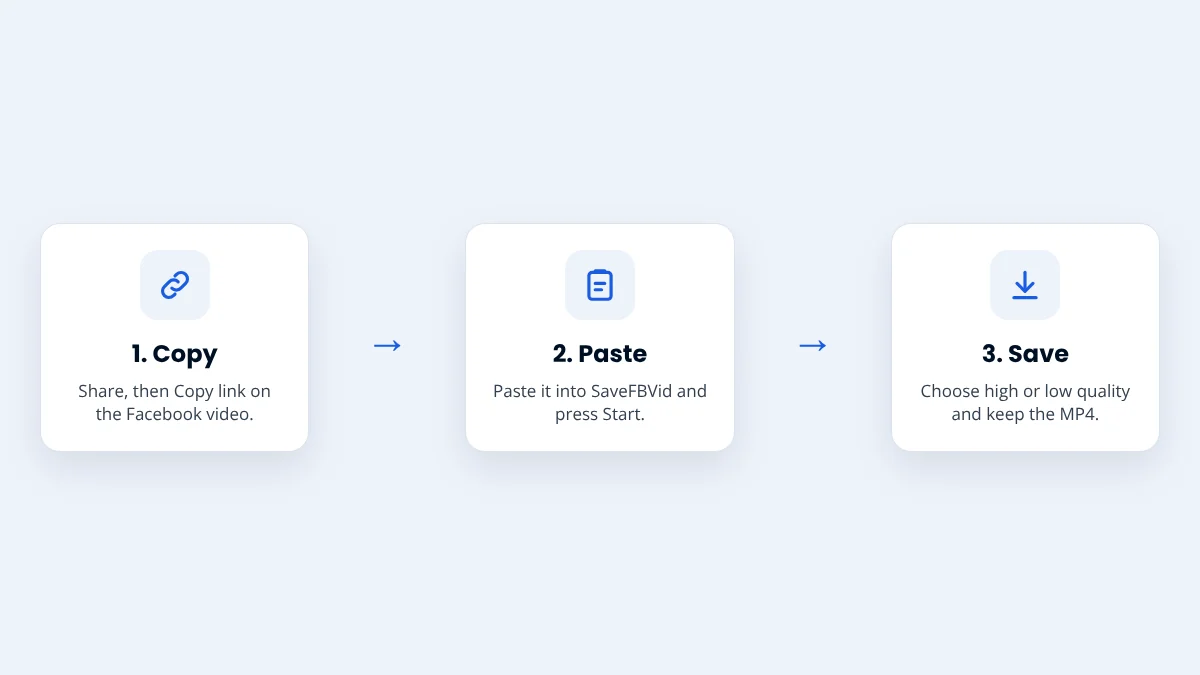
- Copy the link of a public Facebook video.
- Open SaveFBVid in your browser.
- Paste the link and press Start.
- Choose high or low quality.
Nothing is installed and nothing stays on your device except the video.
Why skip the app?
- Permissions. Downloader apps often ask for access to storage, contacts or notifications.
- Updates. Apps break when Facebook changes something and need updating. A web tool is updated for you.
- Space. An app takes storage that your videos could use.
- Availability. Many of these apps are not allowed in official app stores and have to be installed from other sources.
Why skip the extension?
- Extensions can read and change the pages you visit.
- An extension that is safe today can be sold and changed tomorrow.
- They only work in one browser on one computer.
What you give up
Honestly, not much. Some apps offer batch downloads or a built-in player. For saving a video now and then, a web tool is quicker.
Works everywhere
Because it runs in the browser, the same method works on:
- Android
- iPhone and iPad
- Windows and Mac
- Chromebooks, Linux and smart TVs with a browser
Add it to your home screen
If you use the tool often, add it to your home screen from the browser's menu. It opens like an app, without the permissions.
Releated Posts
 Save vs Download on Facebook: What Is the Difference?
 Can You Download Facebook Stories? What Is and Is Not Possible
 How to Download Videos from Facebook Groups
Comments
No comments yet.
Leave a Comment
Your email address will not be published.