
On a computer, downloading a Facebook video is a copy-and-paste job. It works in Chrome, Edge, Firefox and Safari, on Windows, macOS, Linux and Chromebooks.
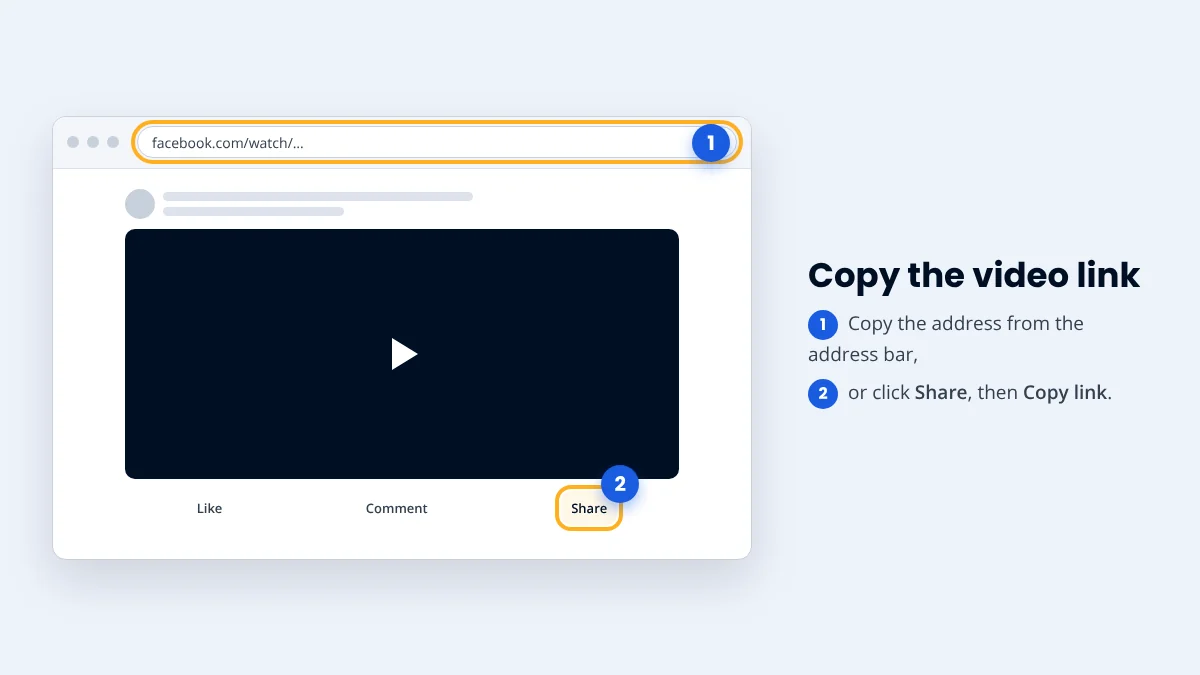
Step 1: Get the video link
Use any of these:
- Click the video so it opens on its own page, then copy the address from the address bar.
- Click Share under the video, then Copy link.
- Right-click the video's date or time stamp and choose Copy link address.
Step 2: Paste and start
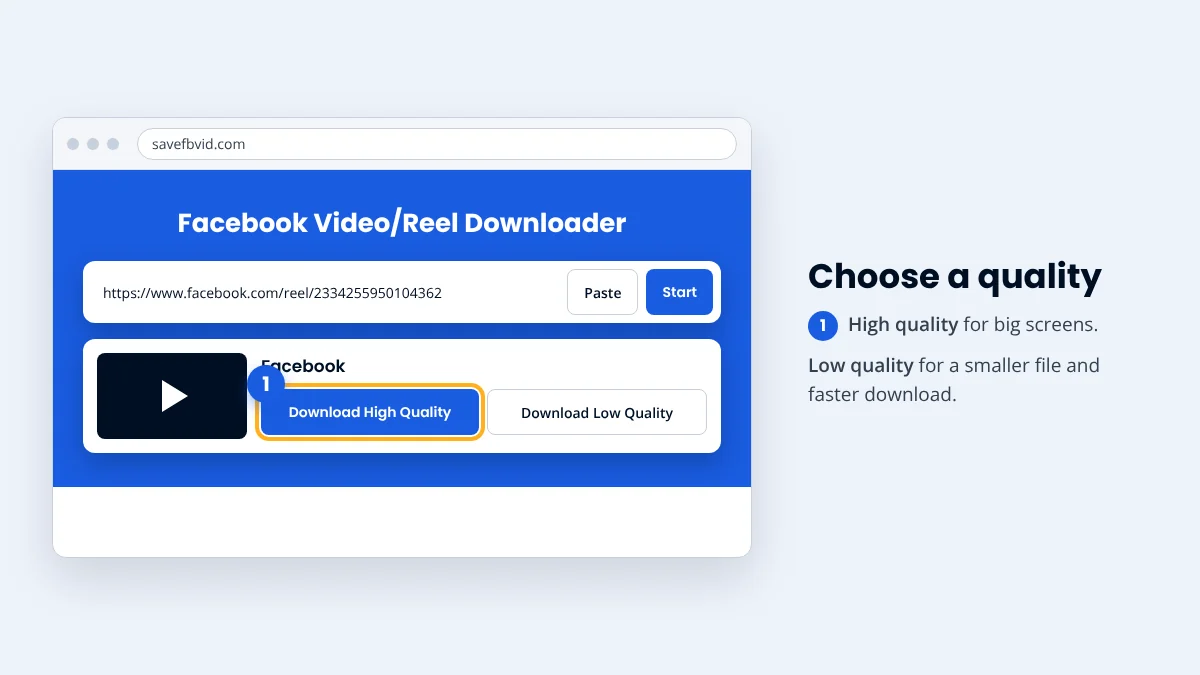
- Open SaveFBVid in a new tab.
- Click the box and press Ctrl + V (Windows) or Command + V (Mac).
- Press Enter or click Start.
Step 3: Save the MP4
- Click Download High Quality or Download Low Quality.
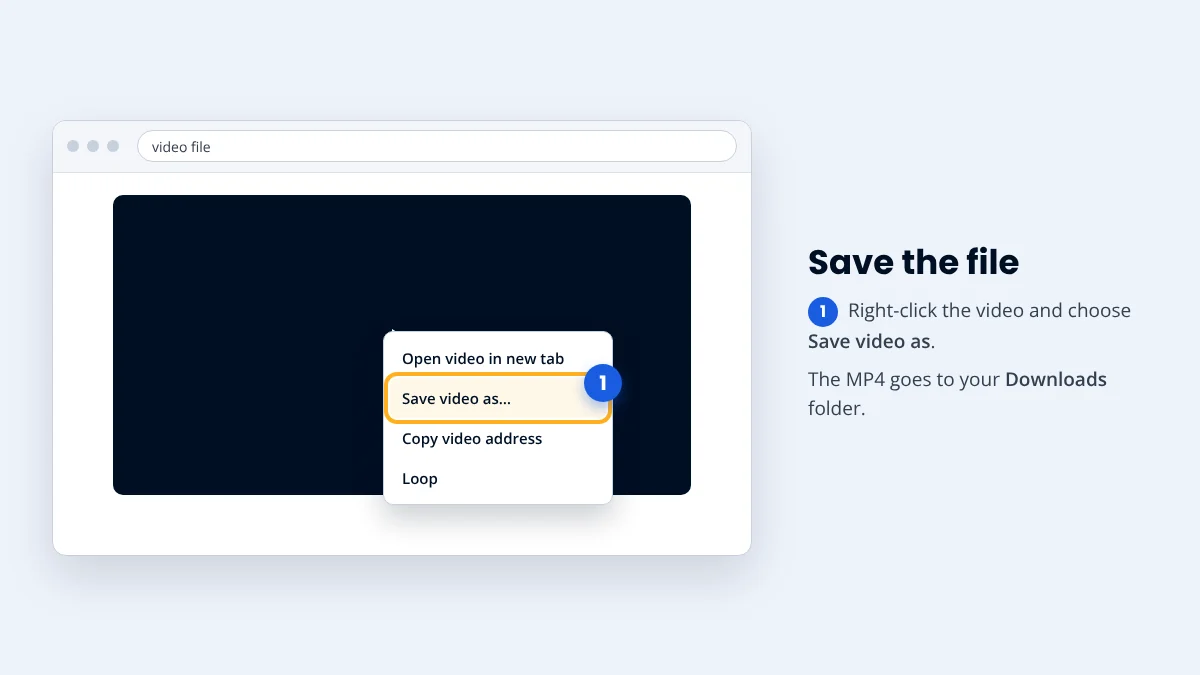
- The video opens in a new tab.
- Right-click the video and choose Save video as, or click the three dots in the player and choose Download.
Where the file goes
By default, your Downloads folder. Press Ctrl + J on Windows to open the browser's download list; on a Mac, open it from the browser's menu.
Keyboard-only version
- Copy the link.
- Open SaveFBVid.
- Press Tab until the link box is focused, paste, press Enter.
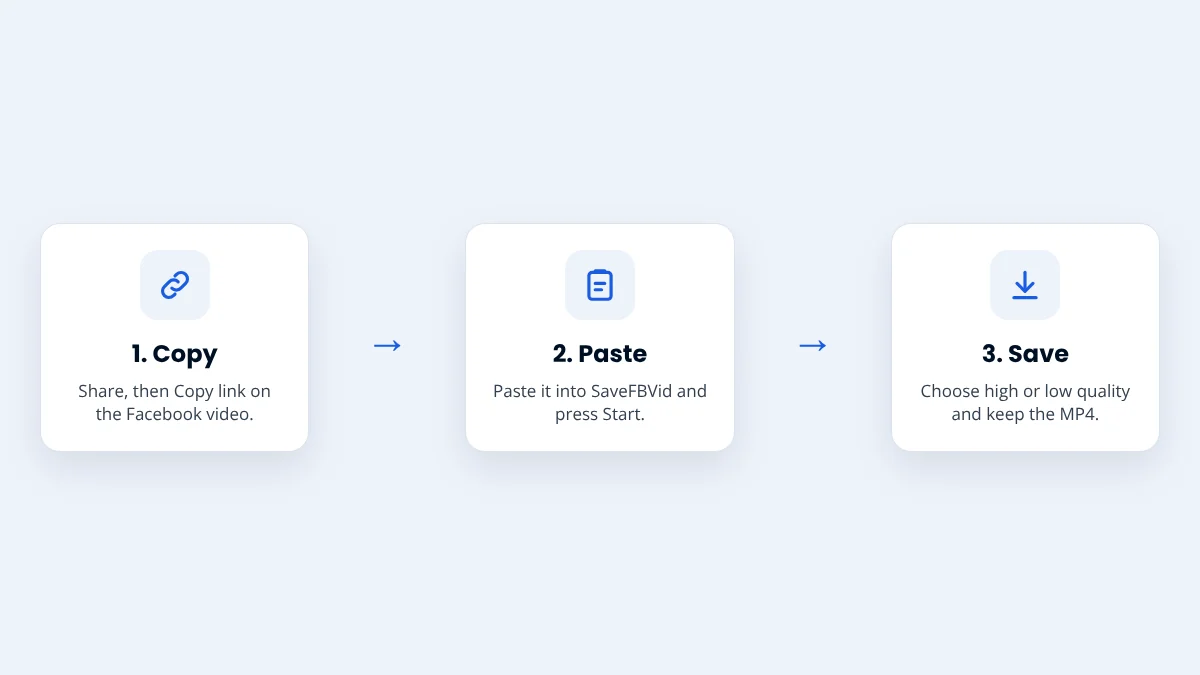
The result appears under the box without reloading the page.
Why not use a browser extension?
Extensions can read the pages you visit, and video downloader extensions are a common way for unwanted software to spread. A web page cannot do that. See is it safe to use online Facebook downloaders.
Playing the downloaded file
MP4 plays in the built-in players on Windows and macOS. If it does not, free players such as VLC handle almost every file. More about the format: Facebook video formats explained.
Releated Posts
 How to Download Facebook Videos on Android
 How to Download Facebook Videos on iPhone and iPad
 Looking for a KeepVid-Style Facebook Downloader? What to Check First
Comments
No comments yet.
Leave a Comment
Your email address will not be published.