

Downloading a Facebook video on an iPhone used to be awkward. With Safari's built-in download manager it now takes about a minute, and you do not need to install anything.
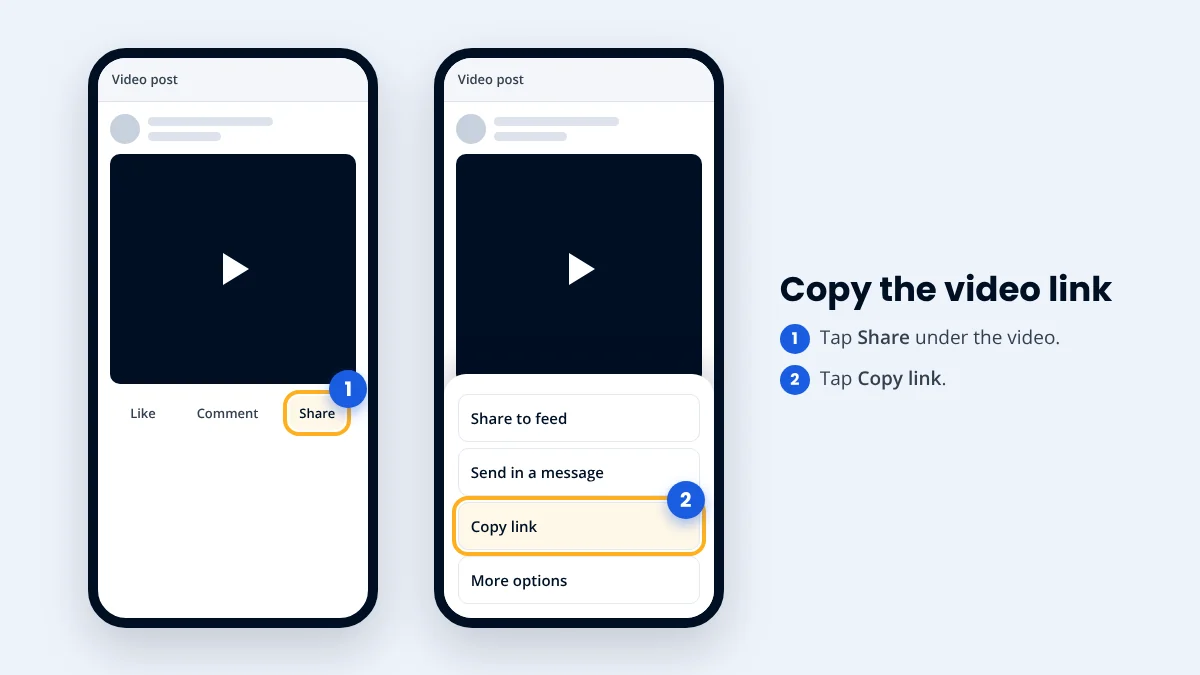
Step 1: Copy the video link
- Open the Facebook app and find the video or reel.
- Tap Share.
- Tap Copy link.
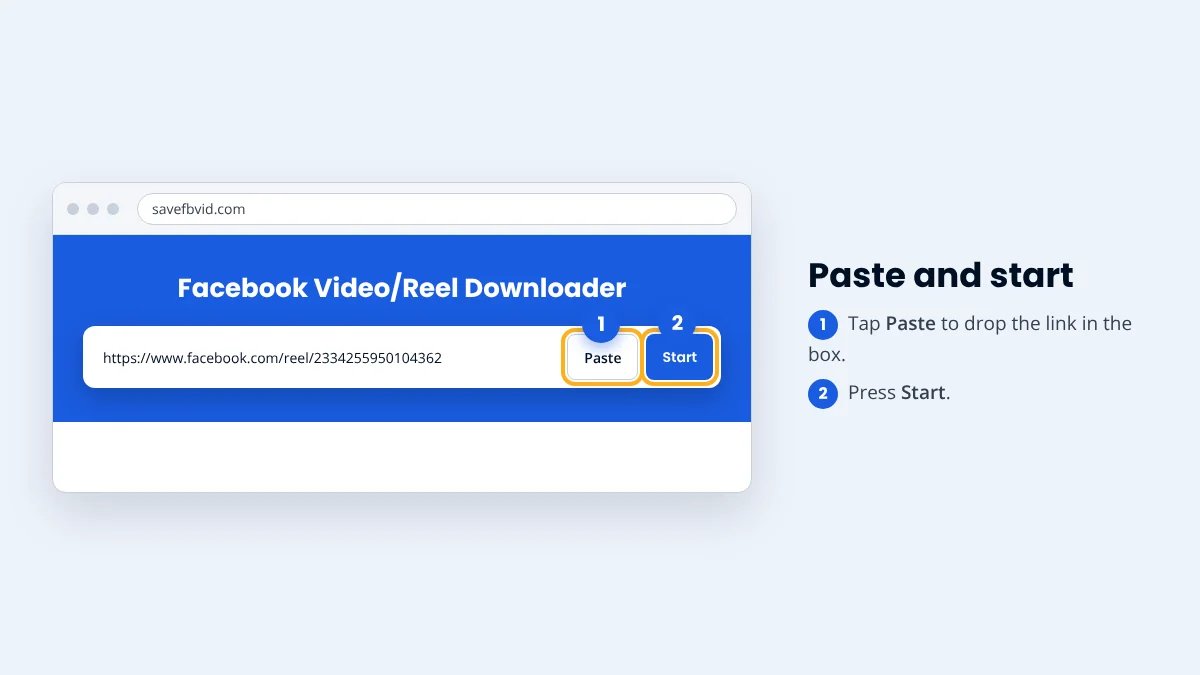
Step 2: Open the downloader in Safari
- Open Safari and go to SaveFBVid.
- Tap the box, then tap Paste.
- Tap Start and wait a few seconds.
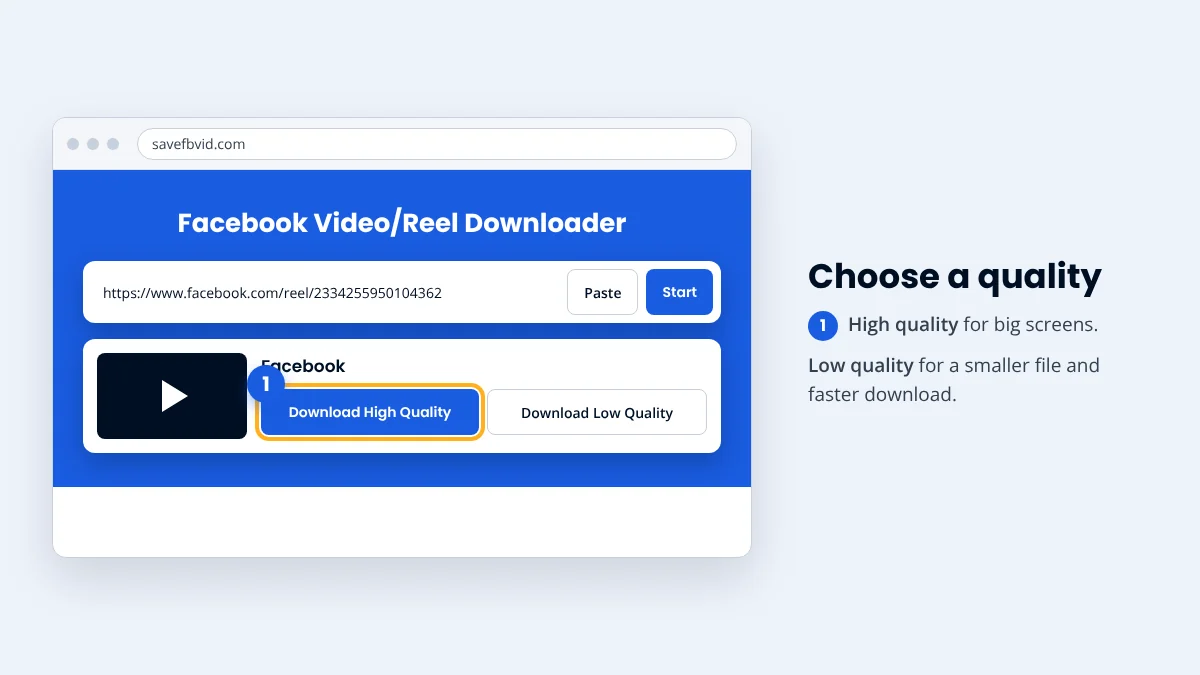
Step 3: Download the file
- Tap Download High Quality or Download Low Quality.
- If the video starts playing in a new tab, tap the share icon and choose Save to Files. If Safari asks "Do you want to download?", tap Download.
- The download arrow appears in Safari's address bar when the file is ready.
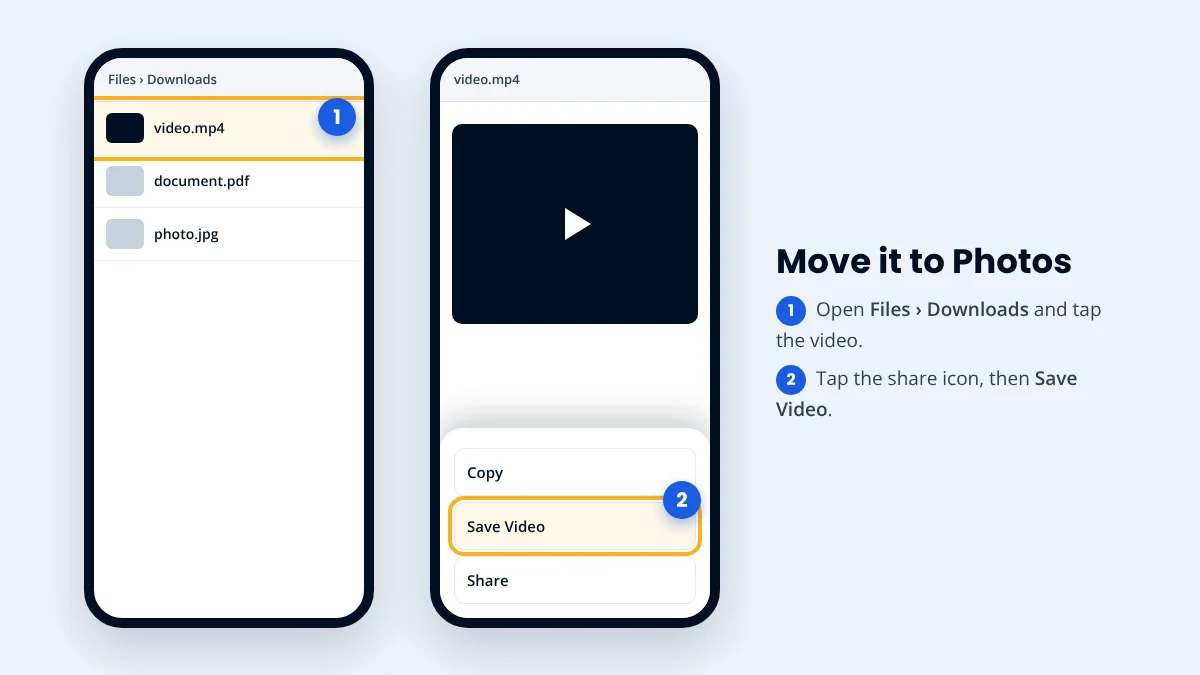
Step 4: Move the video to Photos
- Open the Files app and go to Downloads.
- Tap the video to open it.
- Tap the share icon and choose Save Video.
The video is now in your Photos library, in Recents.
Troubleshooting on iPhone
I cannot find the file
Open Files, tap Browse, then Downloads. If you use iCloud Drive, the folder may be under iCloud Drive instead of On My iPhone.
The video plays but does not download
Press and hold the video and look for a download option, or use the share icon and Save to Files.
Nothing happens when I tap Start
Check that the link begins with facebook.com or fb.watch and that the video is public. More fixes are in Facebook video downloader not working.
Does this work on iPad?
Yes. The steps are identical in Safari on iPad.
Related guides
Releated Posts
 Looking for a KeepVid-Style Facebook Downloader? What to Check First
 Online Video Downloader for FB: How It Works Behind the Scenes
 FB Save: What It Means and Three Ways to Do It
Comments
No comments yet.
Leave a Comment
Your email address will not be published.