
Why It Is Worth Knowing How This Works
An online video downloader for FB looks a bit like magic. You paste a link, press a button, and a download appears. Most people never think about what happens in between.
It is worth two minutes, though. Once you know how the tool works you also know why some videos download and others do not, why there is sometimes no HD option, and how to tell a safe downloader from a risky one. You stop guessing.
We at SaveFBVid run one of these tools, so let us open the hood.
Now let's follow one link through the whole journey!
Step 1:
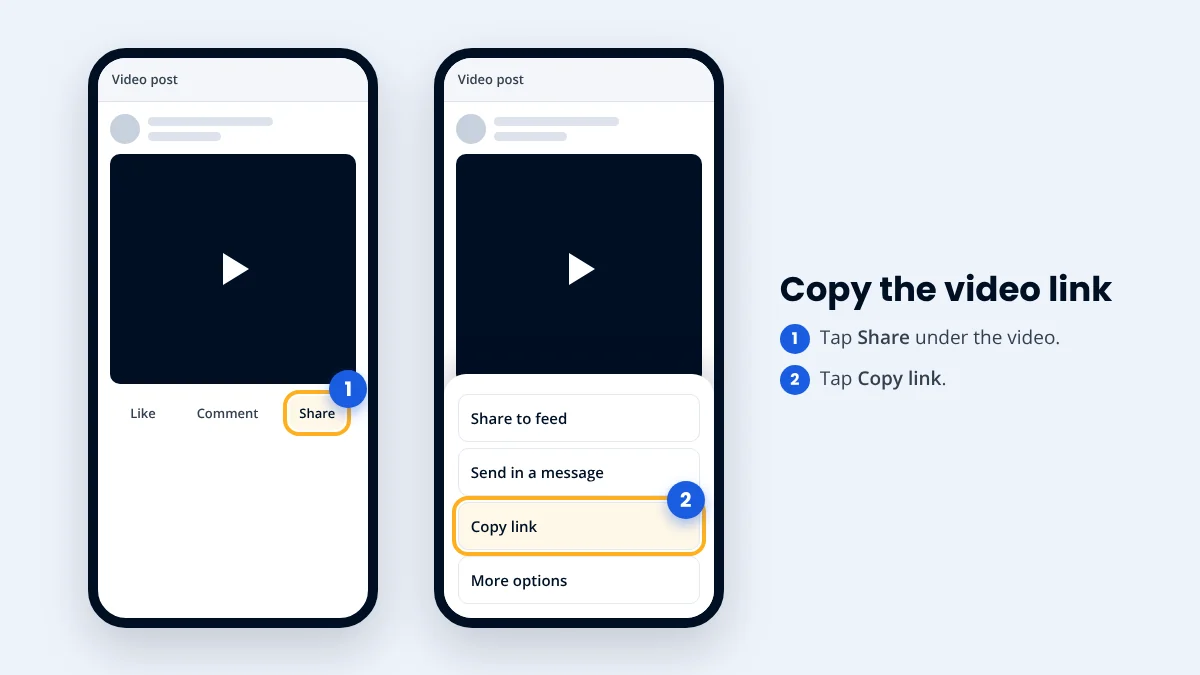
You copy a link on Facebook with Share and Copy link. A Facebook video link is just an address, such as facebook.com/watch, facebook.com/reel or the short fb.watch form.
Step 2:
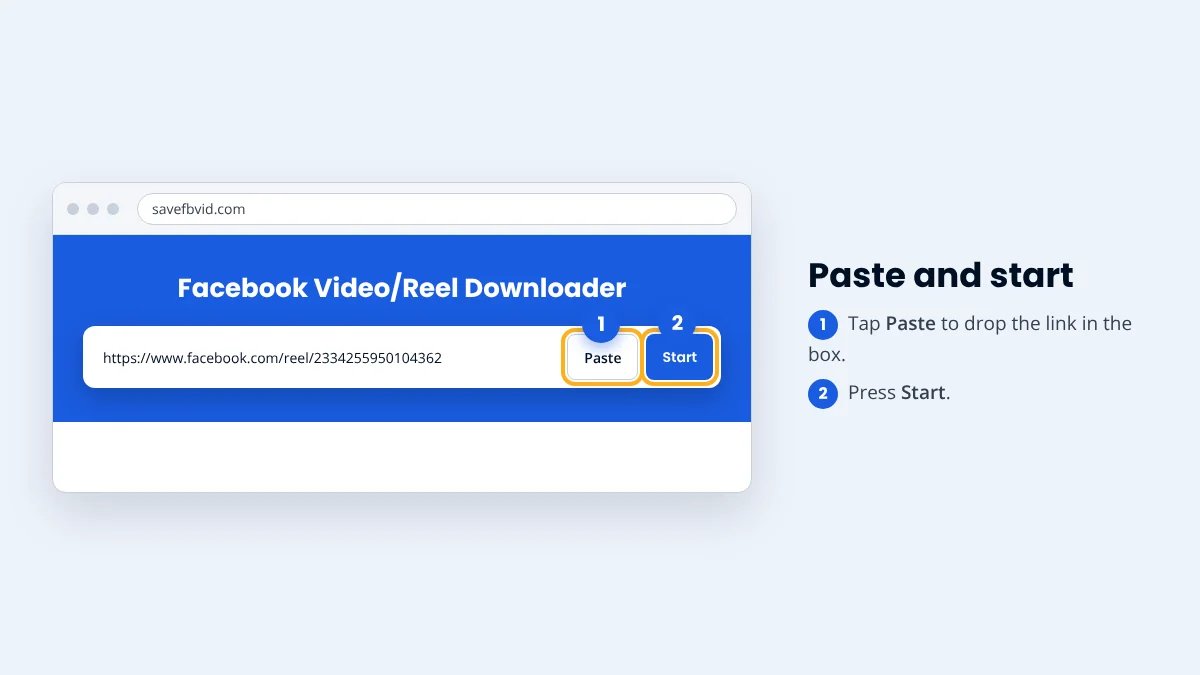
You paste the link into the box and press Start. Before anything else, the page checks that the address really belongs to Facebook. A link to another site is refused straight away.
Step 3:
The service looks up the link. It requests the public page for that video, exactly as a visitor who is not logged in would see it.
Step 4:
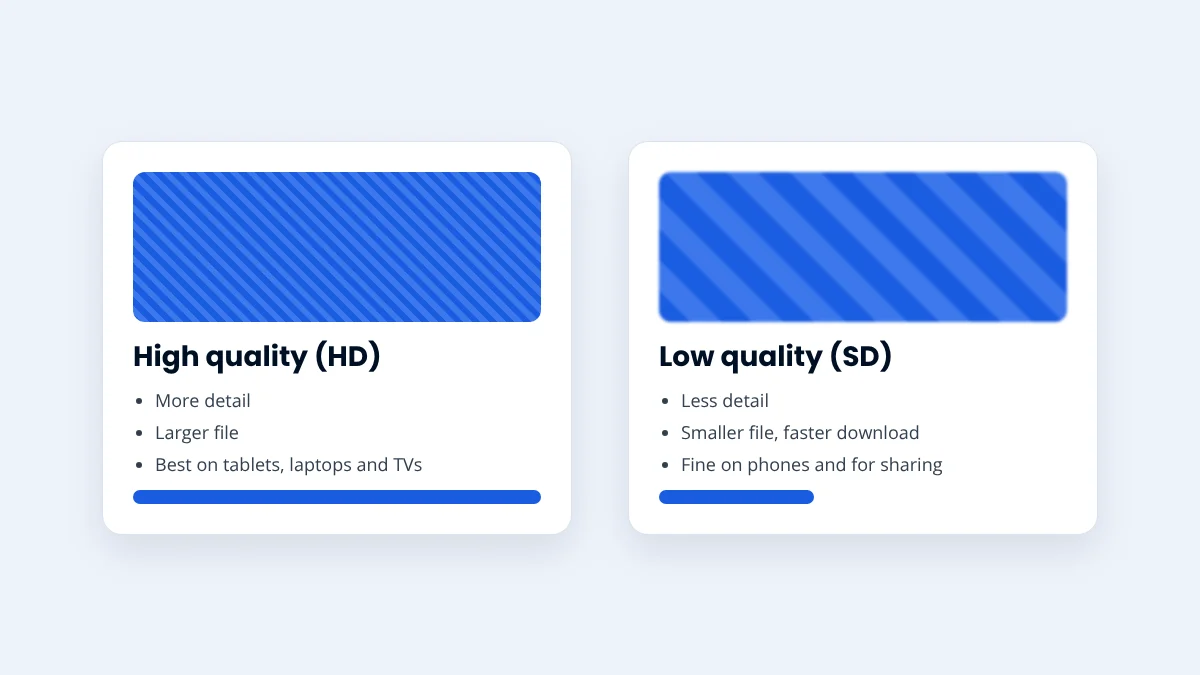
Facebook keeps every video in more than one quality so it can play on slow and fast connections. The service finds the addresses of those files inside the page.
Step 5:
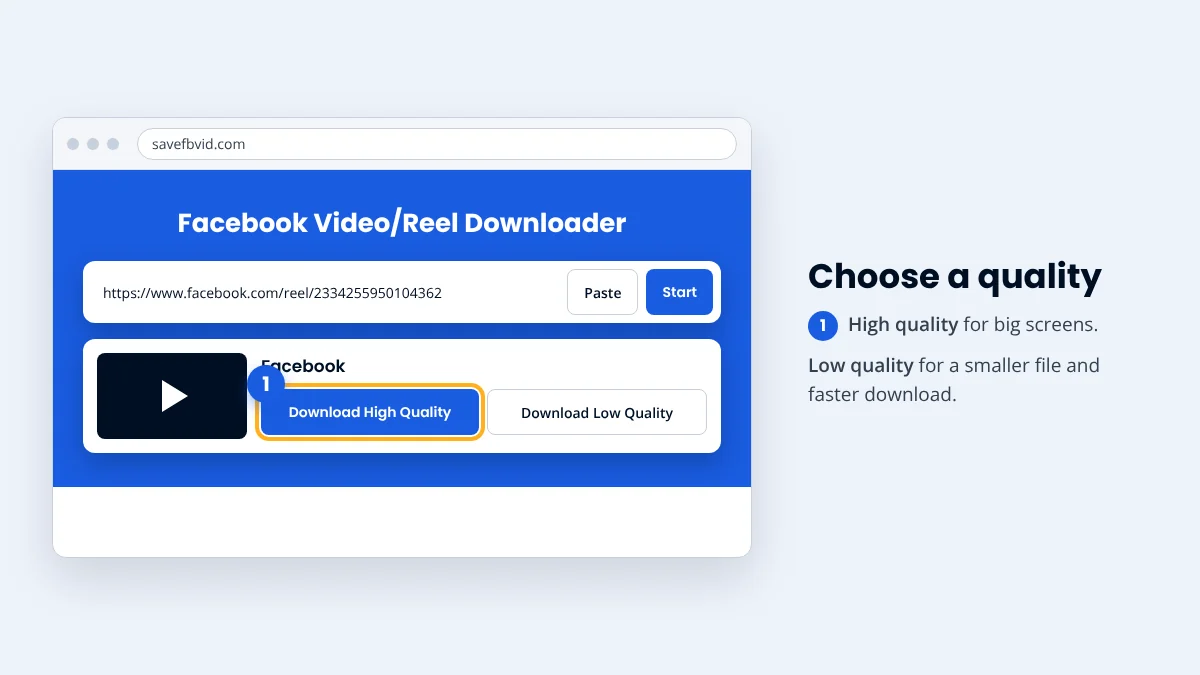
You get buttons. Each one points to one of those files, labelled Download High Quality and Download Low Quality.
Step 6:
Your browser downloads the file. The video travels from Facebook's servers to your device.
Six steps, and usually about five seconds for steps 3 to 5.
What This Means for You
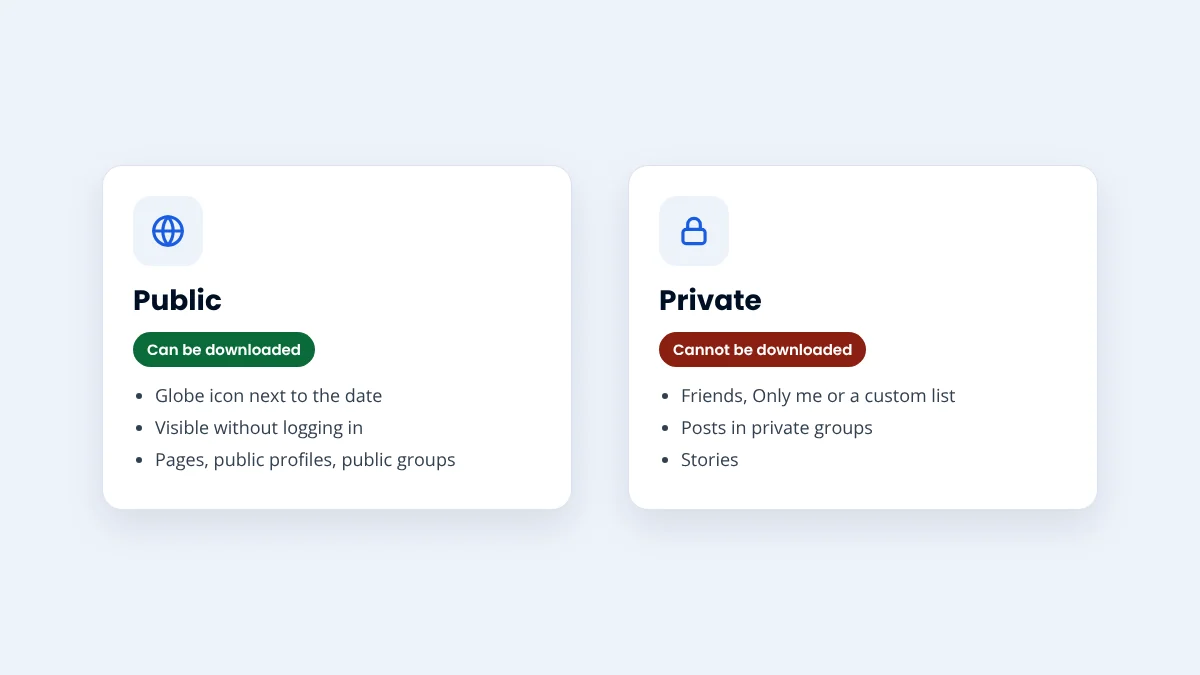
Only public videos work
Step 3 happens without a login. Anything that needs a login to view, such as friends-only posts, private groups and stories, comes back as a login page with no video in it.
The file is the original
The tool does not convert or re-encode anything. You receive the same MP4 Facebook plays to viewers. That is also why SaveFBVid does not add a watermark: we never touch the picture.
Quality depends on the upload
If someone uploaded a small, blurry video, Facebook never had an HD version, and neither do we.
Long videos are not slower to find
Finding a two-hour live replay takes the same few seconds as finding a ten-second clip. Only the download itself takes longer.
A "busy" message is honest
Lookups are limited so the service stays available for everyone. If you see a message that the service is busy, wait a minute and try again.
Follow the Steps on Your Device
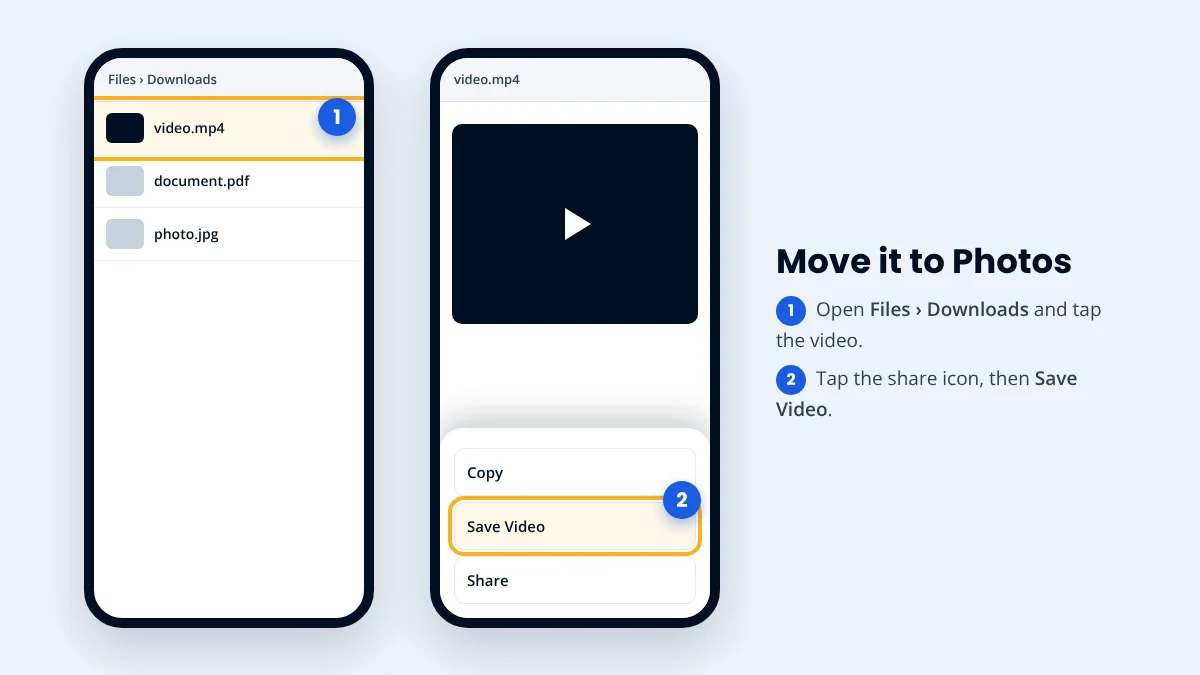
iOS device:
1. Open SaveFBVid.com in Safari and paste your link.
2. Tap a quality, then Download when Safari asks.
3. Find the file in Files, under Downloads.
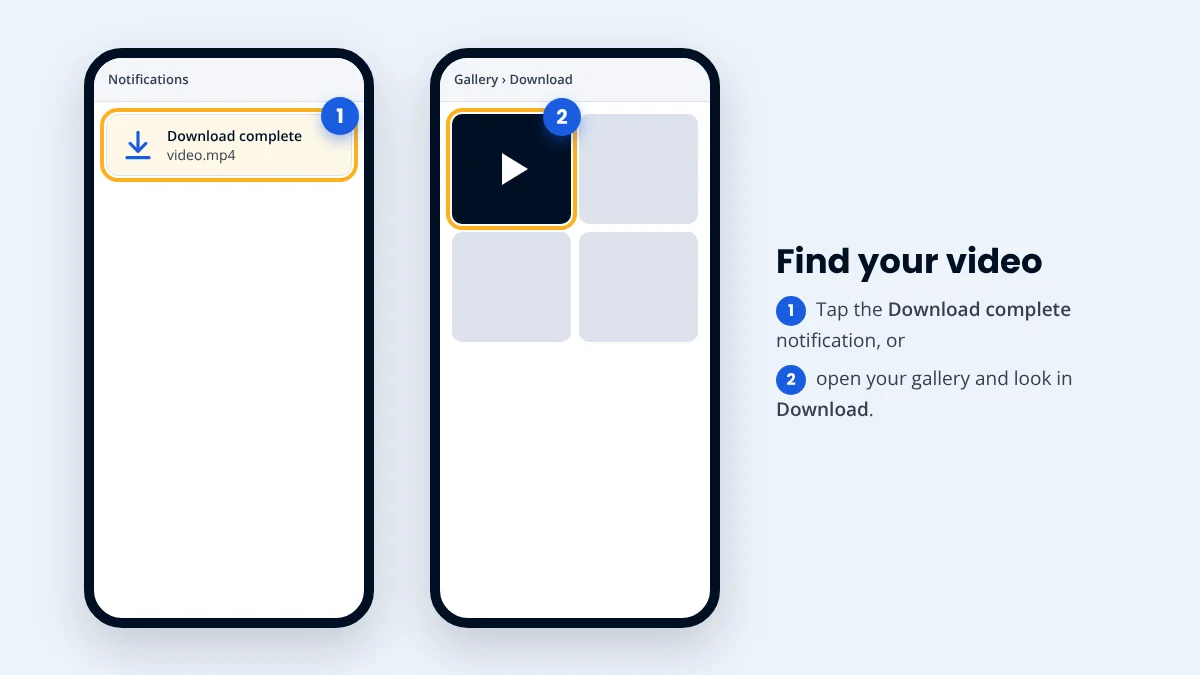
Android device:
1. Open SaveFBVid in Chrome and paste your link.
2. Tap a quality, then the three dots on the player and Download.
3. Find the video in your gallery.
Computer:
1. Paste the link with Ctrl + V and press Enter.
2. Click a quality.
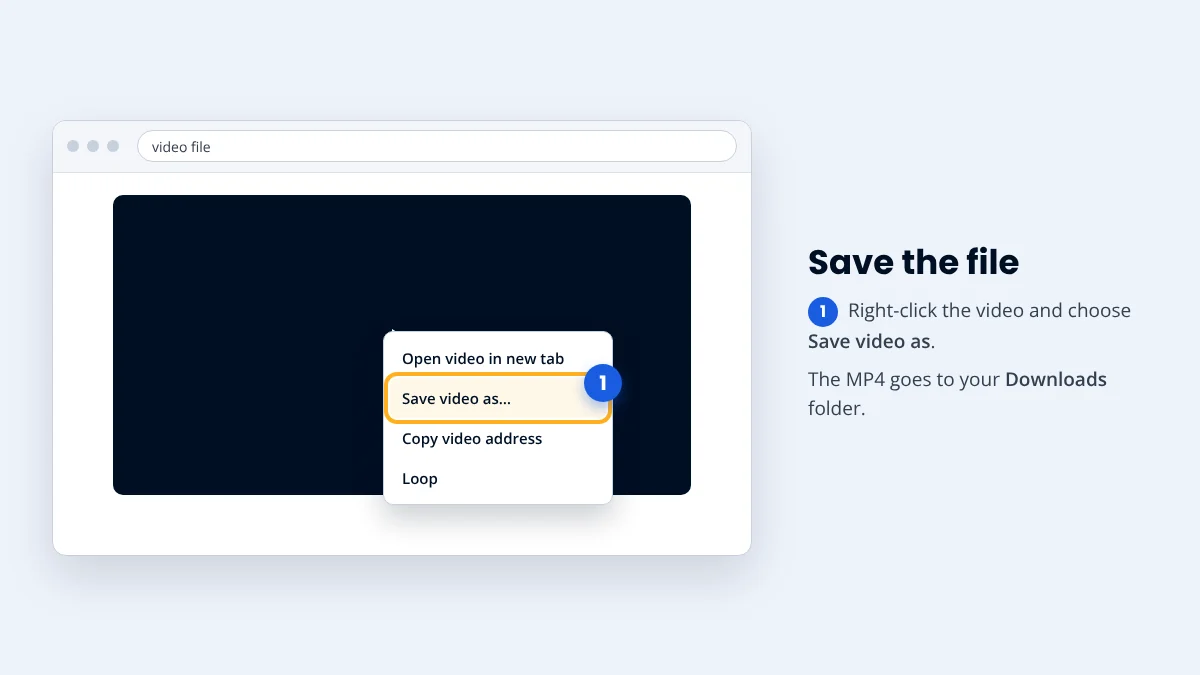
3. Right-click the video and choose Save video as.
Why a Web Tool Beats an App or Extension
An app has to be installed and updated, and many downloader apps ask for access to your storage or contacts. A browser extension can read the pages you visit. A web page can do neither. It receives the link you paste and nothing else.
There is a practical side too. A web tool works on every device with a browser, so the same steps apply to your phone, your work laptop and a borrowed tablet.
How to Recognise a Safe Online Video Downloader for FB
It asks for a link and nothing more. No Facebook password, no "page source", no extension, no software to install. The file you receive ends in .mp4. If any of those is not true, close the tab. Our longer checklist is in is it safe to use online Facebook downloaders.
Questions People Ask
Does SaveFBVid store the videos?
No. The video goes from Facebook to your device.
Does Facebook tell the owner?
No notification is sent when a public video is downloaded.
Why did my link fail?
Most often the video is not public, or the link was cut off when copied. Try the nine fixes.
Do fb.watch links work?
Yes. The tool follows the short link for you.
What an Online Downloader Does Not Do
It helps to be clear about the limits, because a lot of confusion starts here.
It does not log in for you
The tool never signs in to Facebook, with your account or anyone else's. That is why it can only see public posts, and why it never needs your password.
It does not keep a copy
Nothing is stored on our side. If you close the page before downloading, you simply paste the link again.
It does not improve the video
A downloader cannot add resolution, fix shaky footage or repair sound. What Facebook has is what you get.
It does not remove anything
If the creator burned a logo or caption into the video, it stays. Those are part of the picture.
It does not change who owns the video
Downloading gives you a file, not rights. The creator still owns the work.
Three Small Things That Make It Faster
Copy with the Share button
Selecting a link by hand often misses the last few characters. The Share button always copies the whole thing.
Paste, do not type
Facebook links are long and case-sensitive. One wrong character and the video cannot be found.
Open the tool in a real browser
The browsers built into the Facebook and Messenger apps handle downloads poorly. Open SaveFBVid in Chrome, Safari, Firefox or Edge instead.
Try It Yourself
Now that you know what happens behind the button, you can use SaveFBVid.com to download your copied video!
Releated Posts
 FB Save: What It Means and Three Ways to Do It
 Can You Download Private Facebook Videos? What Actually Works
 How to Save a Facebook Video Online on Any Device
Comments
No comments yet.
Leave a Comment
Your email address will not be published.