
Why People Keep Searching for "KeepVid Facebook"
Video downloaders come and go. A name you used years ago may now point to a different product, a paid program, or nothing at all. That is why searches such as "KeepVid Facebook" stay popular: people remember the name of a tool that once worked and want the same thing again.
What they are really looking for is simple. Paste a Facebook link, get a video file. No installing, no signing up.
We cannot speak for other tools or tell you what they do today. What we can do is show you how to judge any Facebook video downloader in a minute, and how the same job is done on SaveFBVid.
Seven Things to Check Before You Paste a Link
1. It does not ask for your Facebook login
A downloader for public videos never needs your password. If a site asks for it, leave.
2. It works in the browser
No app, no extension, no desktop program. A web page cannot read your files or your other tabs.
3. It is honest about limits
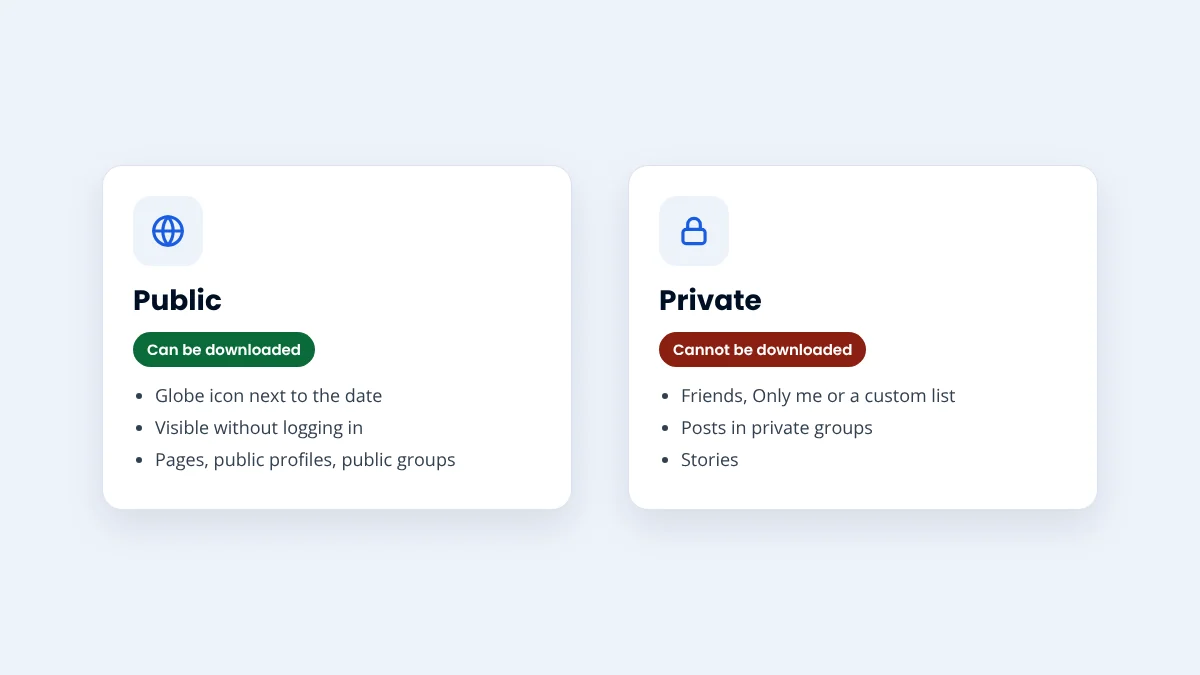
No online tool can fetch private videos, private group videos or stories. A trustworthy site says so up front instead of letting you find out.
4. You get a plain MP4
The file should end in .mp4 and play in your normal video player. If you are offered an .exe, .apk or .zip, do not open it.
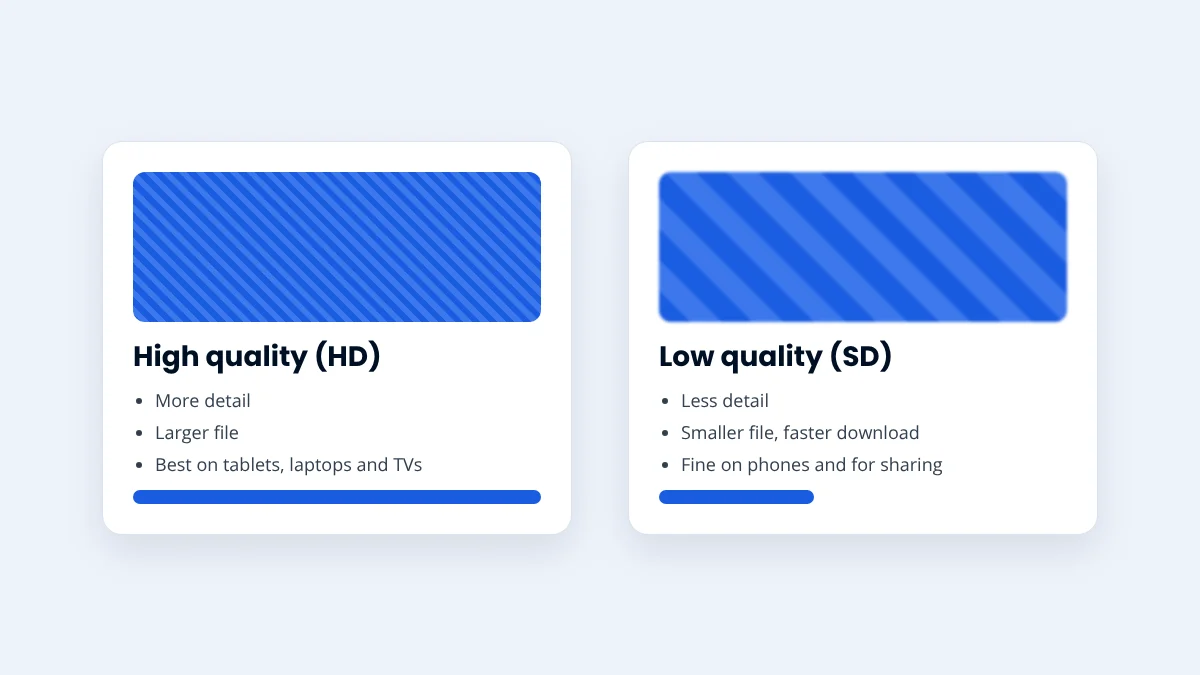
5. You can choose the quality
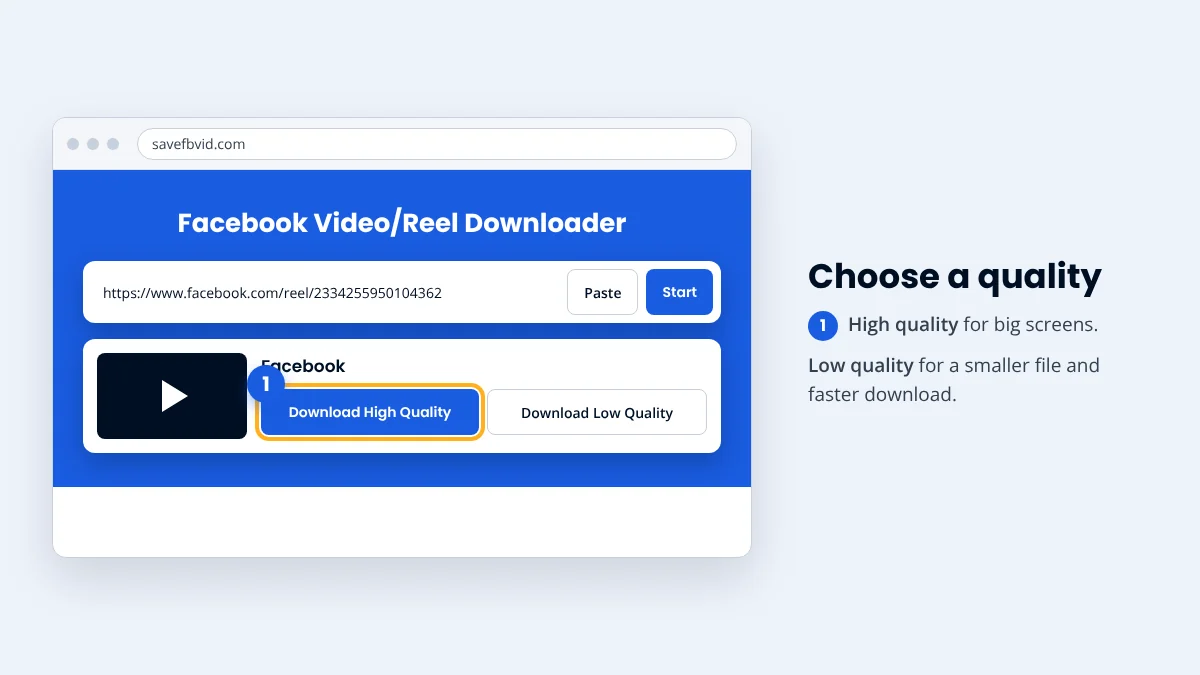
High quality for big screens, low quality for small files and slow connections.
6. Errors are explained
"Something went wrong" helps nobody. A good tool tells you whether the link is not valid, the video is not public, or the service is busy.
7. It respects your time
One box, one button, and the result on the same page. You should not have to click through three pages of ads to reach your file.
Now let's download a video the simple way!
Here is the whole process on SaveFBVid, so you can compare it with whatever you used before.
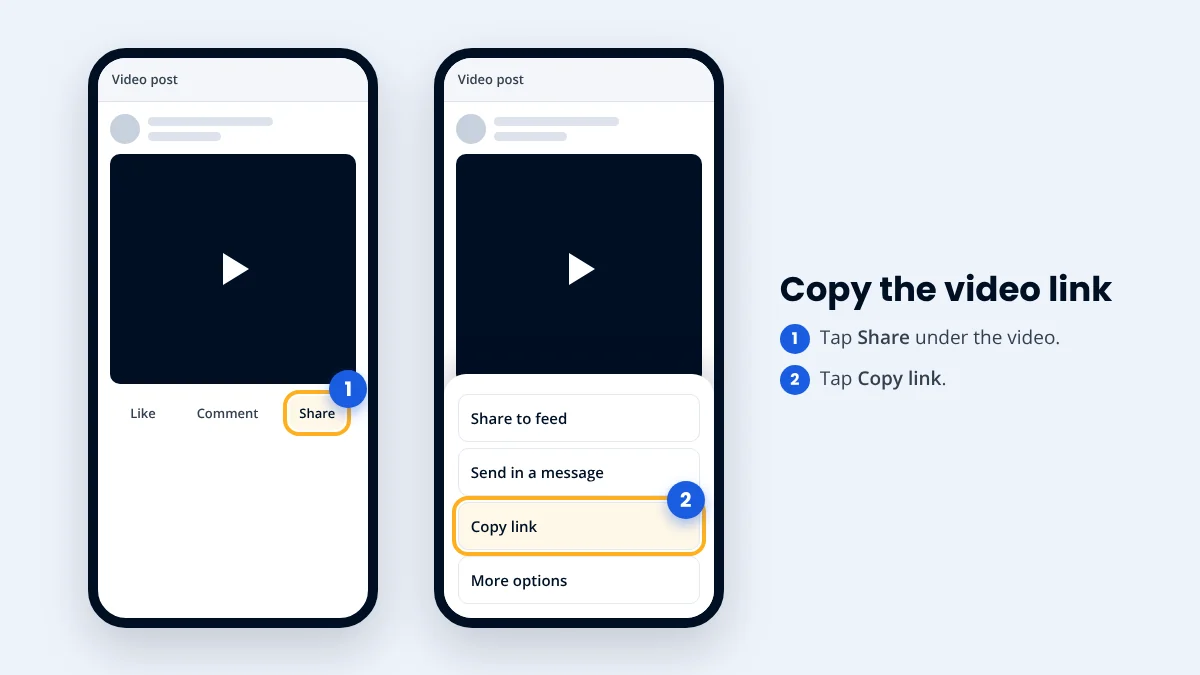
Step 1:
Open the Facebook video and tap Share.
Step 2:
Tap Copy link.
Step 3:
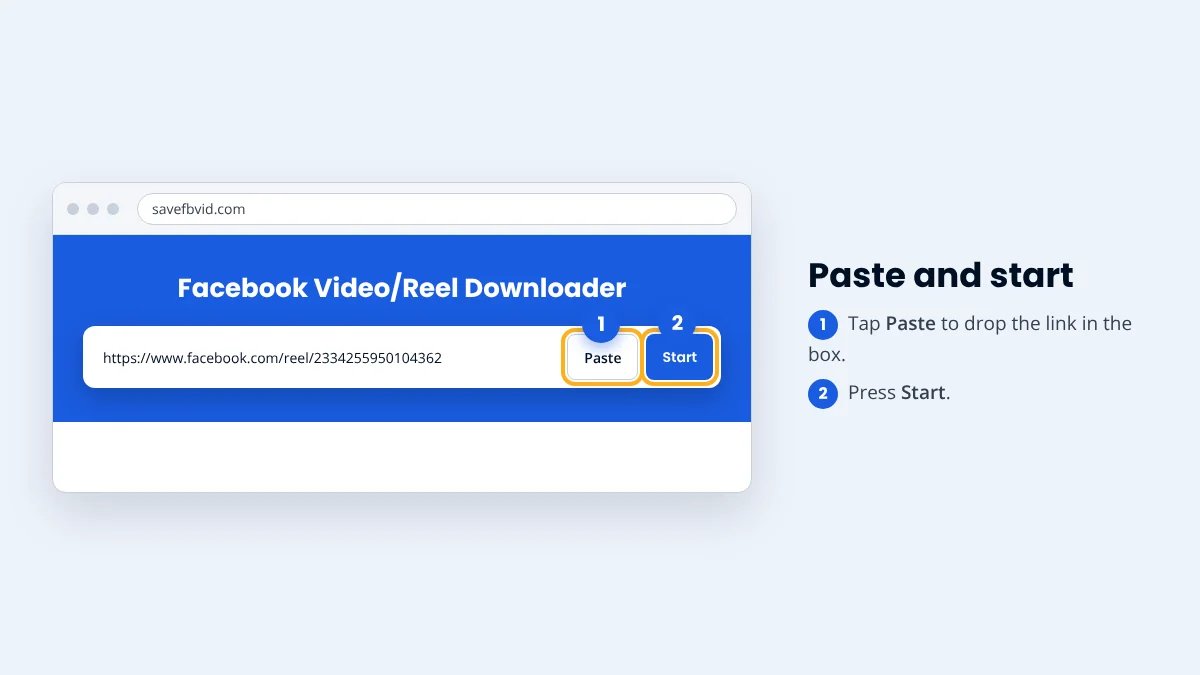
Go to SaveFBVid.com and tap Paste.
Step 4:
Press Start.
Step 5:
Choose Download High Quality or Download Low Quality.
There is no registration and nothing to install. Public videos, reels, videos in public groups and fb.watch links are supported.
Where the File Goes
iOS device:
1. Tap Download when Safari asks.
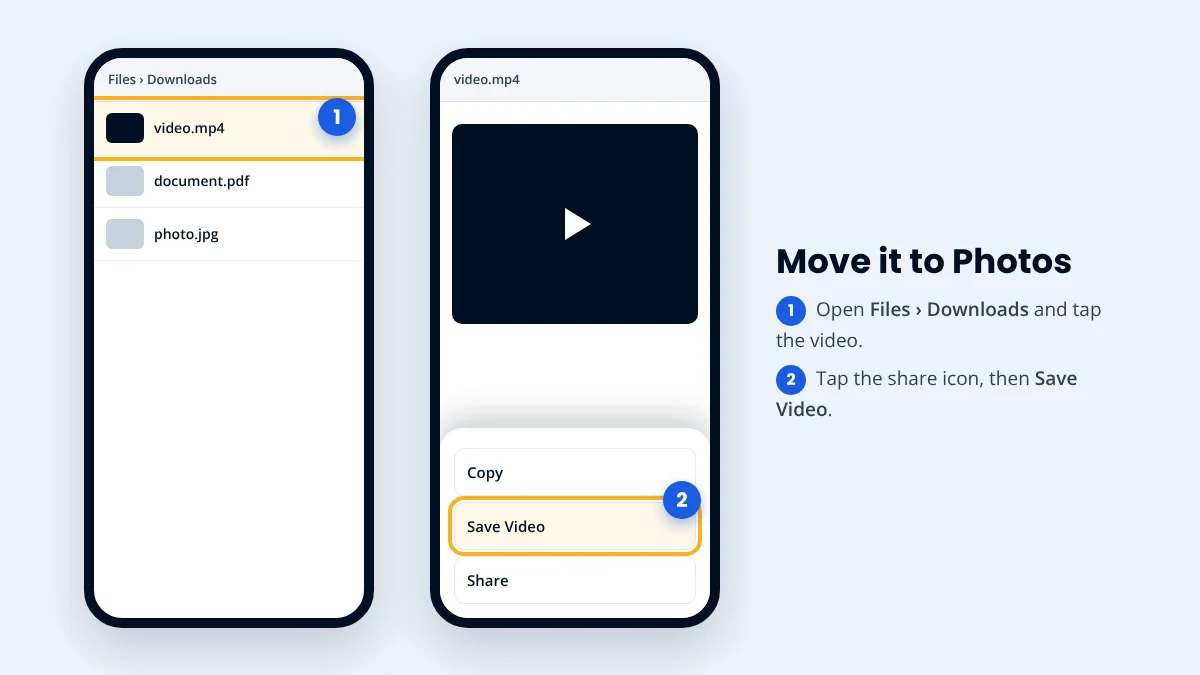
2. Open Files, then Downloads.
3. Use the share icon and Save Video to move it to Photos.
Android device:
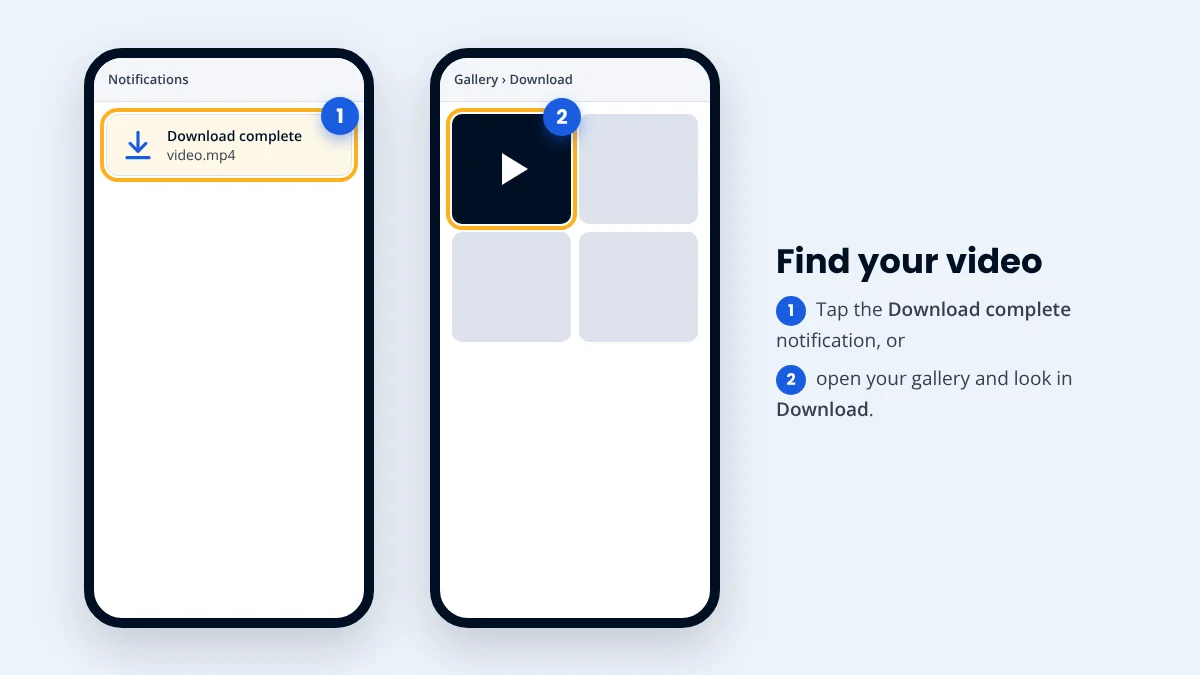
1. Tap the three dots on the player and choose Download.
2. Open your gallery and look in Download.
Computer:
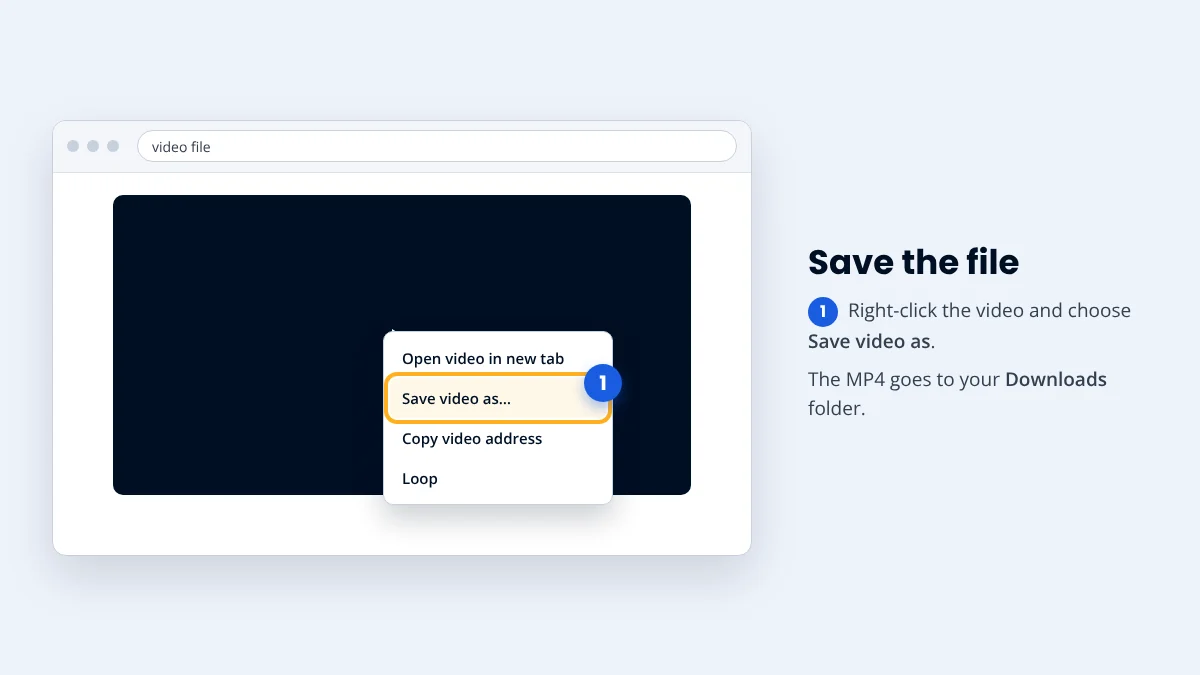
1. Right-click the video and choose Save video as.
2. Look in your Downloads folder.
Things to Avoid, Whatever Tool You Choose
Notification requests
A pop-up asking to "allow notifications" is usually a way to send you ads later. Choose Block.
Fake download buttons
Some pages show large "Download" buttons that are advertisements. The real buttons appear directly under the link box after you start.
Extensions with wide permissions
An extension that can "read and change all your data on all websites" sees far more than Facebook.
Promises that sound too good
Private video downloaders, story downloaders for other people's stories, and tools that need your password all fall in this group. See can you download private Facebook videos.
If the Tool You Used Has Disappeared
Do not worry about the name. The method never changes: copy the link, paste it, download. If the first step is the part you are unsure about, our guide on how to copy video and reel post links on Facebook shows it on every device.
Questions People Ask
Is SaveFBVid connected to KeepVid?
No. SaveFBVid is an independent tool and is not affiliated with other downloaders or with Facebook.
Is it free?
Yes, and there is no account.
Does it work on phones?
Yes, in any mobile browser.
Does it add a watermark?
No. You get the file as Facebook serves it.
Web Tool, App or Desktop Program: Which Type Is Right for You?
Facebook downloaders come in three shapes. Knowing the difference saves time.
Web tools
You open a page, paste a link and download. Nothing is installed, and it works on any device. This is the best fit for most people who save a video now and then.
Mobile apps
Some apps offer extras such as a built-in player or a download list. In return they ask for permissions and need regular updates. Many are not available in official app stores, which is a warning sign in itself.
Desktop programs
These are aimed at people who download large numbers of videos. They are often paid, and you are installing software on your computer, so only use publishers you trust.
If you only need a file from a link, a web tool is the simplest and the safest choice.
A Quick Test for Any New Downloader
Before you rely on a tool, try this.
Paste a public video you know works
A video from a large public page is a good test.
Watch what the site asks for
A link is all it should need. Anything more is a reason to stop.
Look at the file you get
It should be an MP4 that plays straight away. Check the file name and size before opening anything unexpected.
Notice how many clicks it took
If you had to close several pop-ups to get there, it will be the same every time.
Give It a Try
Run through the seven checks, then see for yourself. You can use SaveFBVid.com to download your copied video!
Releated Posts
 Online Video Downloader for FB: How It Works Behind the Scenes
 FB Save: What It Means and Three Ways to Do It
 Can You Download Private Facebook Videos? What Actually Works
Comments
No comments yet.
Leave a Comment
Your email address will not be published.