
Facebook groups are full of useful videos: tutorials, local news, event recordings. Whether you can download one depends on a single setting, the group's privacy.
Public or private: how to check
Open the group and look under its name.
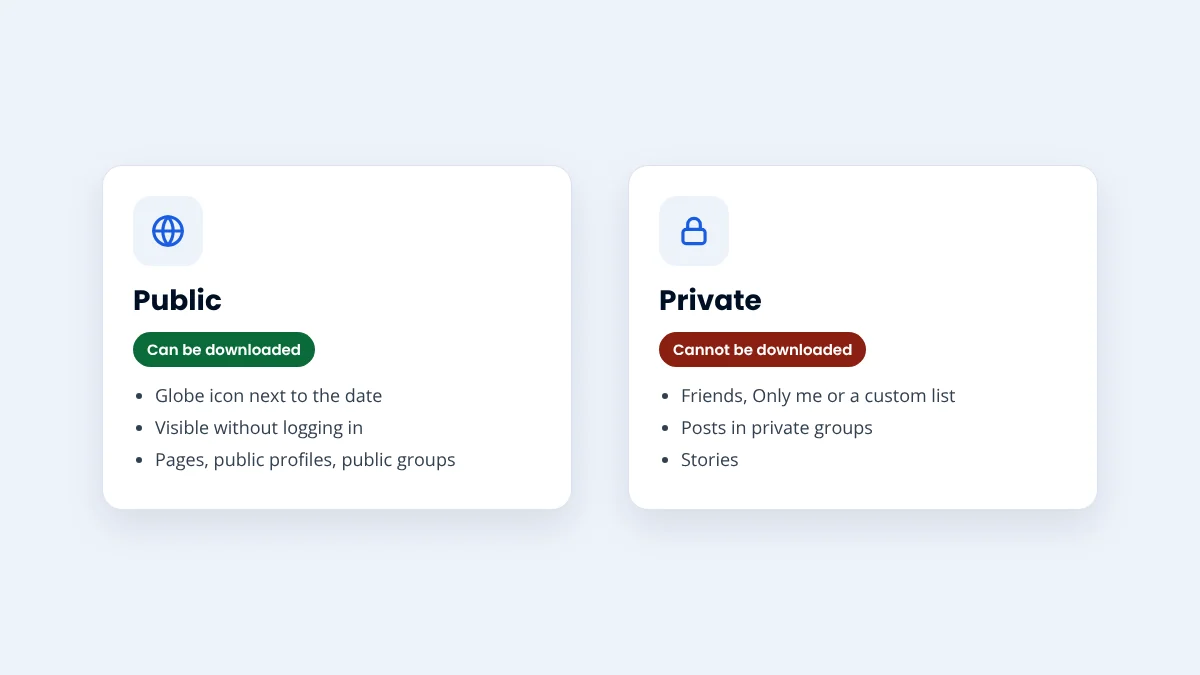
- Public group: anyone can see who is in the group and what they post.
- Private group: only members can see posts.
Downloading from a public group
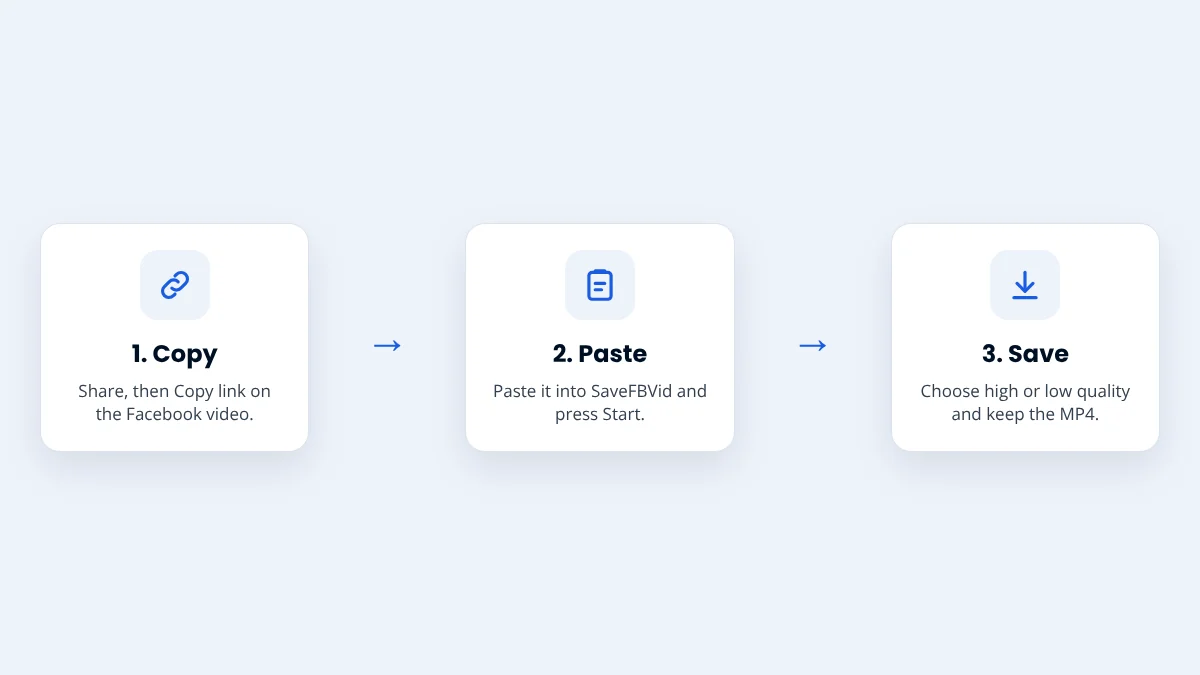
- Open the video post in the group.
- Choose Share, then Copy link. If there is no Share option, tap the post's date to open it and copy the address.
- Paste the link into SaveFBVid and press Start.
- Choose a quality and save the video.
What about private groups?
Online downloaders cannot see posts in private groups, because those posts are only shown to signed-in members. This is the same protection that applies to private profiles; see can you download private Facebook videos.
Your options:
- Ask the person who posted it to send you the file.
- Ask an admin whether sharing outside the group is allowed.
- If you posted it yourself, download it from your own post or use Facebook's export. See download your own Facebook videos.
Respect the group's rules
Many groups have a rule against sharing content outside the group. Even in a public group, check with the poster before reusing their video.
Tips
- Group posts sometimes embed a video from a page. If the group link fails, open the original video and copy that link.
- Very long recordings, such as meetings and live sessions, make large files. Use Wi-Fi.
Releated Posts
 fb.watch Links Explained: What They Are and How to Download Them
 Is It Safe to Use Online Facebook Video Downloaders?
 Is It Legal to Download Facebook Videos? A Plain-Language Guide
Comments
No comments yet.
Leave a Comment
Your email address will not be published.