
Videos you uploaded to Facebook are yours, and Facebook provides a way to get them back, including videos that are set to Friends or Only me. If you want a backup, this is the route to take.
Option 1: Download one video
- Go to your profile or page and open the video.
- Open the three-dot menu on the post.
- Choose Download video if it is offered.
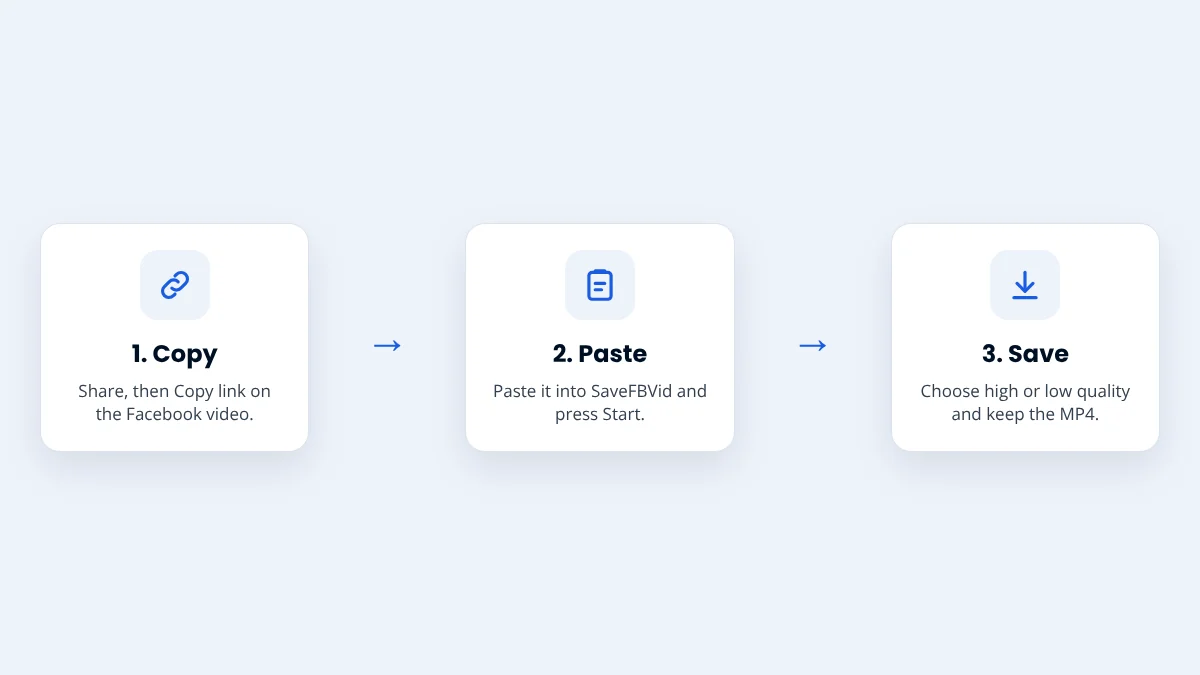
If your video is public, you can also copy its link and use SaveFBVid.
Option 2: Export everything with Download your information
Facebook's export tool creates an archive of your account data. You can limit it to videos.
- Open Facebook Settings.
- Find Download your information (it may sit inside Accounts Center, under Your information and permissions).
- Choose to download or transfer information, then select the specific types of information you want.
- Select Posts or the option that includes your photos and videos.
- Choose a date range and media quality. Pick High for the best copies.
- Submit the request.
Facebook prepares the files and notifies you when they are ready. Large archives can take a while.
The menu names change from time to time. If you cannot find the option, search Facebook's settings for "download your information".
What you get
A ZIP file containing your videos as MP4 files, together with a simple index you can open in a browser.
Why this beats any downloader for your own content
- It includes videos that are not public
- It can use the best quality Facebook has kept
- It covers everything in one request
Keep your backup safe
- Store a copy on an external drive or cloud storage
- Keep the archive private; it can include more than videos
- Repeat the export once or twice a year
For videos that are not yours
Use an online downloader for public videos, and ask the owner for anything else. See can you download private Facebook videos.
Releated Posts
 How to Download Facebook Live Videos After the Stream Ends
 Facebook Video Download: HD vs SD, and Which to Choose
 How to Download Facebook Videos on PC and Mac
Comments
No comments yet.
Leave a Comment
Your email address will not be published.