
Facebook needs a connection to play video. If you are heading somewhere without signal, download what you want to watch before you leave.
Before you go: download the videos
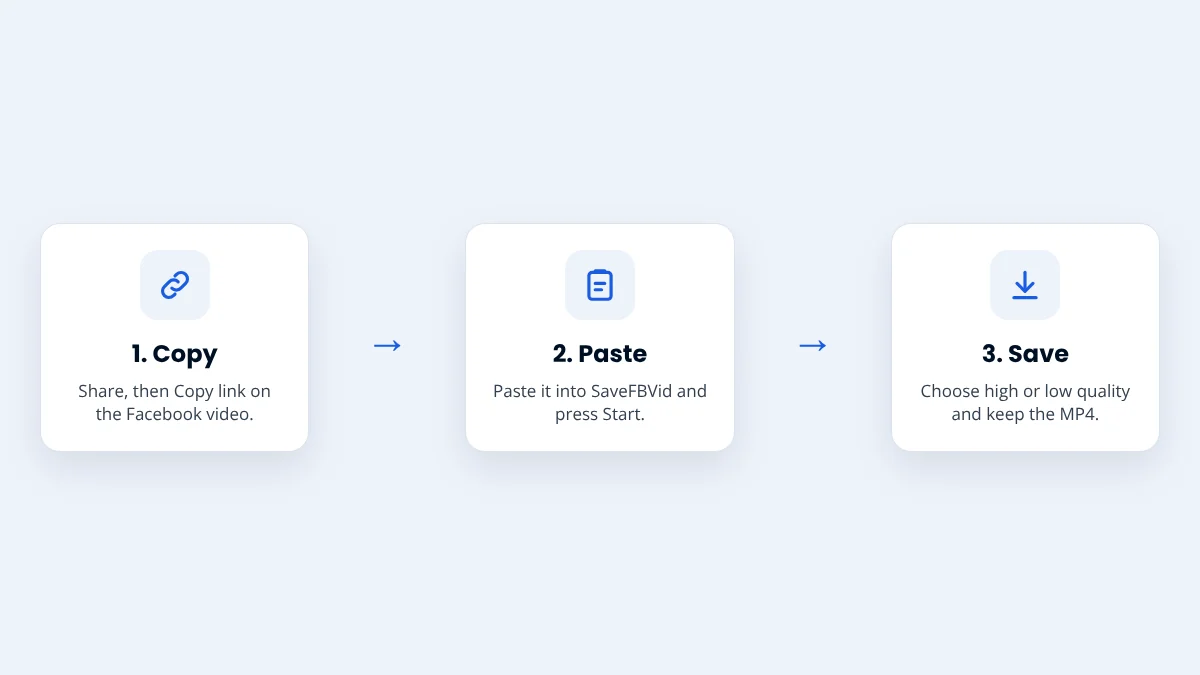
- Open each video on Facebook and copy its link.
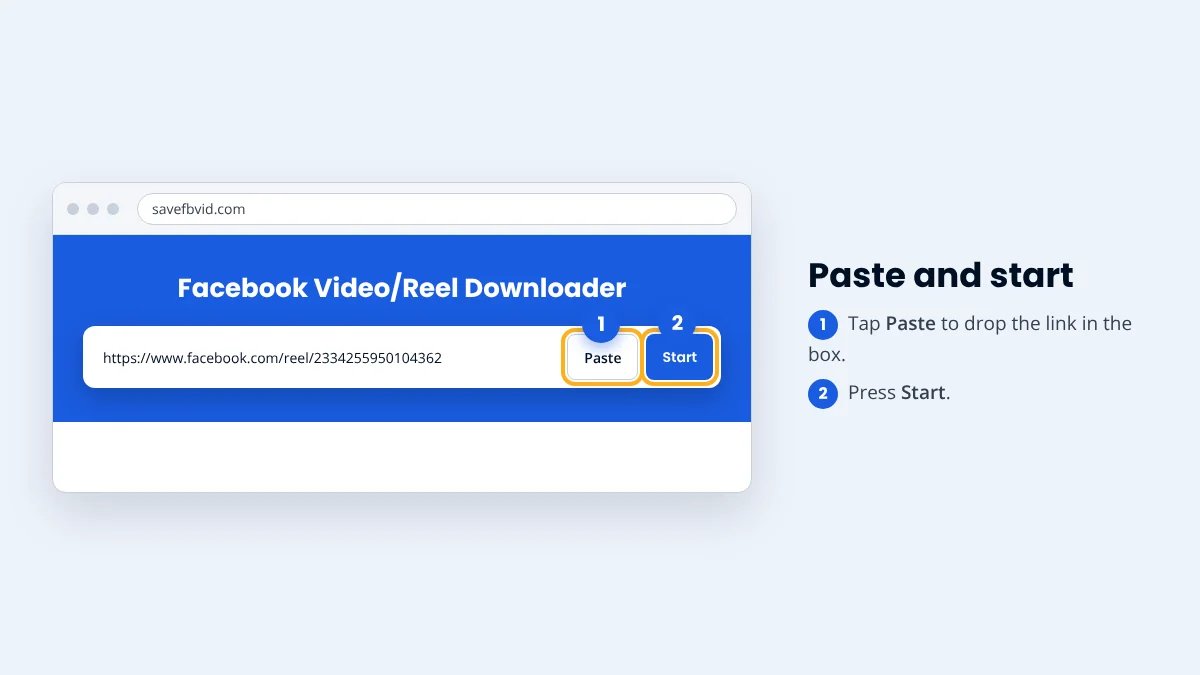
- Paste the link into SaveFBVid and press Start.
- Choose a quality and save the file.
- Repeat for the next video.
Do this on Wi-Fi. A handful of HD videos can use a lot of mobile data.
Check that they play
Turn on airplane mode and open one of the files. If it plays, you are set. This takes ten seconds and avoids surprises later.
Where to find the files offline
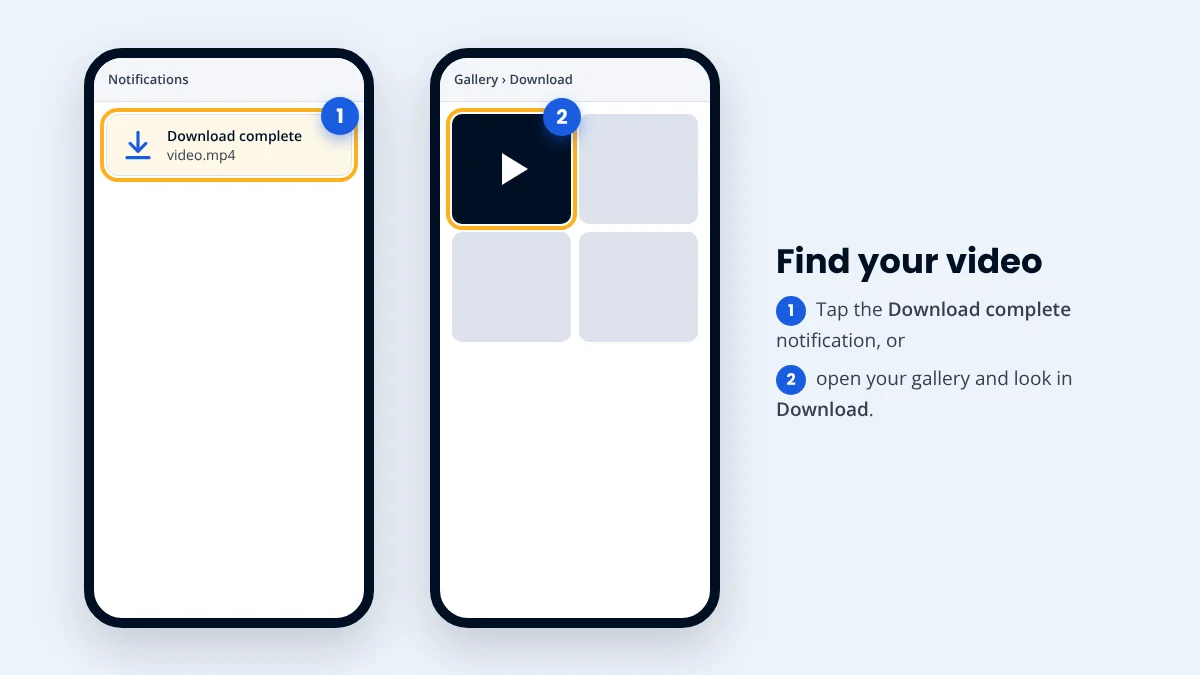
- Android: gallery or the Files app, under Downloads
- iPhone: Files app, under Downloads, or Photos if you moved them
- Laptop: the Downloads folder
Choosing quality for travel
- Phone screen: low quality is usually enough and saves space.
- Tablet or laptop: high quality looks noticeably better.
More in HD vs SD.
How much space do you need?
It varies with length and quality. As a habit, check your free storage before downloading several long videos, and delete them when you are done.
What does not work offline
- Facebook's Save list. It is only a bookmark and needs a connection. See save vs download on Facebook.
- Private videos, which cannot be downloaded by online tools.
A tidy way to organise
Create a folder or album called "Offline" and move the downloaded videos there. When you are back online, delete the folder's contents in one go.
Releated Posts
 Facebook Reels vs Videos: What Is the Difference?
 Download Facebook Videos Without an App or Extension
 Save vs Download on Facebook: What Is the Difference?
Comments
No comments yet.
Leave a Comment
Your email address will not be published.