
Quick answers to the questions we hear most often. Each one links to a longer guide where there is more to say.
Basics
Is SaveFBVid free?
Yes. There is no charge and no registration.
Do I need to install anything?
No. It runs in your browser. See download without an app or extension.
What do I need?
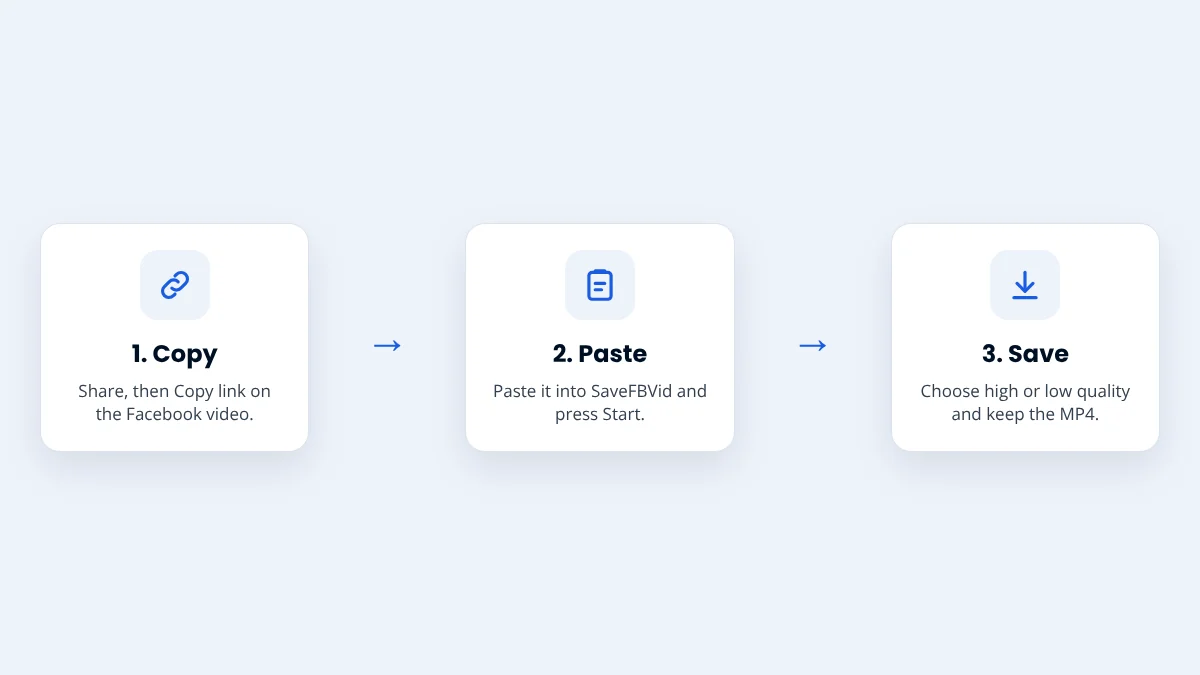
The link to a public Facebook video or reel.
How do I get the link?
Use Share, then Copy link. Full guide: how to copy video and reel post links.
What can be downloaded
Can I download reels?
Yes. See how to download Facebook Reels online.
Can I download private videos?
No. Here is why.
Can I download stories?
No, but you can save your own. See can you download Facebook stories.
Can I download live videos?
After the stream ends and the replay is public. See Facebook Live videos.
Do fb.watch links work?
Yes. See fb.watch links explained.
Quality and files
What format is the file?
MP4. See Facebook video formats explained.
What is the difference between the two buttons?
High quality is sharper and larger; low quality is smaller. See HD vs SD.
Is there a watermark?
SaveFBVid does not add one.
Where is my file?
In your Downloads folder. On iPhone, look in the Files app.
Devices
Does it work on iPhone?
Yes. See the iPhone guide.
Does it work on Android?
Yes. See the Android guide.
Does it work on a computer?
Yes. See the PC and Mac guide.
Privacy and rules
Will the owner know I downloaded their video?
Facebook does not send a notification for this.
Do you keep the videos I download?
SaveFBVid does not host videos. See the Privacy Policy.
Is it legal?
It depends on the video and what you do with it. See is it legal to download Facebook videos.
Problems
It says the response was not valid. What now?
The video is probably not public, or the link is incomplete. Try the nine fixes.
Releated Posts
 How to Download Long Facebook Videos Without Problems
 How to Repost Facebook Videos the Right Way (With Permission)
 How to Share a Downloaded Facebook Video on WhatsApp and Other Apps
Comments
No comments yet.
Leave a Comment
Your email address will not be published.